90_ live viewer
live viewer
Change of Layout Channel and Name
1. Click < > after selecting a layout.
2. Add or delete channels or rename layouts.
3. Click <
> to save the changed settings.
Delete Layout
Click < > after selecting the layout to delete.
REALTIME EVENT MONITORING
Real-time events that occurred on the camera can be checked in the live video window and event list.
■
This function is not supported in some models.
■
AI events are only available for products that support AI.
■
AI events are displayed only after setting event rules. AI event search may have different settings and operation specifications depending on the recorder
or camera.
■
Live event monitoring can receive data on only one channel and data can be received only from the camera currently being monitored in live.
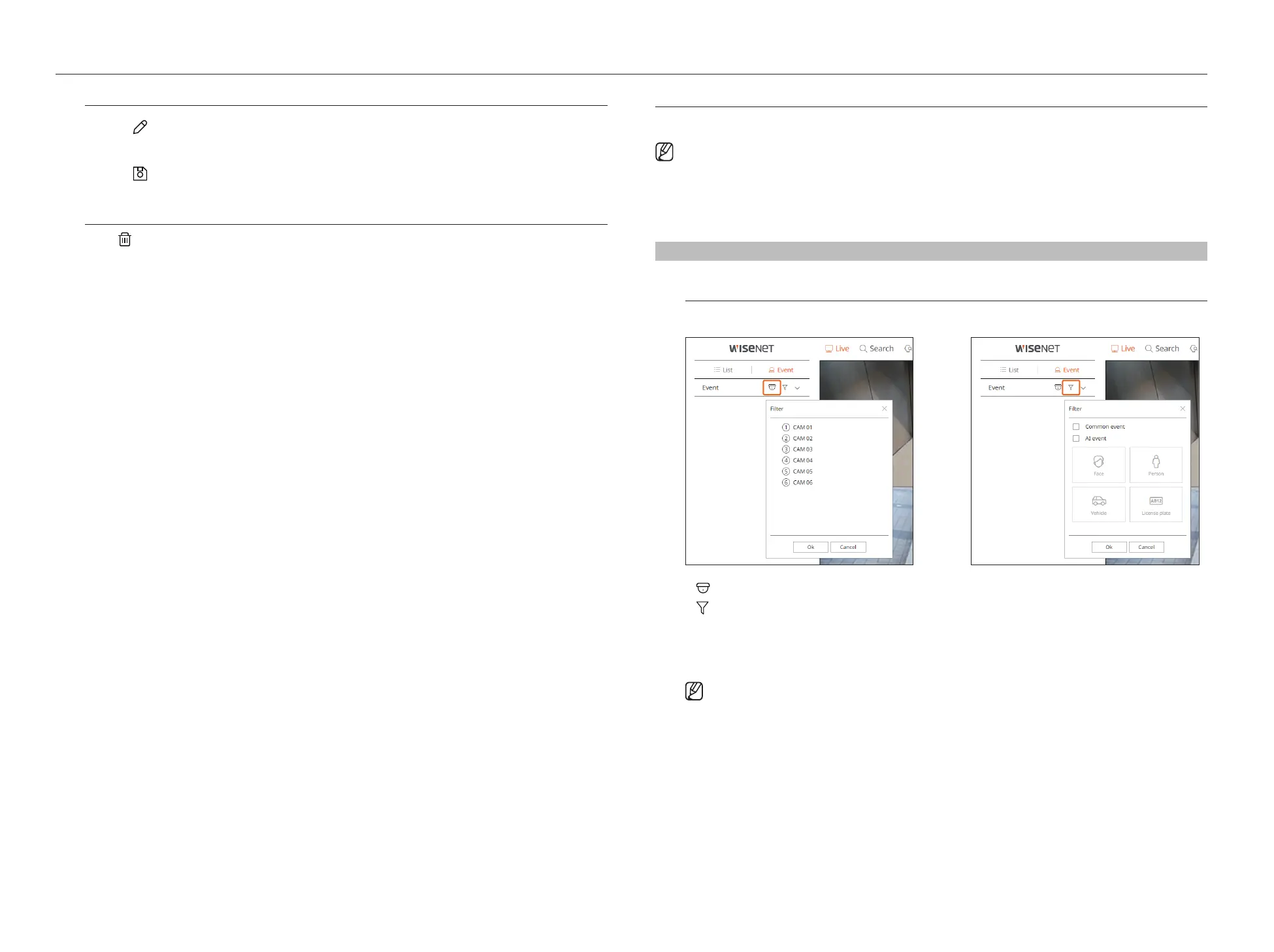
Live > Event
Event Type and Camera Settings
Set the event type and camera to be displayed in the event list.
●
: Displays events for the selected camera only.
●
: Displays only selected events in the event list.
– Common event : Searches for event types that have occurred in general cameras such as motion detection
and IVA.
– AI event : Searches for AI event types such as face, person, and vehicle.
■
The Safari browser does not support this feature.



 To Next Page