30_ live
live
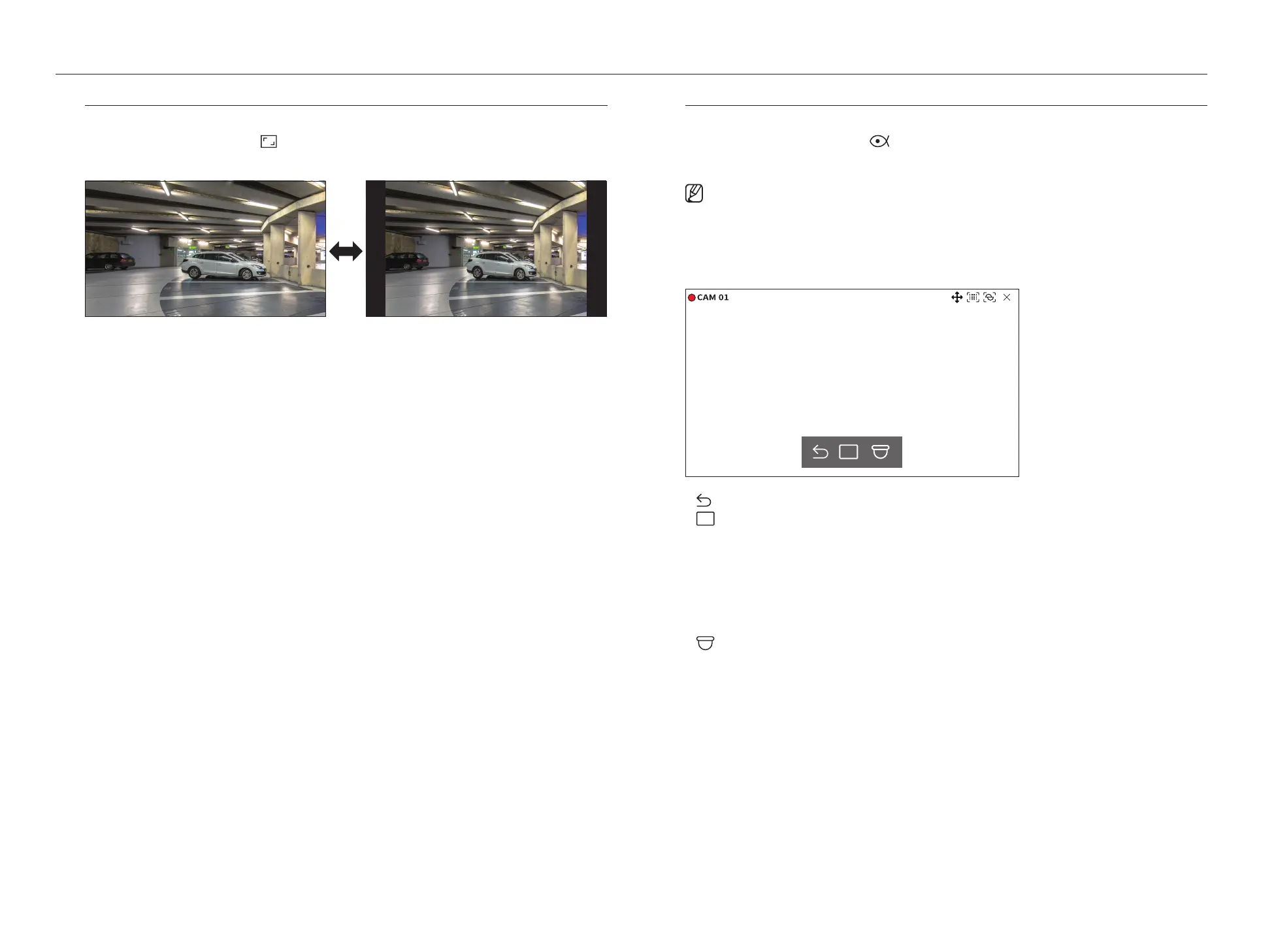
Change Channel Aspect Ratio
You can change the aspect ratio of each channel.
Select the desired channel and click <
>.
It changes to the actual proportion of the video.
Dewarping
You can correct distorted images from the fisheye camera by running dewarping.
Select the channel you want and click <
>.
It will enter the setup mode for dewarping.
■
Some models do not support this function.
■
It works only when the video resolution is 1:1.
■
The set dewarping mode is cleared when the layout is changed, so set it again.
■
Dewarping will be applied only to the selected channel.
■
In dewarping mode, the frame rate of the video is limited depending on the resolution (3-30 fps).
●
: Dewarping mode is closed.
●
: You can select from <Single>, <Quad view>, <Single panorama>, and <Double panorama> for the
view mode.
– Single, Quad view : You can use the PTZ function by dragging the mouse up/down/left/right or by using the
mouse wheel.
– Single panorama : You can select when the mounting mode is <Wall>
– Double panorama : You can select when the mounting mode is <Ground> or <Ceiling>. You can use the
PAN function by dragging the mouse left or right.
●
: You can select the mounting mode from <Ground>, <Wall>, and <Ceiling>.



 To Next Page