76_ setup
setup
●
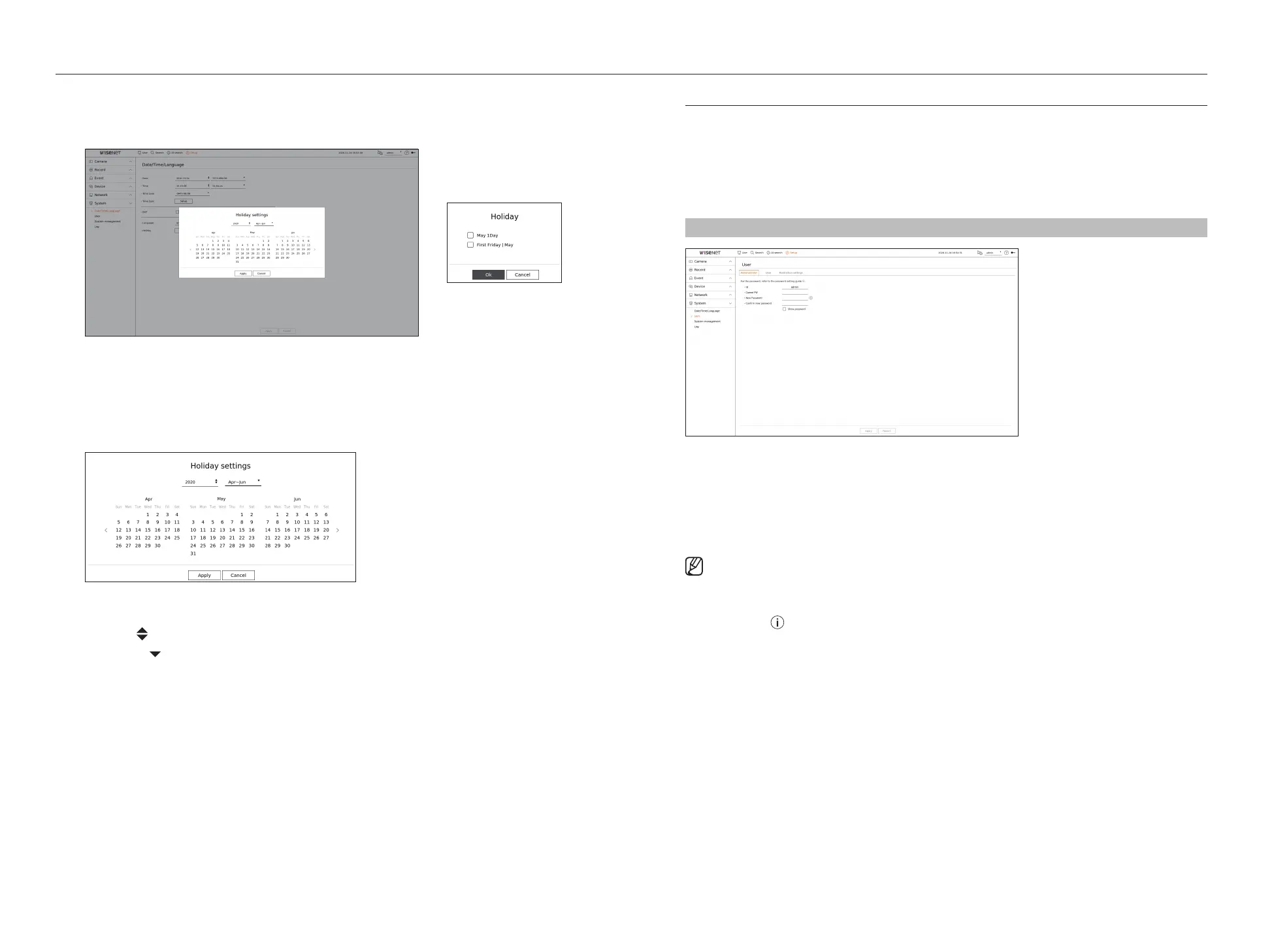
Holiday : A user can select specific dates as holidays according to their own preferences. Select a holiday from
the calendar displayed by clicking <Setup>.
– The same applies to <Record schedule> or <Schedule> settings as holidays.
Example) If you select May 1 and check <May 1Day>, May 1 will be set as a yearly holiday, and if you check
<May 1Day> and <First Friday l May> May 1 of every year and all Fridays of the first week of May will be set as
holidays.
To use the calendar
1. Select year and month.
■
Click < > on the right side of the year to change the year by one year.
■
Click the < > to the right side of the month to change the month every 3 months.
2. Select a date and click on the <Apply> button.
User
You can manage users, such as adding or deleting users and granting different authorities for each user.
Setting the Administrator
You can set and change Administrator's ID and password. The administrator can use and set all menu items and
functions.
Setup > System > User > Administrator
●
ID : Change the admin ID.
●
Current PW : Enter the current PW.
●
New password : Enter new password.
●
Confirm new password : Enter the new password again.
■
If <Show password> is selected, the password will no longer be hidden on the screen when you type it.
■
The initial administrator ID is set to “admin” and you will need to configure the password in the installation wizard.
■
Please change your password every three months to safely protect personal information and to prevent the damage of the information
theft.
Please, take note that it's a user's responsibility for the security and any other problems caused by mismanaging a password.
■
If you click < >, a basic guide for password setup is displayed.



 To Next Page