English _91
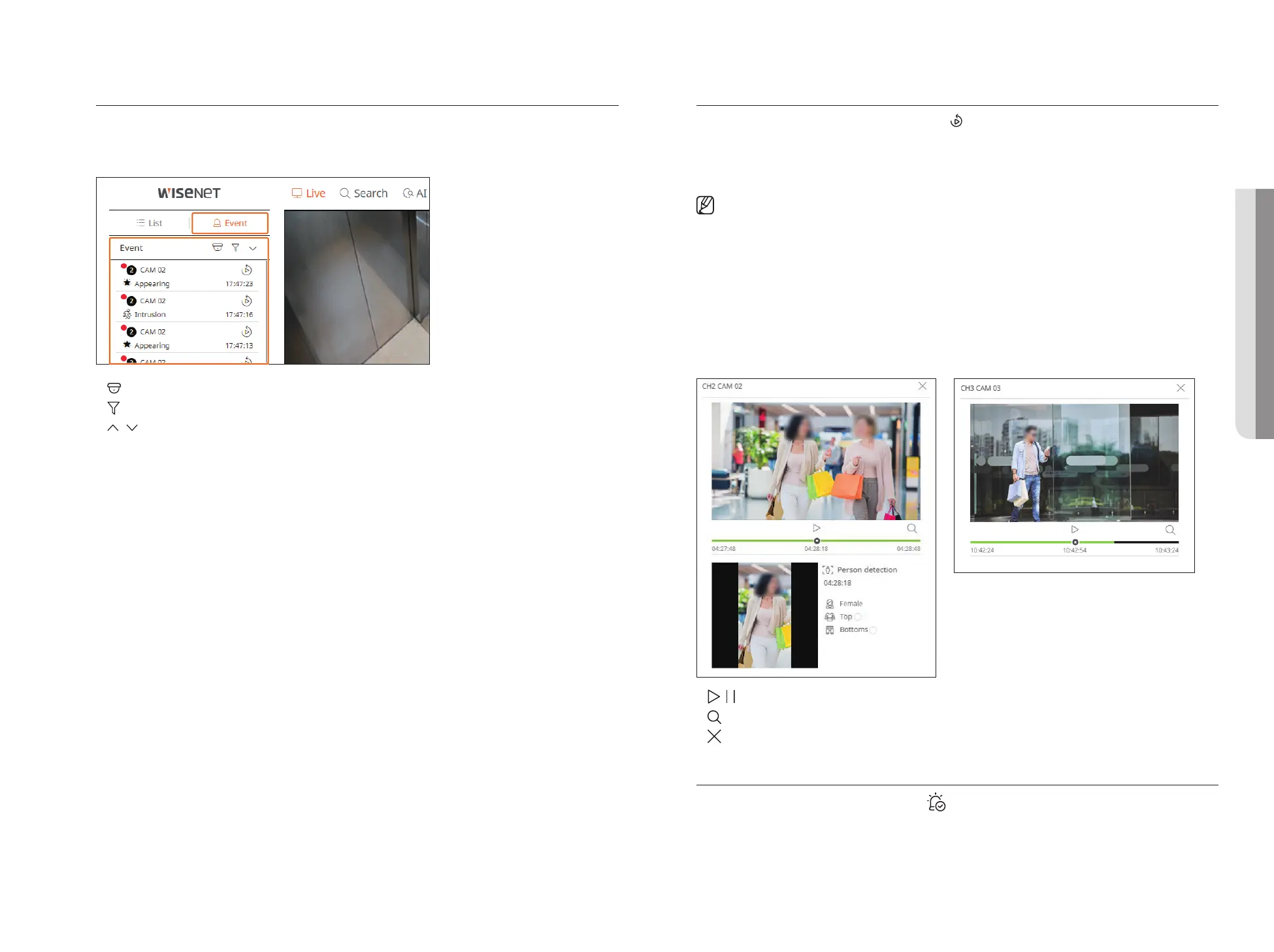
Check Event List
When new events occur, the list of events will be updated accordingly.
■
The specified channels and events are displayed in the list according to the event rule setup.
For details, refer to the "Setup > Setting the Event > Event rule setup" page in the Table of Contents.
●
: Select a camera.
●
: Select an event type.
●
/ : Open or close the Event list.
Event Instant Viewer
Select an event to check from the event list, and click < > to play the recorded video at the time the event
occurred.
■
Instant viewer can play an event video for 1 minute.
■
For AI events, the best shot and details of the event that occurred are displayed.
■
AI event recognition may have different settings and operation specifications depending on the recorder model or camera.
■
To see AI events, set any of the following options as necessary : See the relevant page for detailed setup method.
– Setup > Event > AI engine
– Setup > Event > Event setup > Object
– Setup > Event > Event setup > AI recognition
– Setup > Event > Event setup > Mask
– Setup > Event > Event setup > IVA
– Setup > Event > Event rule setup
Common eventAI event
●
/ : The video is played/paused.
●
: Go to the search menu screen.
●
: Instant Viewer playback ends.
Stop Alarm Output
When an event occurs, an alarm can occur. Click < > at the bottom of the screen to stop the alarm output if
necessary.
For details, refer to the "Setup > Setting the Event > Event rule setup" page in the Table of Contents.
• LIVE VIEWER



 To Next Page