English _73
SNMP
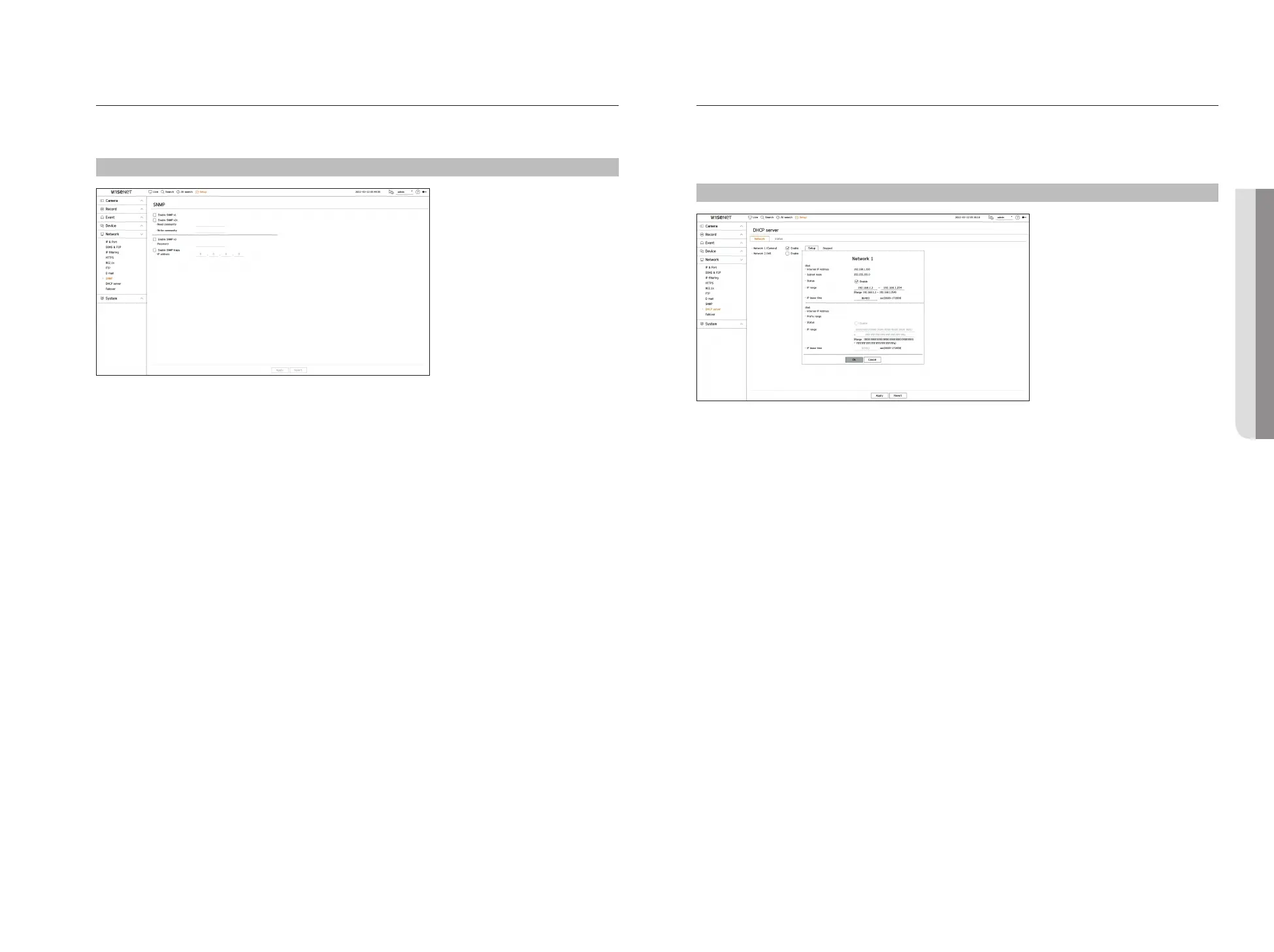
The SNMP protocol allows system or network administrators to remotely monitor and configure the network
devices.
Setup > Network > SNMP
●
Enable SNMP v1 : SNMP v1 is used.
●
Enable SNMP v2c : SNMP v2c is used.
– Read community : Enter the name of read-only community to access the SNMP information.
– Write community : Enter the name of write-only community to access the SNMP information.
●
Enable SNMP v3 : SNMP v3 is used.
– Password : Set the initial user password for SNMP version 3.
●
Enable SNMP traps : SNMP trap is used to send important events and conditions to the Admin System.
– IP address : Enter the IP address to which messages will be sent.
DHCP Server
You can set the internal DHCP server and assign an IP address to the network camera.
Network Setting
Setup > Network > DHCP server > Network
●
Network : You can set the IP range and time to activate as the recorder's DHCP server.
To set the DHCP server
1. Click <Setup> of the network you want to set as a server.
2. When the network setting window is displayed, select <Run> for <Status>.
3. Enter the starting IP and end IP in the <IP range> field.
4. Fill in the <IP lease time> field.
5. Click <OK>.
The IP range entered is set as the DHCP server address of the network.
• SETUP



 To Next Page