12_ getting started
getting started
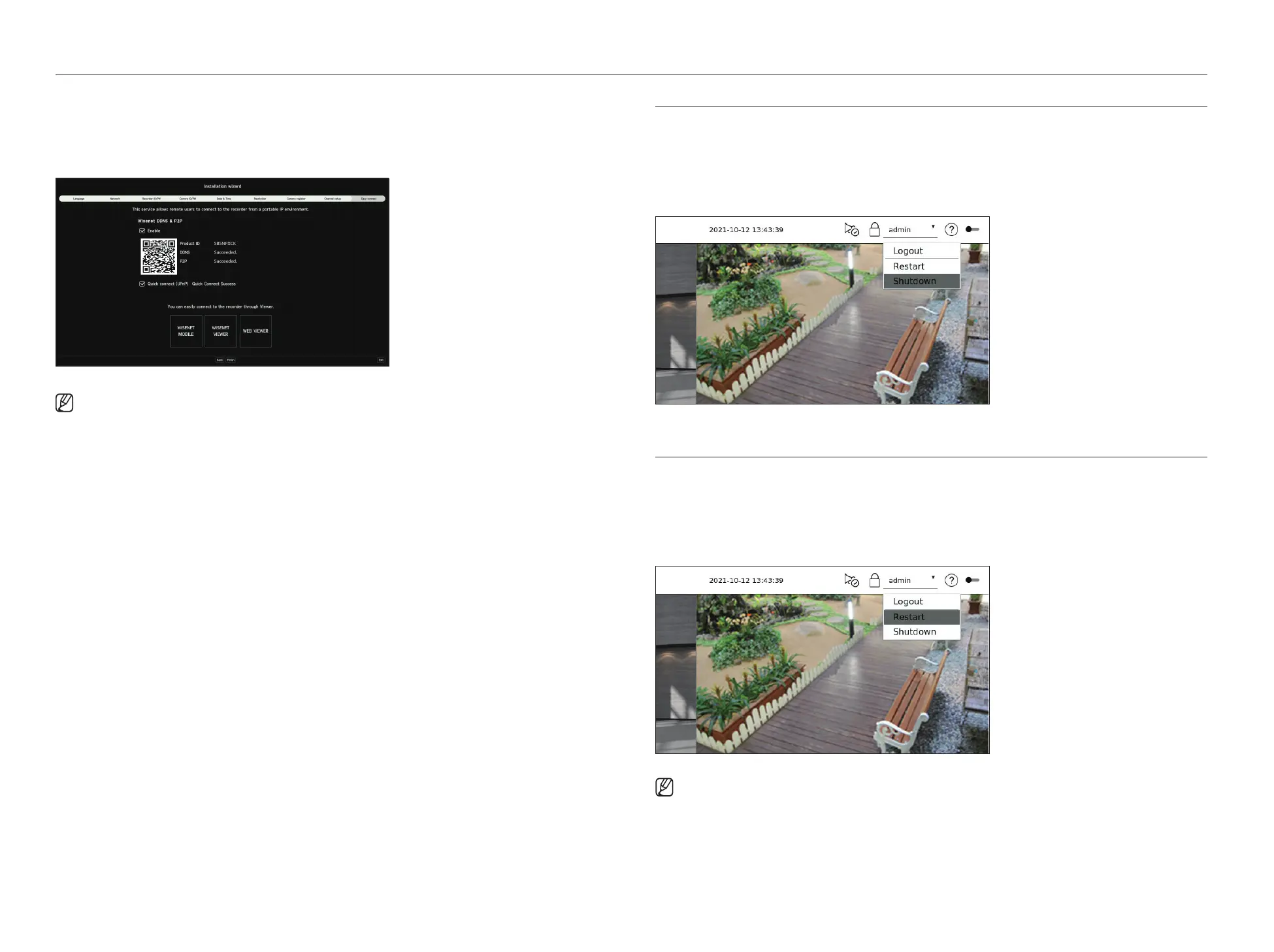
9. On the <Easy connect> screen, a remote user can network a recorder in a dynamic IP system.
Click <Enable> to test the connection to see if the current recorder can be connected remotely. When the
connection is successful, a QR code is created.
To connect a recorder via a viewer, select the viewer you want to use. You can check the connection method of the
selected viewer in the popup window.
■
It connects to Wisenet DDNS first. If it does not connect to DDNS, it automatically connects to P2P.
10. Click <Finish> to complete the Installation wizard.
SHUTTING DOWN THE SYSTEM
1. Select <Shutdown> at the top right of the screen.
2. The <Shutdown> window will appear.
3. Click on <OK>.
The system will shut down.
RESTARTING THE SYSTEM
1. Select <Restart> at the top right of the screen.
2. The <Restart> window will appear.
3. Click on <OK>.
The system will restart.
■
Only the user with the "Shutdown/Restart" permission can shut down or restart the system.
■
To manage Permission Setup, refer to the "Setup > Setting the system > User" page in the Table of Contents.



 To Next Page