72_ setup
setup
E-mail
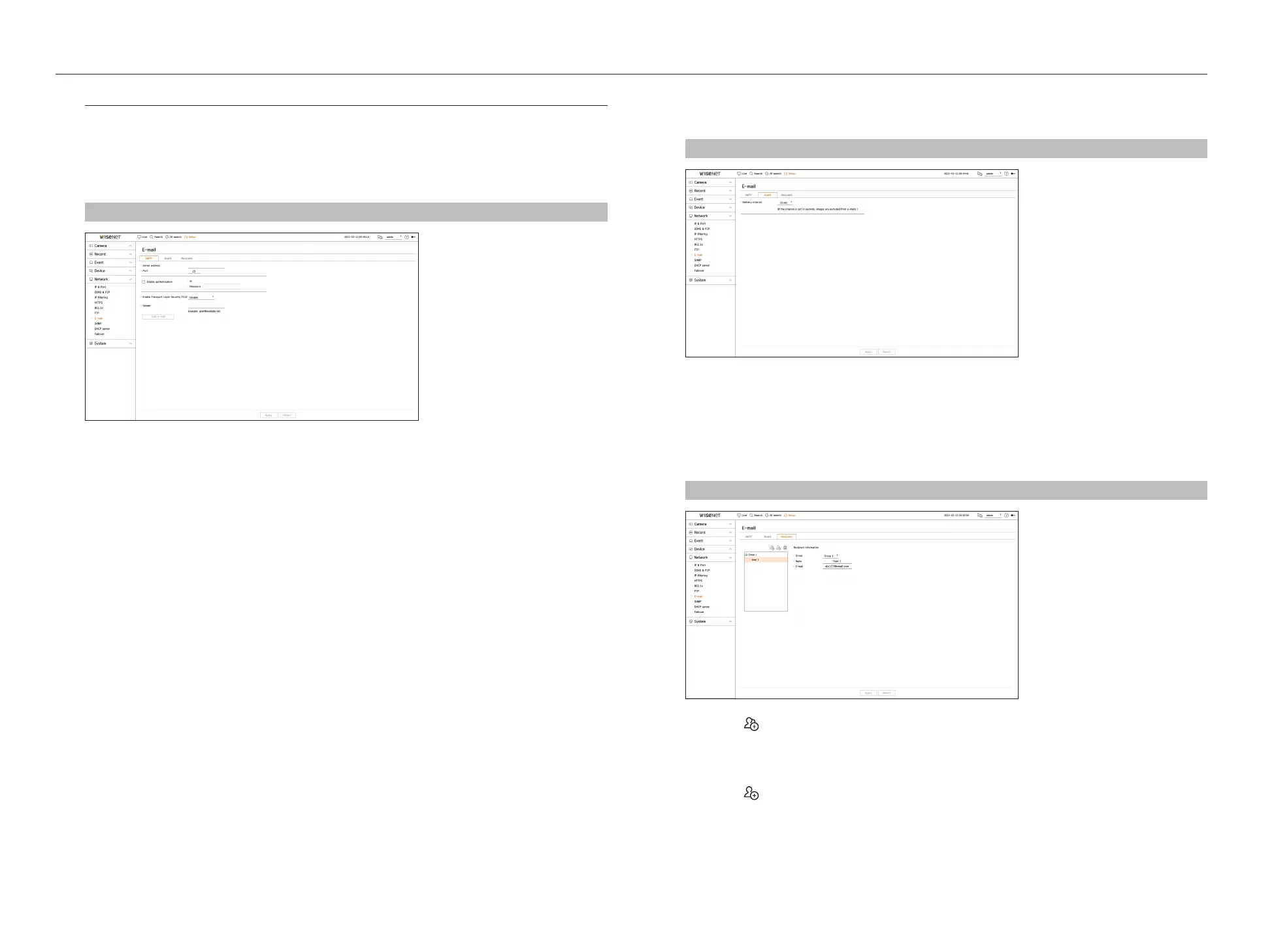
You can send an e-mail to a Recorder-registered user at a specific time interval, or if an event occurs.
SMTP Setting
Sets the SMTP mail server.
Setup > Network > E-mail > SMTP
●
Server address : Enter the SMTP server address to connect to.
●
Port : Enter the connection port.
●
Enable authentication : Check this if the SMTP server uses user authentication.
The ID and password fields will be activated when the authentication is enabled.
– ID : Enter a ID to use authentication when connecting to the SMTP server.
– Password : Enter the password of the SMTP server user.
●
Enable Transport Layer Security (TLS) : Select one from <Disable> and <TLS (if available)>.
●
Sender : Use the virtual keyboard to enter the sender's e-mail address.
●
Test e-mail : Conducts the test on the server settings.
Event Setting
You can set the interval and type of the event that will be sent to the user.
Setup > Network > E-mail > Event
●
Delivery interval : Set the event interval.
■
If a series of events occurs, the e-mail will be sent at the specified interval, not on each event.
Recipient Setting
You can create a group and add users to it or; you can delete users and change a group.
Setup > Network > E-mail > Recipient
●
Click on < > to add a group.
Enter the group name.
●
Select a recipient group to receive emails.
If a group is added, it will appear in the group list.
●
Click on < > to add a recipient.
Select a group and enter names and email addresses.
If a group is created, you can add a recipient.



 To Next Page