English _25
Play Layout Sequence
You can automatically switch the layout list to a set time interval to view.
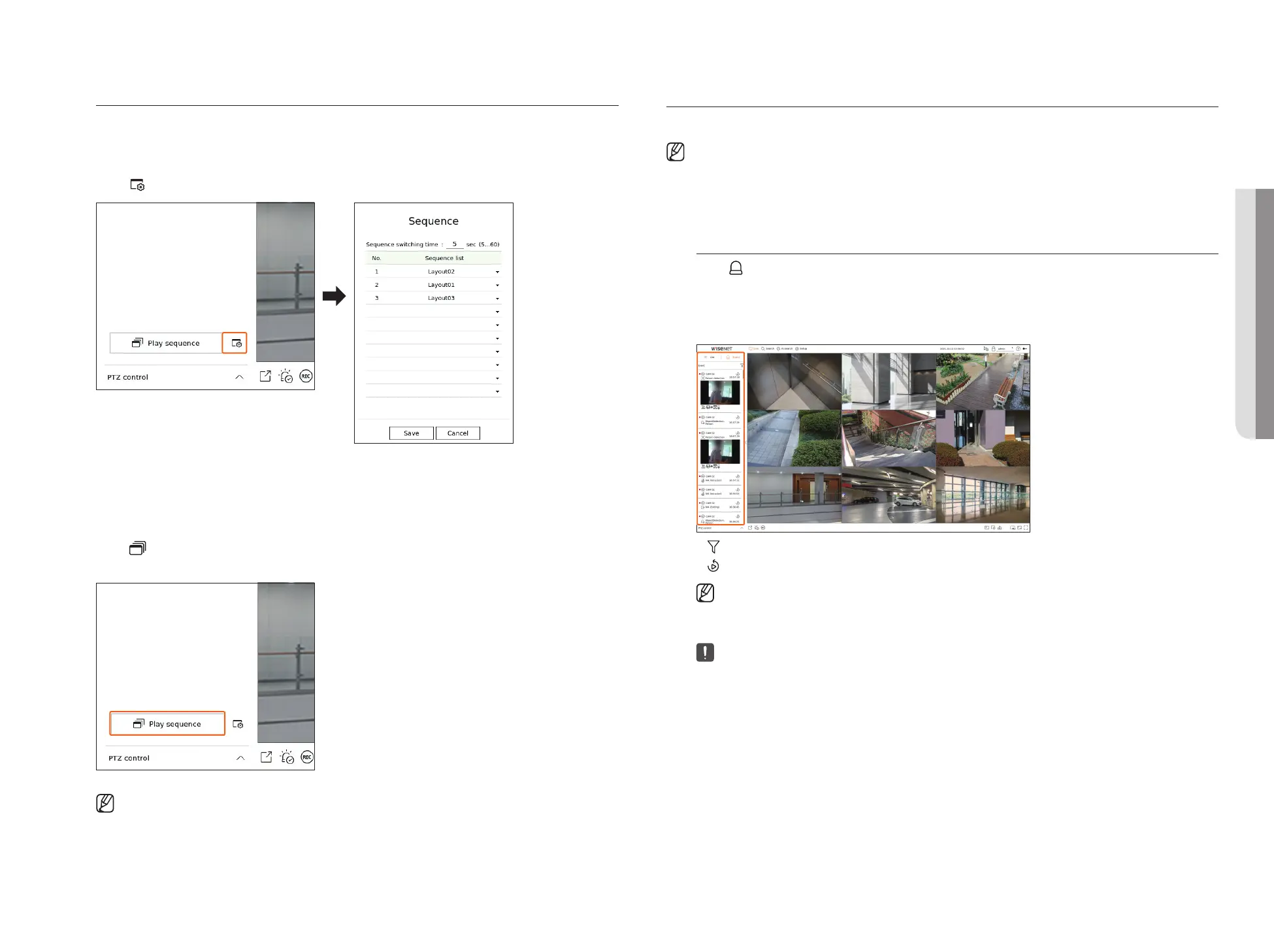
Sequence Setting
Click < > at the bottom of the layout list to set the sequence.
●
Sequence switching time : Set the switching time of the layout list.
●
Sequence list : Set the layout sequence playback order. You can add the same layout repeatedly.
Play Layout Sequence
Click < Play sequence> at the bottom of the layout list to automatically switch the layout according to the
sequence settings.
■
<Play sequence> is active only when a sequence is set.
REALTIME EVENT MONITORING
Real-time events that occurred on the camera can be checked in the live video window and event list.
■
This function is not supported in some models.
■
AI events are only available for products that support AI.
■
AI events are displayed only after setting event rules. AI event search may have different settings and operation specifications depending on the recorder
or camera.
Check Event List
Click < Event> on the left side of the live screen to display the real-time event list.
■
When new events occur, the list of events will be updated accordingly.
■
The specified channels and events are displayed in the list according to the event rule setup.
For details, refer to the "Setup > Setting the Event > Event rule setup" page in the Table of Contents.
●
: Browses for the event by the desired condition.
●
: Plays the video at the time of the event.
■
When an alarm output occurs, if event recording is set and pre-event time and post-event time are set, event recording is performed before or
after the event according to the set recording method. For more information about event recording settings, refer to the "Setup > Setting the
Recording > Record setup" page in the Table of Contents.
■
The video may be delayed depending on the network condition.
■
The event output can be delayed as the transfer of the alarm event from the network camera takes time.
• LIVE



 To Next Page