English _49
Setting the Live Profile
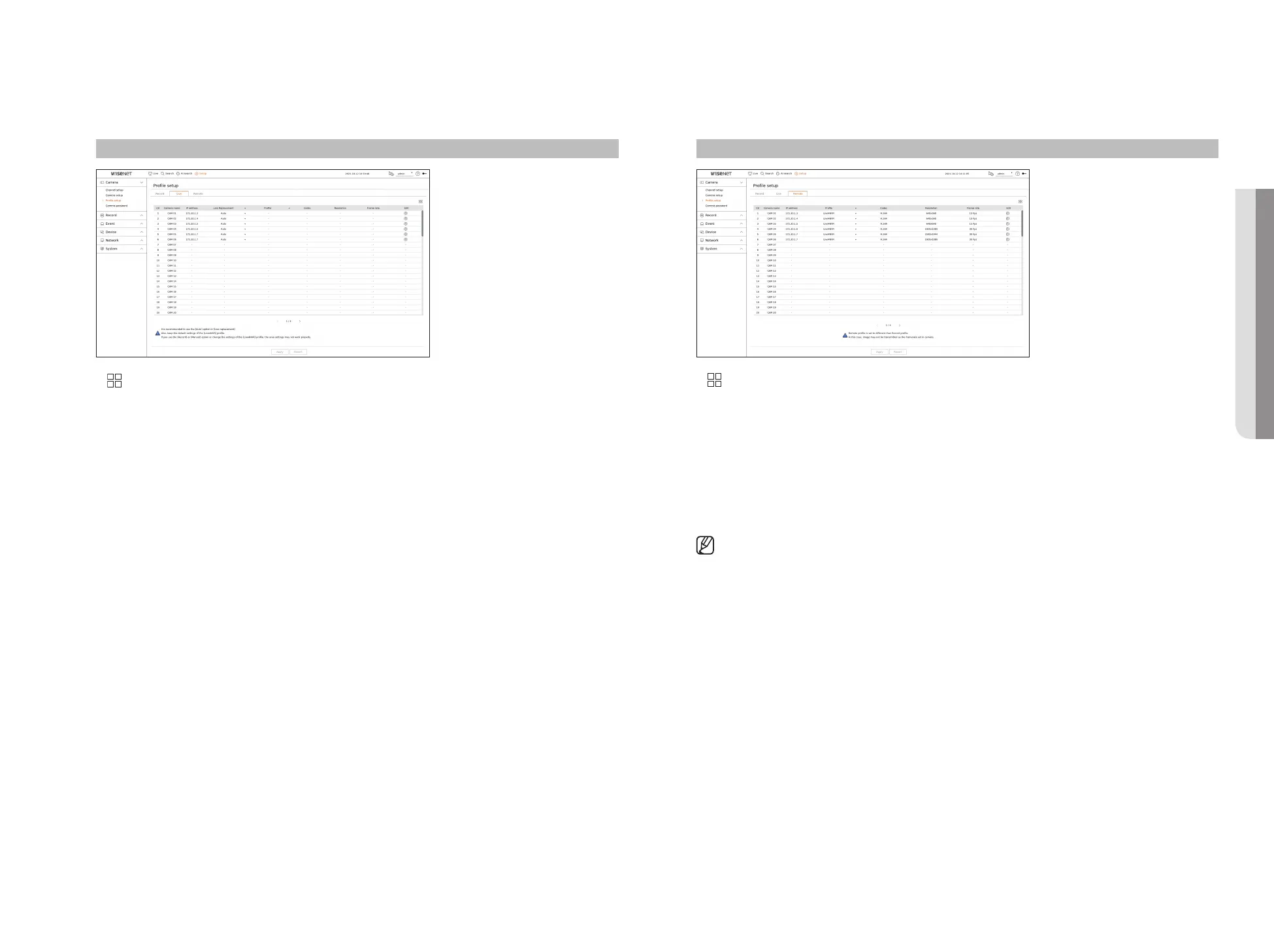
You can change the live transfer settings of the network camera.
Setup > Camera > Profile setup > Live
●
: Displays the camera of the corresponding channel as a list or a thumbnail.
●
Camera name : Display the camera name.
●
IP address : Display the IP address of a camera.
●
Live replacement : You can select the live profile setup mode.
If you select <Manual> the profile setup items are enabled, and you can change settings manually.
– Auto : For the profile for live monitoring, a profile optimized for each split mode is displayed, along with the
‘Live4NVR' profile automatically generated at the time of the camera registration.
– Manual : Live monitoring is performed with the profile selected by the user from the registered camera
profiles.
– Record : Live monitoring is performed with the profile set for recording.
●
Profile : You can set the camera profile.
●
Codec : Show the codec of the selected profile.
●
Resolution : Show the resolution of the selected profile.
●
Frame rate : Show the frame rate of the selected profile.
●
Edit : You can add, change, and delete the camera profiles.
Setting the Remote Profile
You can set the video profile transmitted to the network.
Setup > Camera > Profile setup > Remote
●
: Displays the camera of the corresponding channel as a list or a thumbnail.
●
Camera name : Display the camera name.
●
IP address : Display the IP address of a camera.
●
Profile : Select a network profile for the connected camera.
●
Codec : Show the codec information for the selected network profile.
●
Resolution : Display the resolution for the selected network profile.
●
Frame rate : Shows the selected network profile's frame rates.
●
Edit : You can add, change, and delete the camera profiles.
■
If the profiles used for network and recording are different, camera's video feed may not comply with the frame rate as specified in the
camera.
• SETUP



 To Next Page