English _55
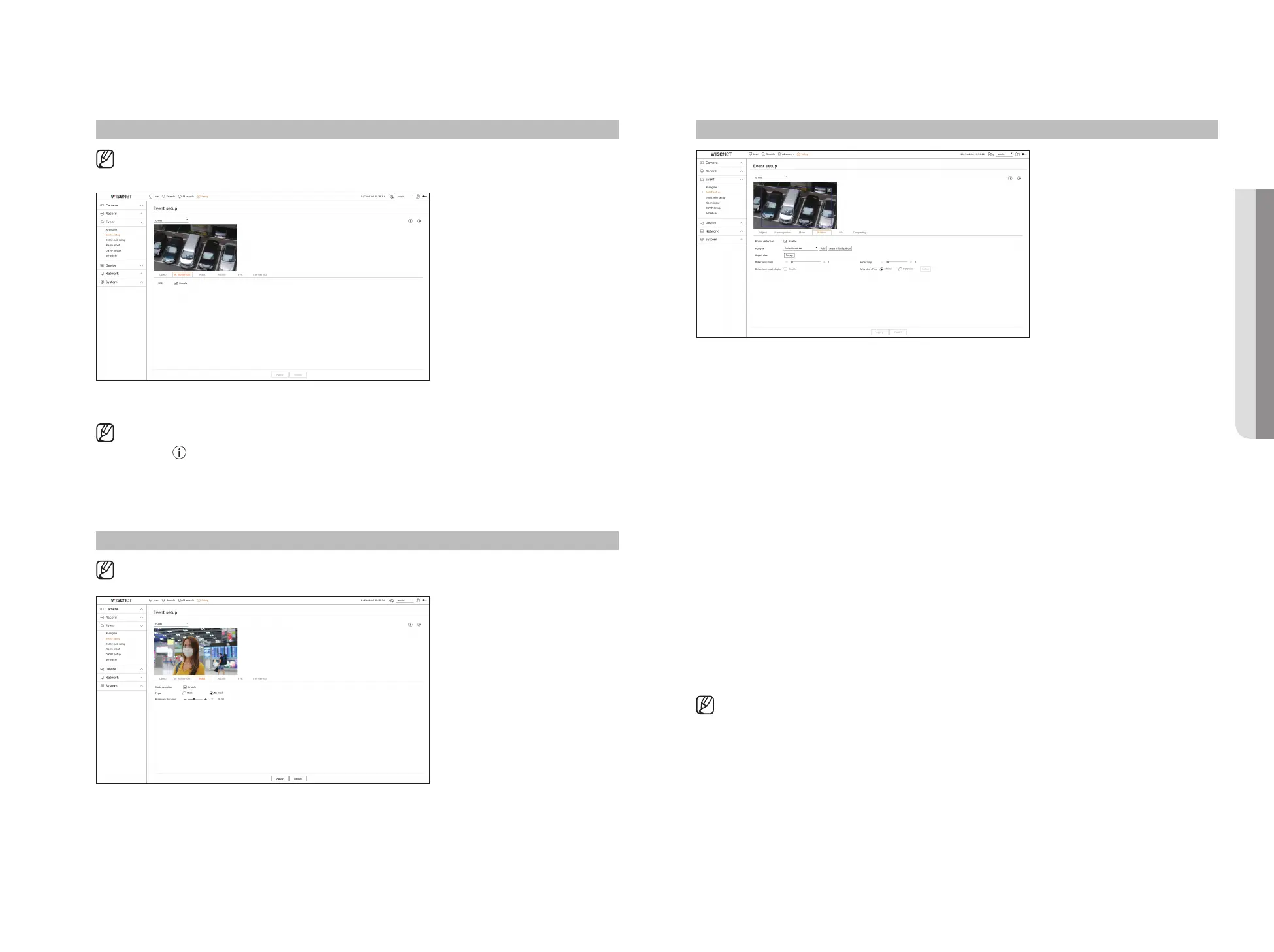
Motion
Setup > Event > Event setup > Motion
●
Motion detection : You can set whether to enable motion detection.
●
MD type : You can set a detection area and a detection excluded area.
– Detection area : Set the area to detect motion.
– Detection excluded area : Set the area to not detect motion.
– Add : After selecting the desired area item, set the area on the preview screen.
– Area initialization : You can clear all the set areas.
●
Object size : You can set the size of the object to recognize the motion.
– Click <Setup> to select the minimum/maximum size and set the object size on the preview screen.
●
Detection level : You can set the basic level required for motion detection. Level values can be set for each
detection area set in <MD type>. If a motion value is bigger than the set level, then a motion detection event
is triggered.
●
Detection result display : You can overlay the detection area over video.
●
Sensitivity : You can set the sensitivity of motion detection for each area. Set a lower sensitivity for an
environment where the background and an object are clearly distinguishable and a higher sensitivity for an
environment where the background and an object are not clearly distinguishable.
●
Activation time : You can set the activation time for motion detection.
– Always : Detects motion regardless of time.
– Schedule : Detect motion only during the set period. Click <Setup> to set the detection schedule.
■
Each camera product support different features. For more information, see the camera manual or help.
AI recognition
Setup > Event > Event setup > AI recognition
■
AI recognition function is only available for recorder models that support AI engine function.
●
LPR : Sets whether or not to enable license plate number recognition.
■
AI recognition function may have different settings and operation specifications depending on the recorder model and camera.
■
Clicking <
> at the top right of the screen shows the AI camera setup guide.
Mask
Setup > Event > Event setup > Mask
■
The settings for Mask detection may vary depending on the recorder model or the connection of Wisenet AI camera.
●
Mask detection : Sets whether or not to use mask detection.
●
Type : You can select the mask detection type.
●
Minimum duration : Sets the minimum observation duration upon mask detection.
• SETUP



 To Next Page