66_ setup
setup
Registering a Text Device
1. Click the desired item in the text device list.
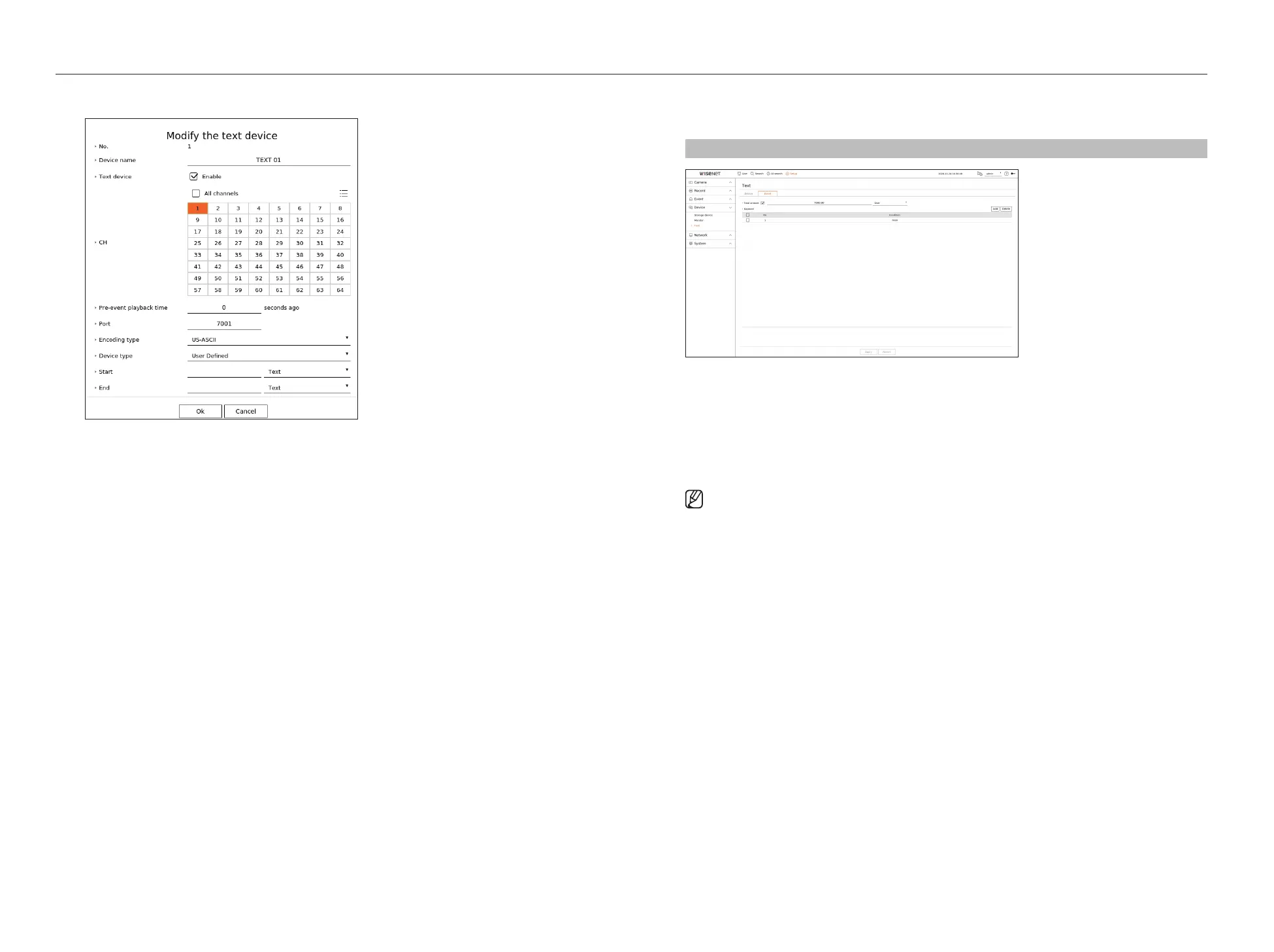
2. Enter the device information to register in the <Modify the text device> window.
●
Device name : Enter the desired text device name.
●
Text device : Specify whether to enable text device.
●
CH : Select a channel to add a device from a channel table.
●
Pre-event playback time : Enter the start time of the playback from how many seconds before when an event
occurs.
●
Port : Enter the device's port number.
●
Encoding type : Select the encoding type of the device.
●
Device type : Select the device type.
●
Start / End : You can select starting and ending character strings.
– A text string can be entered by using texts, hex codes, and regular expressions.
– Text : Enter a text string to search for.
– Hex Code : Enter a hexadecimal text string to search for.
(Your input should not be in hexadecimal —e.g. 1b40, 1b69)
– Regular expression : Enter a regular expression to search for text strings that follow specific rules.
3. Click <OK>.
Text Event Settings
You can set the text to receive an alarm when an event occurs.
Setup > Device > Text > Event
●
Total amount : Set the condition of the total amount to be notified when a text event occurs. Check whether
the total amount is used, and then select the base amount and range.
●
Keyword : You can register or delete keywords to be notified when an event occurs.
– If the <Add> button is clicked, a screen to add keywords pops up.
– If you select one of the added keywords to delete and click the <Delete> button, the selected keyword will
be deleted.
■
When entering the total amount, set it to 15 characters or less, including minus and decimal point.
■
When entering keywords, set them within 50 characters. Up to 20 keywords can be specified.



 To Next Page