97Using the HeartWare® Monitor
10
9
8
7
6
5
4
3
2
1
Appendix
Reference
Guides
Alarms and
Emergencies
Patient
Management
Surgical
Implant and
Explant
Monitor
Peripherals
and
Accessories
HVAD
®
PumpOverviewIntroduction
5.3 System Screens (continued)
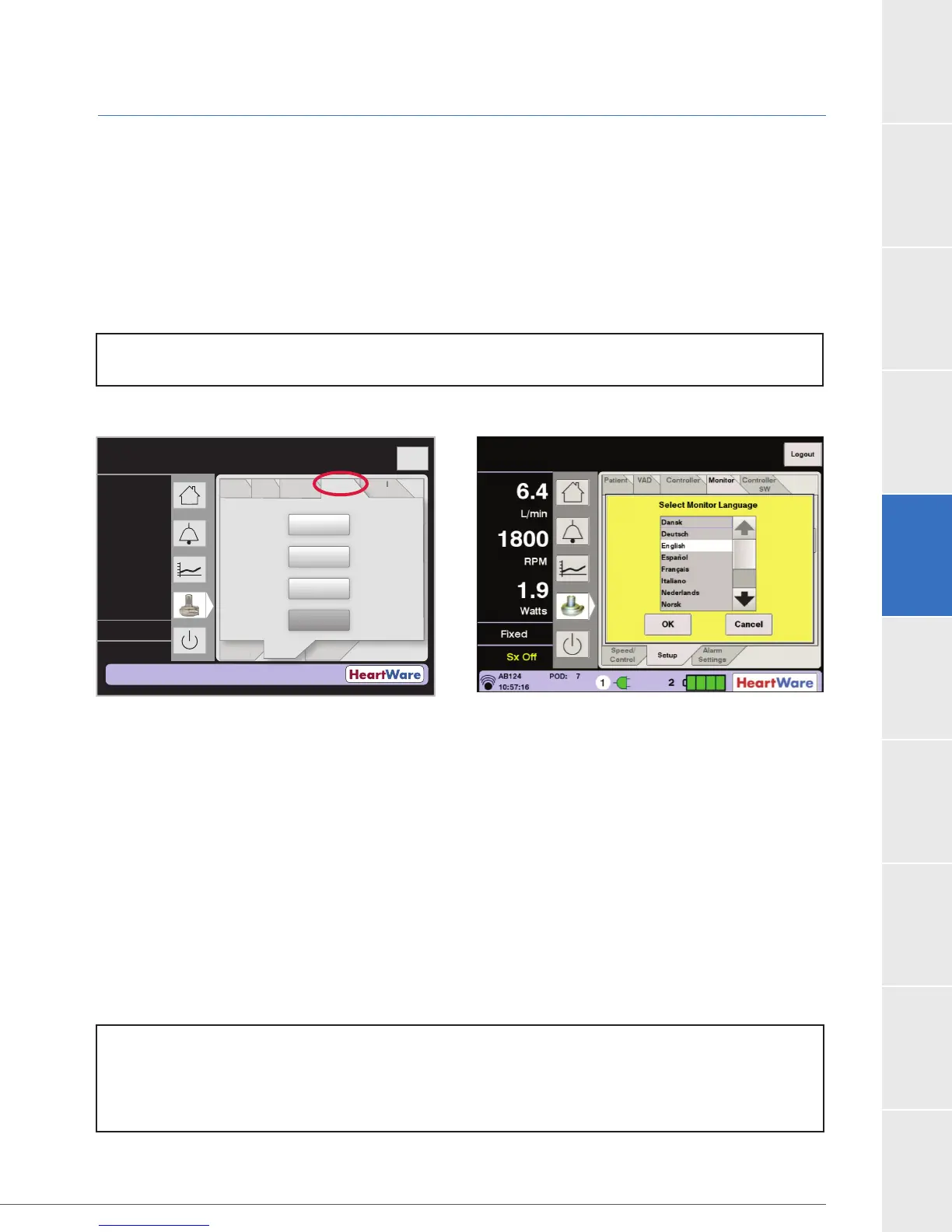
Monitor Tab
The Monitor tab is used to enter the date and time and to calibrate the monitor touch screen
(Figure 80).
Monitor Date and Monitor Time: These buttons set the date and time on the monitor.
Monitor Language: Default is English (Figure 81).
Touchscreen: Use this button to initiate touch screen calibration for the monitor. The monitor
Figure 80: Monitor Tab Figure 81: Monitor Language Selection Screen
Alarm Settings Tab
The Alarm Settings tab (Figure 82) is used to set the [Low Flow] Alarm and [High Power] Alarm
[Low Flow] Alarm threshold may be set from 1.0 L/min to 9.9 L/min in 0.1 L/min increments. The
[Low Flow] Alarm below 2.0 L/min. The [High Power] Alarm may be set from 1.0 Watts to 25.0
Watts in increments of 0.5 Watts. Default settings are 1.0 L/min for [Low Flow] and 16.0 Watts
for [High Power]. The [High Power] Alarm should be set 2.0 Watts above the patient’s average
high power threshold (e.g. 16.0 Watts), an alarm is triggered. Clinicians should set the [Low Flow]
Flow (L/min)
Time (s)
Logout
8
6
4
2
0
PatientVAD
Controller Controller
SW
Speed/
Control
Alarm
Settings
at
en
VA
n
r
e
n
r
er
W
Spee
/
n
r
l
rm
Settin
s
Monitor
Monitor
Date:
Monitor
Time:
Monitor
Language:
Touchscreen:
05/09/11
16:08
English
Calibrate
S etup
----
----
----
L/min
RPM
Watts
NOTE:
[Low Flow] alarm below 2.0 L/min.
The [High Power] alarm should be set 2.0 Watts above the patient’s average power.
NOTE: Monitor REF1510 does not provide access to monitor language options.



 To Next Page