103Using the HeartWare® Monitor
10
9
8
7
6
5
4
3
2
1
Appendix
Reference
Guides
Alarms and
Emergencies
Patient
Management
Surgical
Implant and
Explant
Monitor
Peripherals
and
Accessories
HVAD
®
PumpOverviewIntroduction
5.5 Updating Software on the HVAD
®
Controller (continued)
To Perform the Software Update:
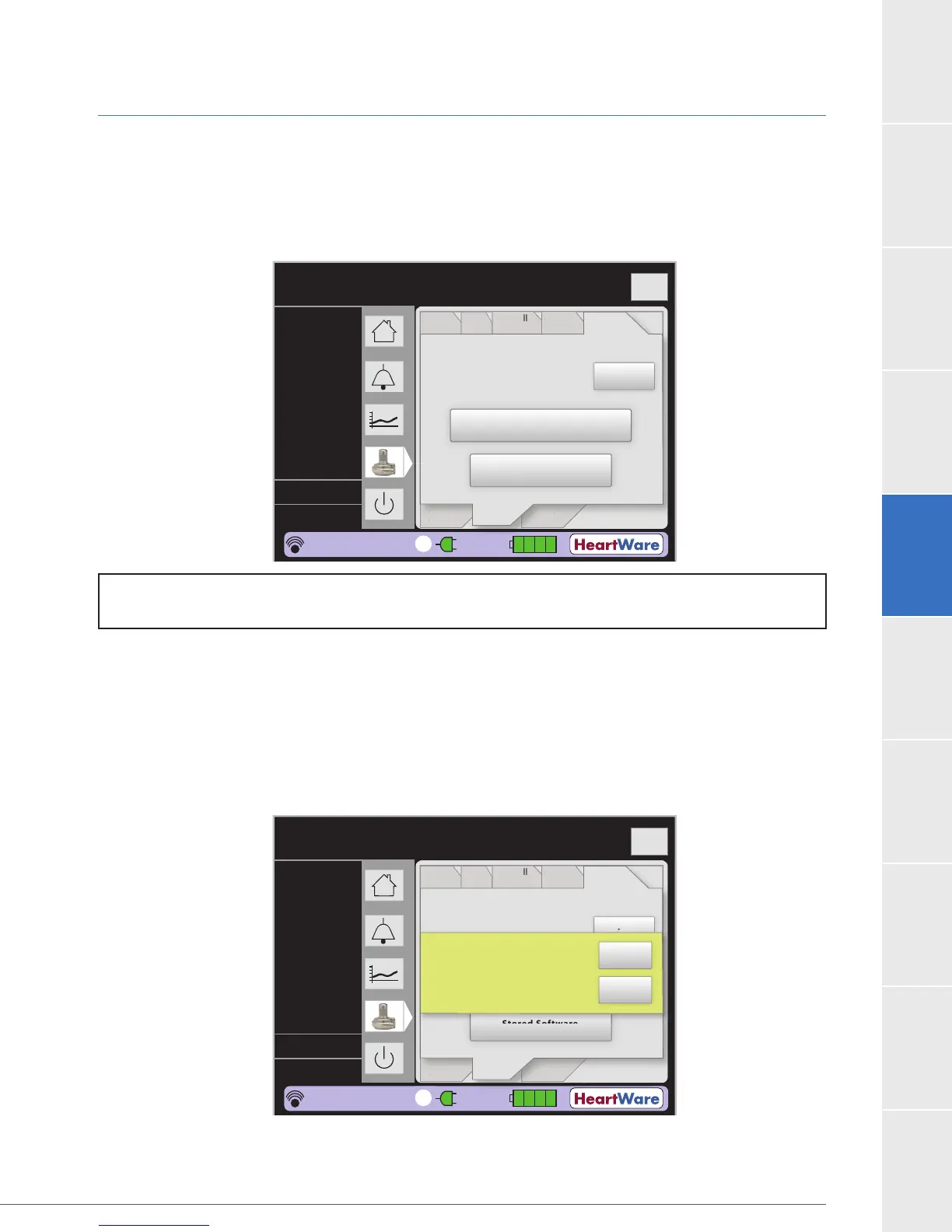
7. Press the Controller SW tab (Figure 93).
Both the current controller software version and the replacement (updated) software
version are displayed.
Figure 93: Controller SW tab
8. Begin update:
software version. The desired software version should be the one listed on the latest
b. Press “Replace Software”.
Figure 94:
9. The monitor will update the controller software.
Flow (L/min)
Time (s)
Logout
8
6
4
2
0
PatientVAD
Speed/
Control
Alarm
Settings
VAD OFF
Controller
Monitor
at
en
VA
Spee
/
n
r
l
rm
Settin
s
n
r
e
M
n
r
Current Replacement
Controller
SW
Controller PMC U
0.04 01.01
Controller UIC U0.07 01.06
Setup
Transfer available software
onto Monitor from USB Key
Stored Software
2
0.0
0
0.0
L/min
RPM
Watts
Fixed
Sx Off
----
POD: 0
20:27:53
1
Replace
Software
Flow (L/min)
Time (s)
Logout
8
6
4
2
0
PatientVAD
Speed/
Control
Alarm
Settings
VAD OFF
Controller
Monitor
at
en
VA
Spee
/
n
r
l
rm
Settin
s
n
r
e
M
n
r
Current Replacement
Controller
SW
Controller PMC U
0.04 01.01
Controller UIC U0.07 01.06
Setup
Transfer available software
onto Monitor from USB Key
Stored Software
2
0.0
0
0.0
L/min
RPM
Watts
Fixed
Sx Off
----
POD: 0
20:27:53
1
Replace
Software
Start controller Upgrade?
Yes
No
NOTE: The transfer of software onto the monitor from a USB Key will be performed by
HeartWare personnel.



 To Next Page