95Using the HeartWare® Monitor
10
9
8
7
6
5
4
3
2
1
Appendix
Reference
Guides
Alarms and
Emergencies
Patient
Management
Surgical
Implant and
Explant
Monitor
Peripherals
and
Accessories
HVAD
®
PumpOverviewIntroduction
5.3 System Screens (continued)
Controller Tab (continued)
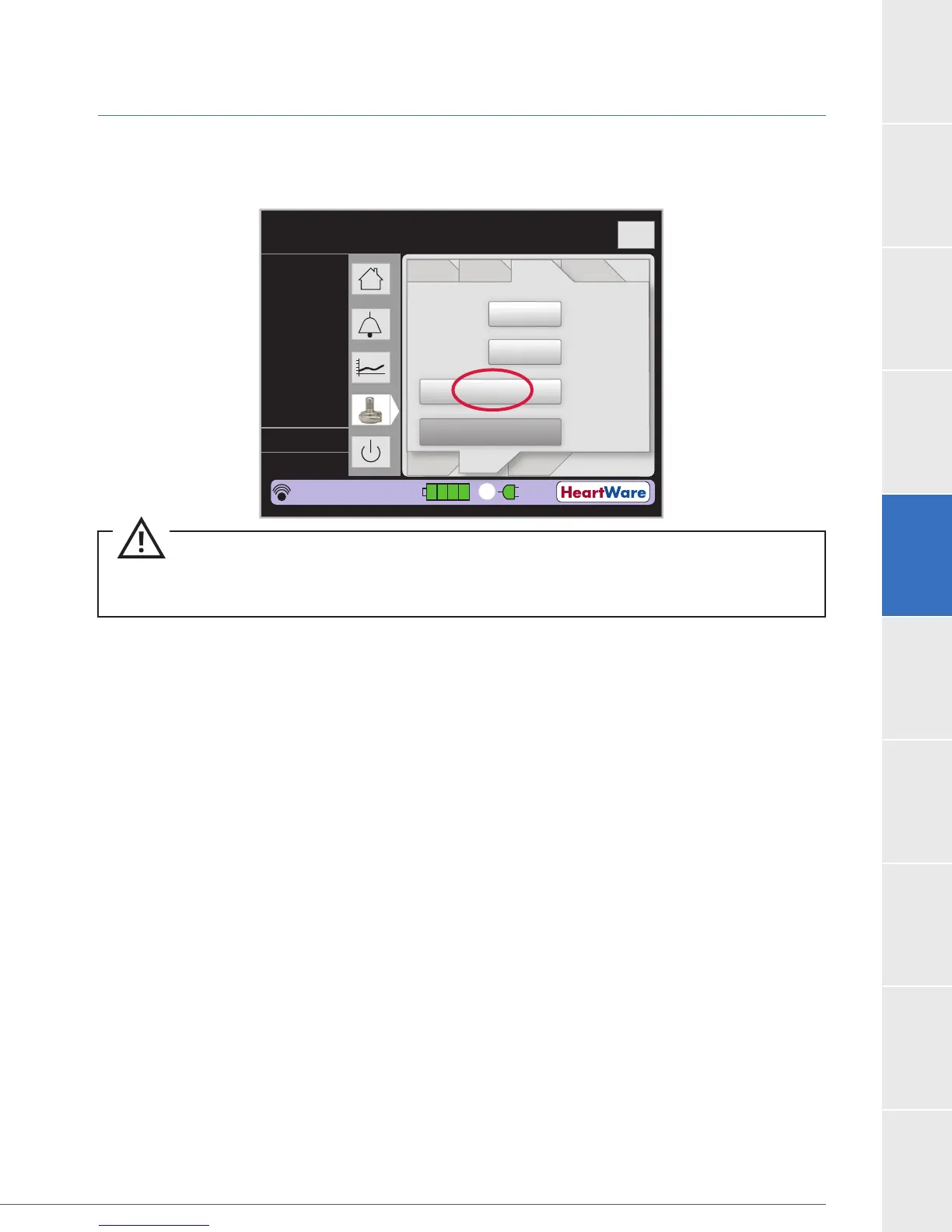
Figure 77: Default Setting (“Set Defaults” does not appear on monitor REF1520)
Disable “VAD Stop” Alarm
The purpose of this feature is to allow programming of a controller when it is not connected to a
before detecting whether or not a pump is disconnected (a “VAD Stopped” condition). The Disable
alarm when a pump is not attached. This allows the input of patient and controller information via
the monitor without an audible alarm. This pending command will clear after 3 minutes.
Steps:
1. Press ‘Disable “VAD Stop” Alarm’ indicator on monitor (Figure 78).
2. Connect monitor to controller.
3. Power up controller with 2 power sources.
4. Enter patient and controller information via the monitor.
5. Disconnect monitor from controller.
6.
for 5 seconds.
7. Disconnect power from controller.
8. The [VAD Stop] alarm will be re-armed automatically after 3 minutes as long as the monitor
is not connected to a controller (Figure 79).
Flow (L/min)
Time (s)
Logout
8
6
4
2
0
Controller
Date:
Controller
Time:
Set Defaults
Disable “VAD Stop”
Alarm
02.06
10.03.09
Patient VAD Controller Monitor
Speed
Control
Alarm
Settings
Setup
VAD OFF
2
0.0
0
0.0
L/min
RPM
Watts
Fixed
Sx Off
HW123456
POD: 0
13:30:50
1
CAUTION:
patient. Pressing it will erase all patient VAD parameter information from the controller.



 To Next Page