EN
70/165
START
PULSE
Press the key to save the setting.
PROG t/min:sRPM
PROG t/min:sRPM
STOP
OPEN
Press the key once to exit the "
Settings"
menu or press twice to exit the "
MACHINE MENU
".
PROG t/min:sRPM
Example:
PROG t/min:sRPM
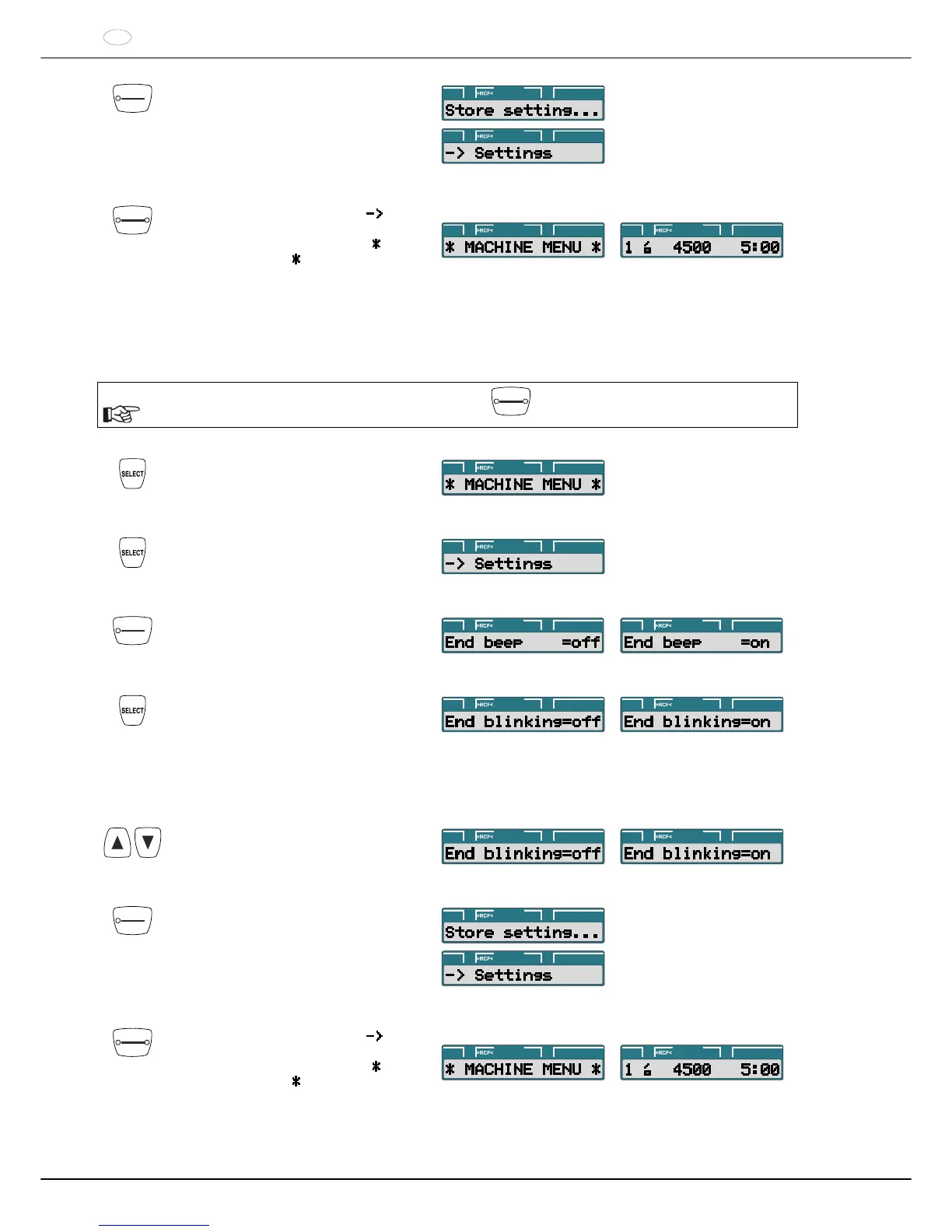
20.3 Optical signal after ending the centrifugation run
The backlighting of the display flashes after the centrifugation run to visually signalize that the centrifugation run has
finished.
The optical signal can be switched on or off when the rotor is at a standstill:
The procedure can be aborted at any time by pressing the
STOP
OPEN
key.
Press and hold the button for eight
seconds.
PROG t/min:sRPM
Press the key until the following is
displayed:
PROG t/min:sRPM
START
PULSE
Press the key.
PROG t/min:sRPM
PROG t/min:sRPM
Press the key until one of the following is
displayed:
End blinking : Backlighting of display
flashes after the centrifugation run.
off : Backlighting does not flash.
on : Backlighting flashes.
PROG t/min:sRPM PROG t/min:sRPM
With the keys, set off or on.
PROG t/min:sRPM PROG t/min:sRPM
START
PULSE
Press the key to save the setting.
PROG t/min:sRPM
PROG t/min:sRPM
STOP
OPEN
Press the key once to exit the "
Settings"
menu or press twice to exit the "
MACHINE MENU
".
PROG t/min:sRPM
Example:
PROG t/min:sRPM



 To Next Page