Hex ezCAN for CAN-bus-equipped Motorcycles
_________________________________________________________________________________________________
_________________________________________________________________________________________________
© Hex Innovate (UK) Ltd. Page 40 of 60 ezCAN 2408.x
Strobing Aux lights on
‘Flash-to-pass’
Click the motorcycle’s ‘Flash-to-pass’ button three times.
Note that to be active, this function must be enabled using
the ezCAN configuration interface.
5.1.7.1.1 Switching auxiliary lights on and off using the DRL/Fog light button
On compatible Ducati models, you can choose to switch Aux 1 and/or Aux
2 lights on and off using the motorcycle’s DRL/Fog light button as an
alternative to using the +/RES and -/SET buttons.
You can specify that either Aux 1 or Aux 2 lights, or both, can be
controlled using the DRL/Fog light button. Note that if you choose this
option, the selected Aux 1 and/or Aux 2 lights will mimic the motorcycle’s
fog light on/off state.
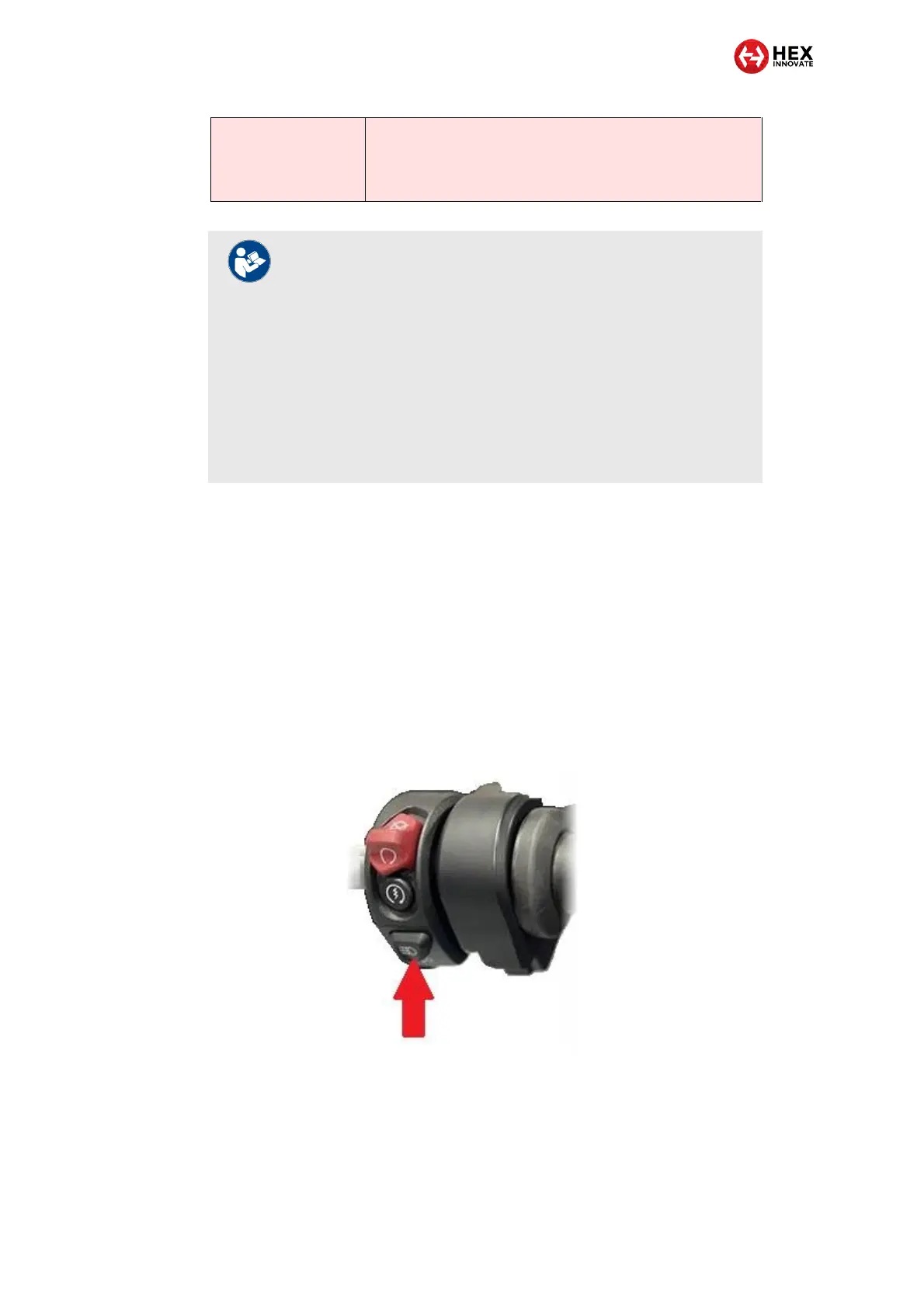
The DRL/Fog light button is located on the right-side handlebar controls
(red arrow, below).
NOTES
If all front and rear auxiliary lights are temporarily switched
off (see table above), these lights will be switched back on
when the ignition is cycled.
Alternatively, Aux1 and/or Aux 2 lights can be switched
back on using the Toggling Aux 1/2 lights On and Off
functions (see table above).
When using the Toggling Aux 1/2 lights On and Off
functions, note that any rear auxiliary (Run/Brake) lights will
be switched back on whenever Aux 1 and/or Aux 2 lights
are switched back on.



 To Next Page