Hex ezCAN for CAN-bus-equipped Motorcycles
_________________________________________________________________________________________________
_________________________________________________________________________________________________
© Hex Innovate (UK) Ltd. Page 41 of 60 ezCAN 2408.x
To configure auxiliary light control from the DRL/fog light button, do the
steps that follow:
1. Click the Extra Settings button in the upper right corner of the
Auxiliary Lights One or Auxiliary Lights Two sections of the ezCAN
user interface (below).
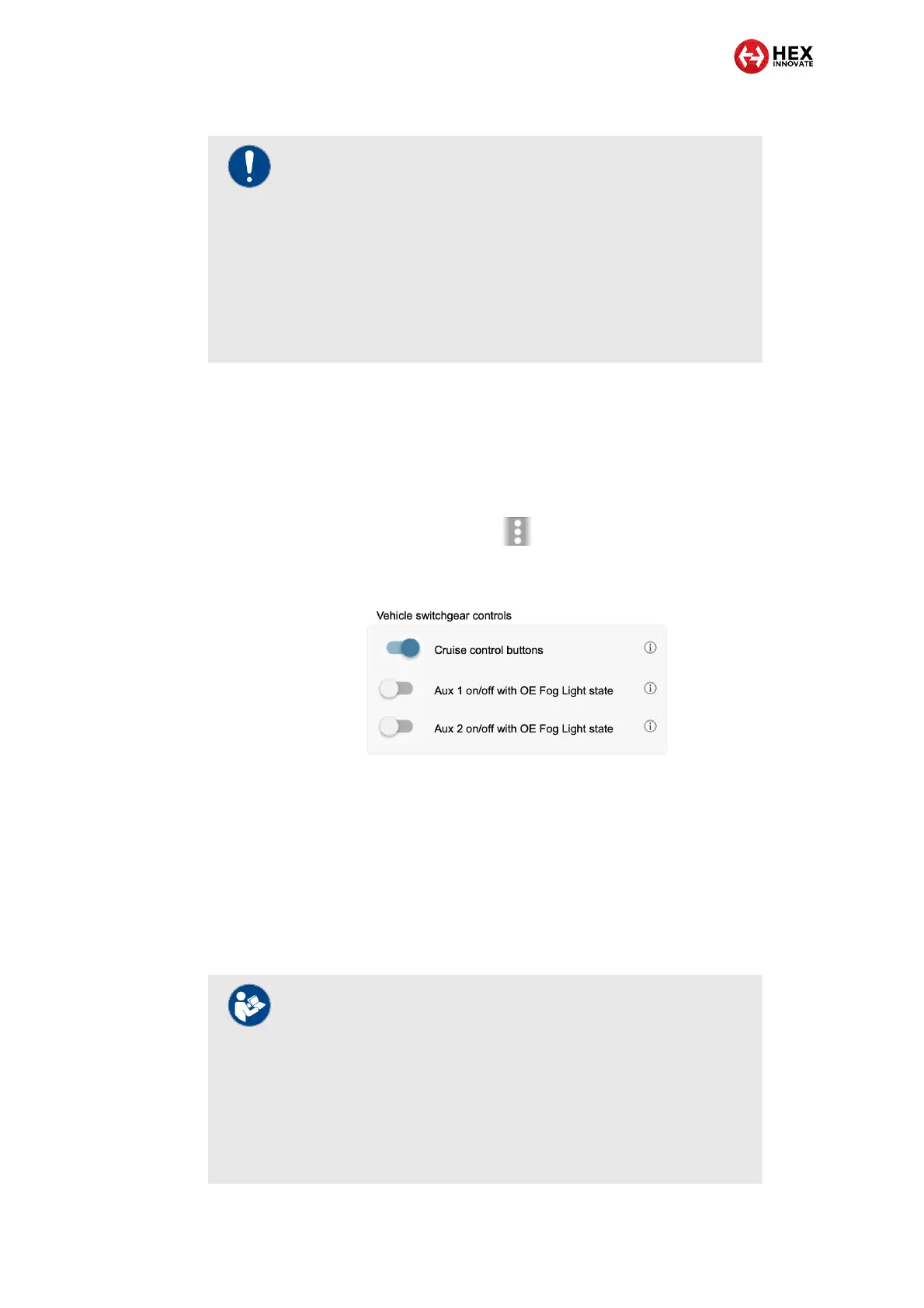
2. Locate the Vehicle switchgear controls section of the drop-down
menu (below).
3. Enable auxiliary light control from the DRL/fog light button by
choosing either or both of the following options:
To enable or disable switching of the Aux 1 lights on and
off using the motorcycle’s DRL/Fog light button, switch the
Aux 1 on/off with OE Fog lights option (disabled by default).
To enable or disable switching of the Aux 2 lights on and
off using the motorcycle’s DRL/Fog light button, switch the
Aux 2 on/off with OE Fog lights option (disabled by default).
IMPORTANT
If the motorcycle is not fitted with factory (OE) Ducati fog
lights, the motorcycle’s onboard fog light functionality is not
enabled, and pressing the DRL/fog light button will not
affect ezCAN operation. In this case, the motorcycle’s
onboard fog light functionality must be enabled by a Ducati
dealer.
The motorcycle does not have to have factory (OE) front fog
lights fitted for a dealer to enable onboard fog light
functionality.
IMPORTANT
If the Aux 1 on/off with OE Fog lights and/or the Aux 2
on/off with OE Fog lights settings are enabled, pressing the
motorcycle’s DRL/Fog light button will activate or deactivate
the relevant front auxiliary lights.
If the Aux 1 on/off with OE Fog lights and/or the Aux 2
on/off with OE Fog lights settings are enabled, the auxiliary
front lights cannot be toggled on or off using the
motorcycle’s +/RES and -/SET buttons.



 To Next Page