Accessories
H00007091 - Absolute Arm User Manual │Version 5.2.0 (2019-03-07) │165
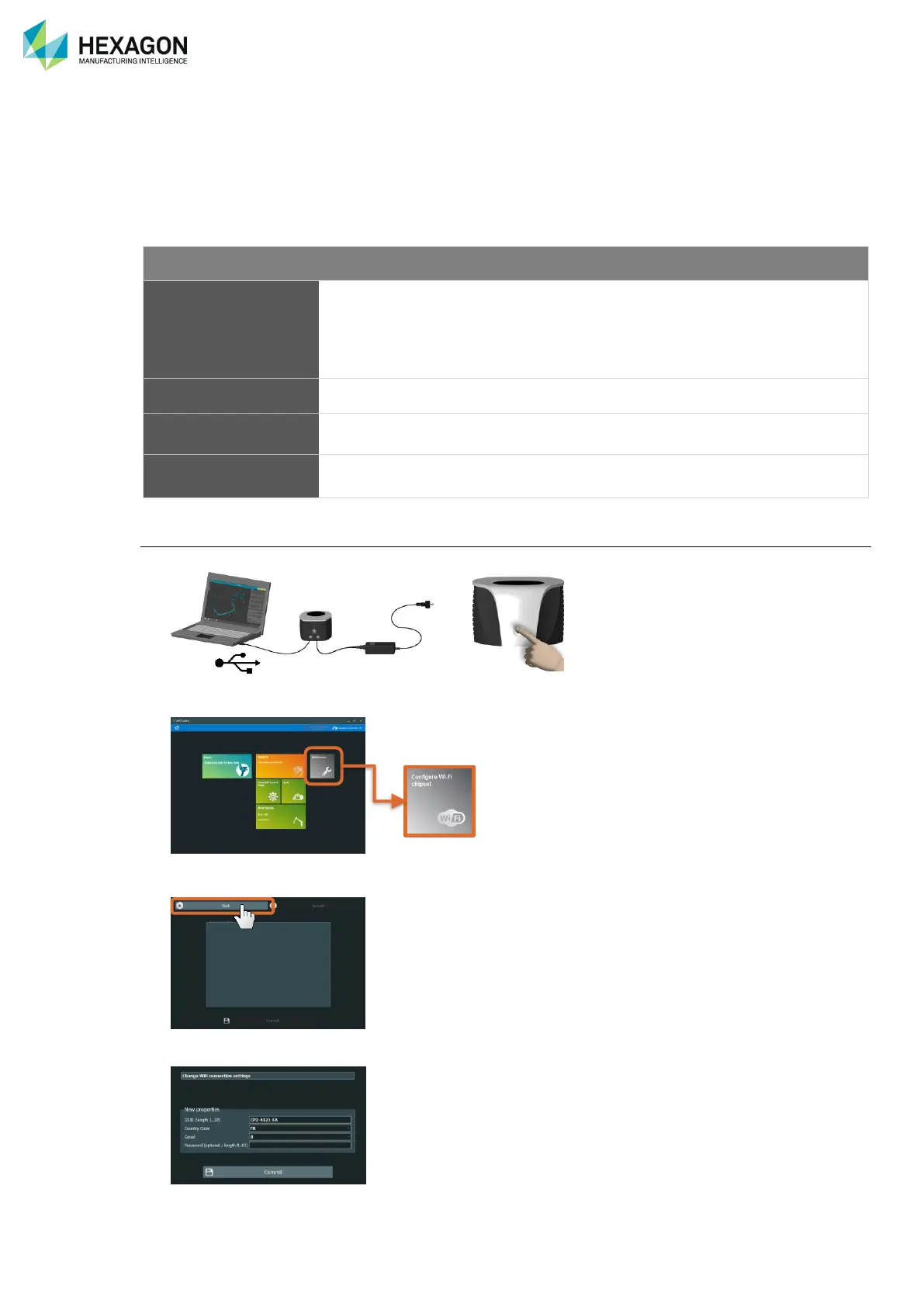
G.2 WI-FI CHIPSET CONFIGURATION
The Wi-Fi network of the arms (Control Pack {CP2-CP3}) can be modified, in order to follow customer’s
specifications for Wi-Fi, to improve the efficiency by changing the channel, or enhance the security by using
a Wep key.
Here are all the possibilities that can be used and setup through RDS Toolbox:
“T-UN-FF”
T: type of Control Pack
UN: serial number of the Control
Pack
FF: Factory
Select the appropriate country
According to the country code
- 1 > 165
Process
1. Establish the USB connection to the arm.
2. Run RDS Toolbox and select “Configure Wi-Fi Chipset”.
3. Click on “Start”
4. Enter the values for each feature and press “Commit”
5. Switch off then on again to reboot the arm with the new settings.


 To Next Page
 Loading...
