User manual C4 – C6
45
Make sure that people who must be within the working area of the crane can work there safely,
by giving them instructions and showing them safe escape routes.
To operate the outriggers, the boom angle must be less than 40 degrees and the ballast must
be retracted.
Step-for-step
Switch on the machine with the key switch of the machine in position 1, for the drive and
outrigger functions.
Switch on and activate the remote control.
Set the outrigger angle of each outrigger leg, preferably to 48.5 degrees for 100% outrigger leg
range.
Check the outrigger angle on the display of the remote control.
Operate the outriggers one at a time and lower them until they are horizontal so the outriggers
can be more easily extended. Maintain a clear view of the operated outrigger.
Adjust the outrigger length by extending the outriggers. If they are extended manually, they
can only be extended completely. If they are extended hydraulically, you can choose how far to
extend them (preferably all the way, for 100% outrigger range).
Check the outrigger length on the display of the remote control.
Operate the outriggers one at a time and lower the outrigger legs until they are just above the
ground. Maintain a clear view of the operated outrigger.
Place the outrigger pads under the outrigger feet so the outrigger foot falls in the recess of the
outrigger pad. Also check the ground in the immediate vicinity for unevenness, loose material,
slope and other issues that can affect the stability.
Operate the outrigger legs one at a time and lower them onto the outrigger pads.
Now operate the outriggers at the front simultaneously so the machine is just lifted off the
ground; do the same with the rear outrigger legs.
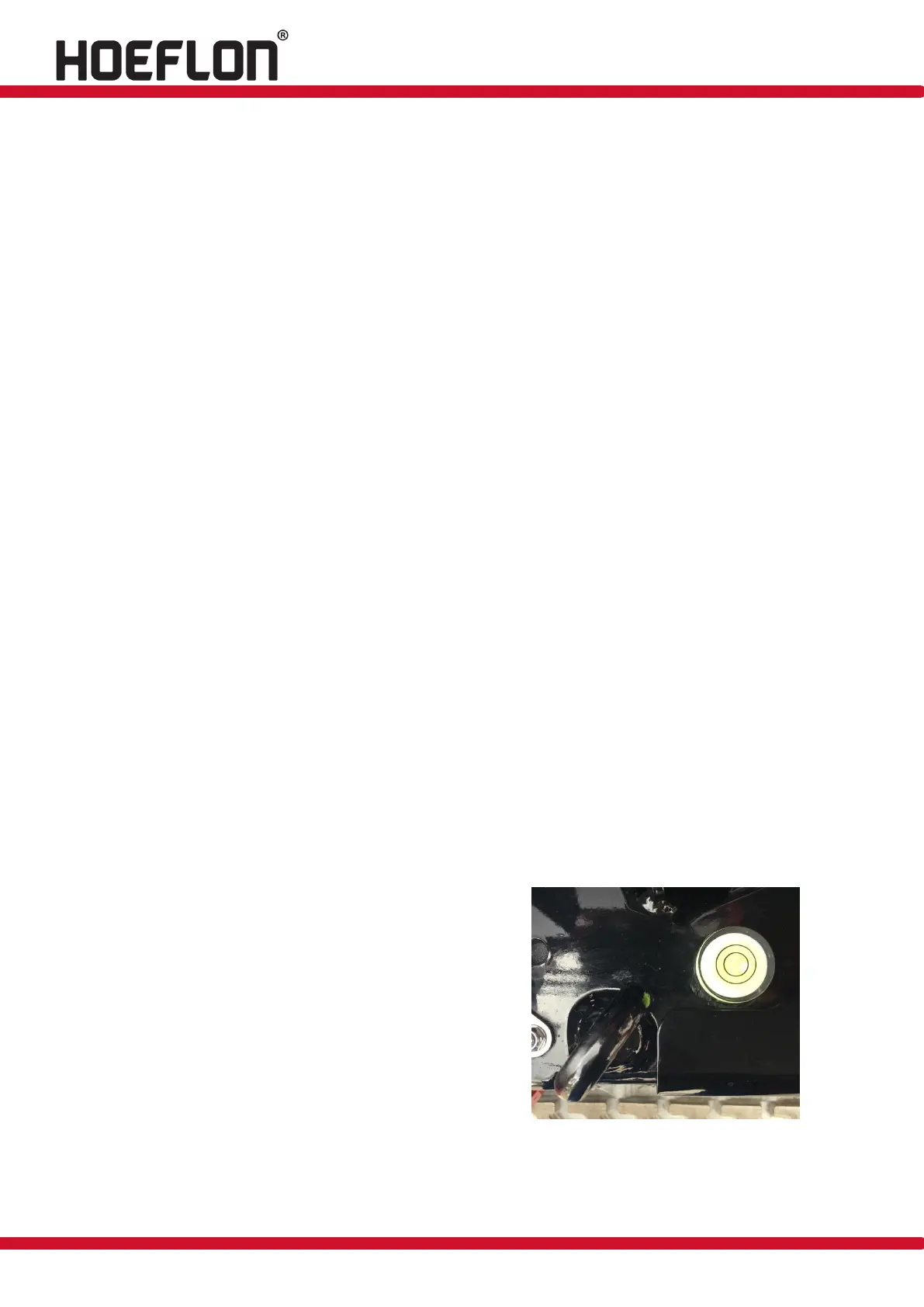
Check whether the machine is level and correct if necessary. The bubble in the level must be in
the middle of the circle.
Check whether all the outriggers are in contact with the ground and correct if necessary.
Turn the key switch to position 2 once the machine is standing firmly on the outriggers; the
outrigger configuration is now set and is saved.
Check
Check the outrigger angle and length on the remote
control display.
Check whether the crane is standing straight (see
figure 41) after the outriggers have been set.
Check whether all the outriggers are in contact with
the ground after they have been set. (See also section
6.5.4, green dot).
Figure: 41



 To Next Page