User manual C4 – C6
23
5.3. Emergency stop
There is an emergency stop on the back of the machine and on the remote control. Emergency stop
buttons have the same function: when activated they stop all movements. Only operate the
emergency stop in the event of an emergency or disaster.
5.4. Emergency control
Extra caution is required when using the emergency
control, because the display screen on the remote
control no longer works.
Only use the emergency control if the remote control cannot make radio contact, the display
screen is defective or there is no replacement battery available.
When the emergency control cable is connected, the display screen no longer works!
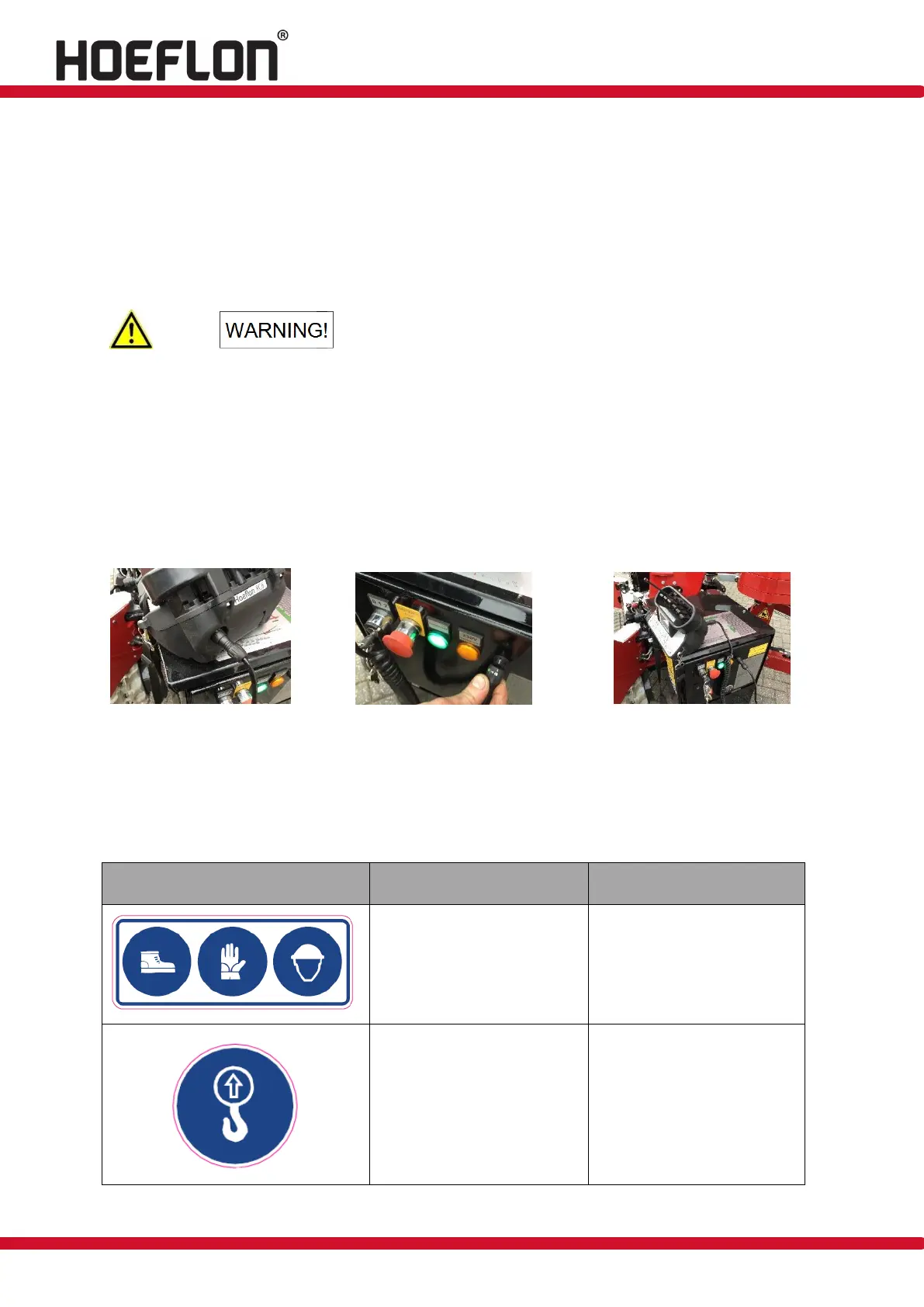
Connect the emergency control cable to the connection on the underside of the transmitter
and on the electrical cabinet (see figures 6 and 7).
Operate the transmitter in the usual way, as described in section 6.2.1).
Figure 6: Emergency control Figure 7: Emergency control Figure 8: Emergency control
5.5. Pictograms
The pictograms used are shown below. These may not be removed. Missing or damaged
pictograms must be replaced immediately!
Use of safety shoes, gloves
and safety helmet is
mandatory.
Lifting point for lifting
machine.



 To Next Page