User manual C4 – C6
46
6.5.2. Operation
Mechanical
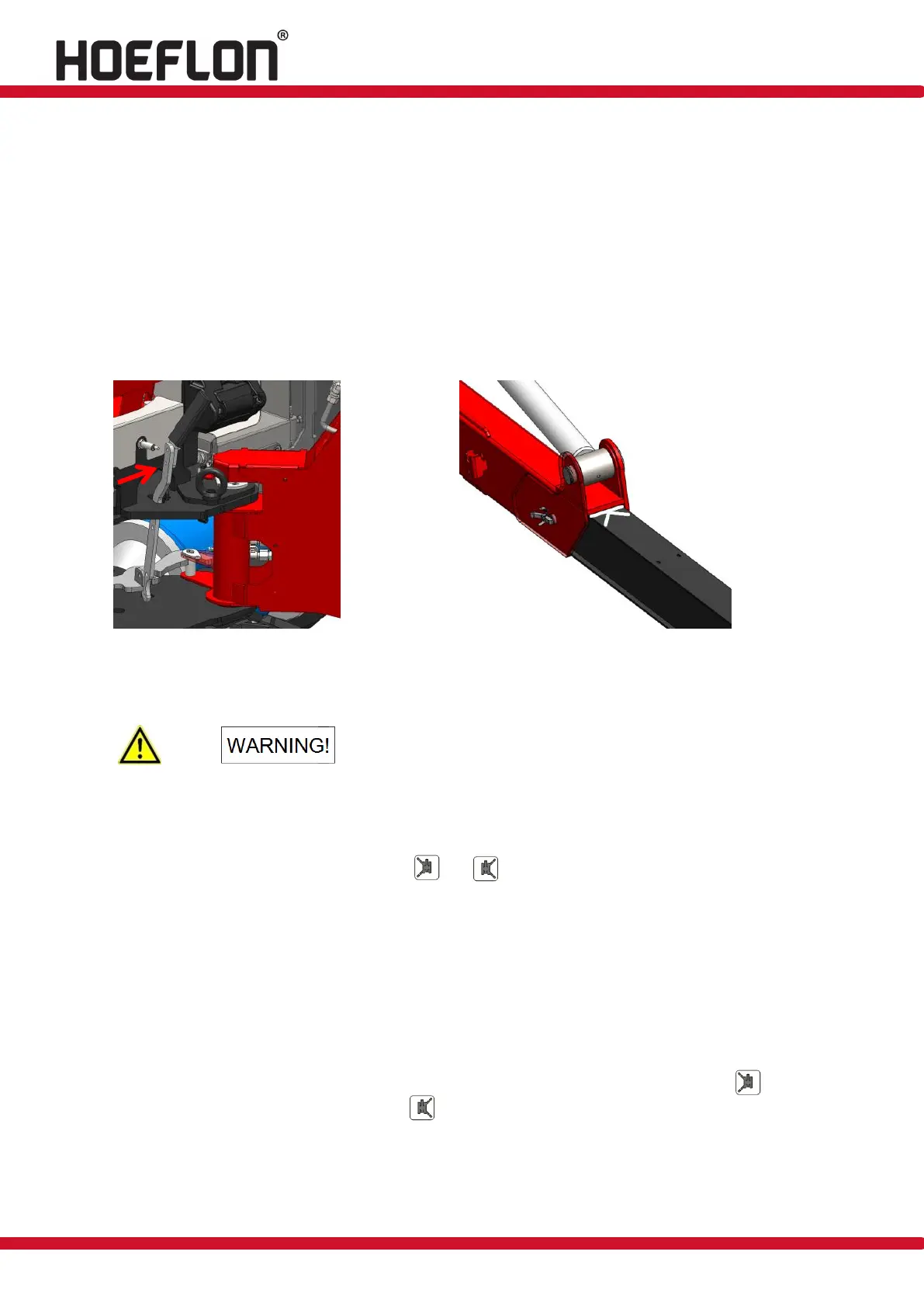
Release the outrigger legs by operating the lever so that the outrigger legs can be rotated by
hand (see figure 42).
Turn the outrigger legs so that they are positioned at a 45° angle to the machine and then
release the lever. The lever will spring back to its released position automatically when it is in
the correct position.
Release and pull out the extendable section until you reach the end of the mark, i.e. the white
stripe (see figure 43), and then lock it in position.
Figure: 42 Figure: 43
Hydraulic
Hydraulic extension is only possible if all the outriggers
are lifted off of the ground. Otherwise the extension
system will be damaged.
Turn the key switch (1) on the electrical cabinet to the ‘outrigger operation/driving’ position.
Start the drive system and switch on the transmitter as described in section 6.4.
Release the outrigger legs with buttons and on the transmitter so that the outrigger leg
can be manually rotated from 0 to 90°. The compact crane factors in the position of the
outrigger legs when calculating the load.
Turn the outrigger legs to the required position and release the button. The outrigger leg will be
locked in place.
Extend the outriggers of the compact crane until the outrigger legs are horizontal by pushing
forward levers 1, 2, 5 and 6 on the transmitter one at a time.
Release and pull out the extendable section until you reach the end of the mark, i.e. the white
stripe (see figure 42), and then lock it into position.
For hydraulic extension. Operate the following buttons on the remote control: button along
with levers 1 and 2 for left, and button along with levers 5 and 6 for right.
Position the four outrigger legs of the compact crane so that the outriggers are level, using rig
mats or outrigger pads.



 To Next Page