FAXITRON PATH USER MANUAL | HOLOGIC | REVISION 024
ECTION
ISION
oftware
5
5-24
Ruler
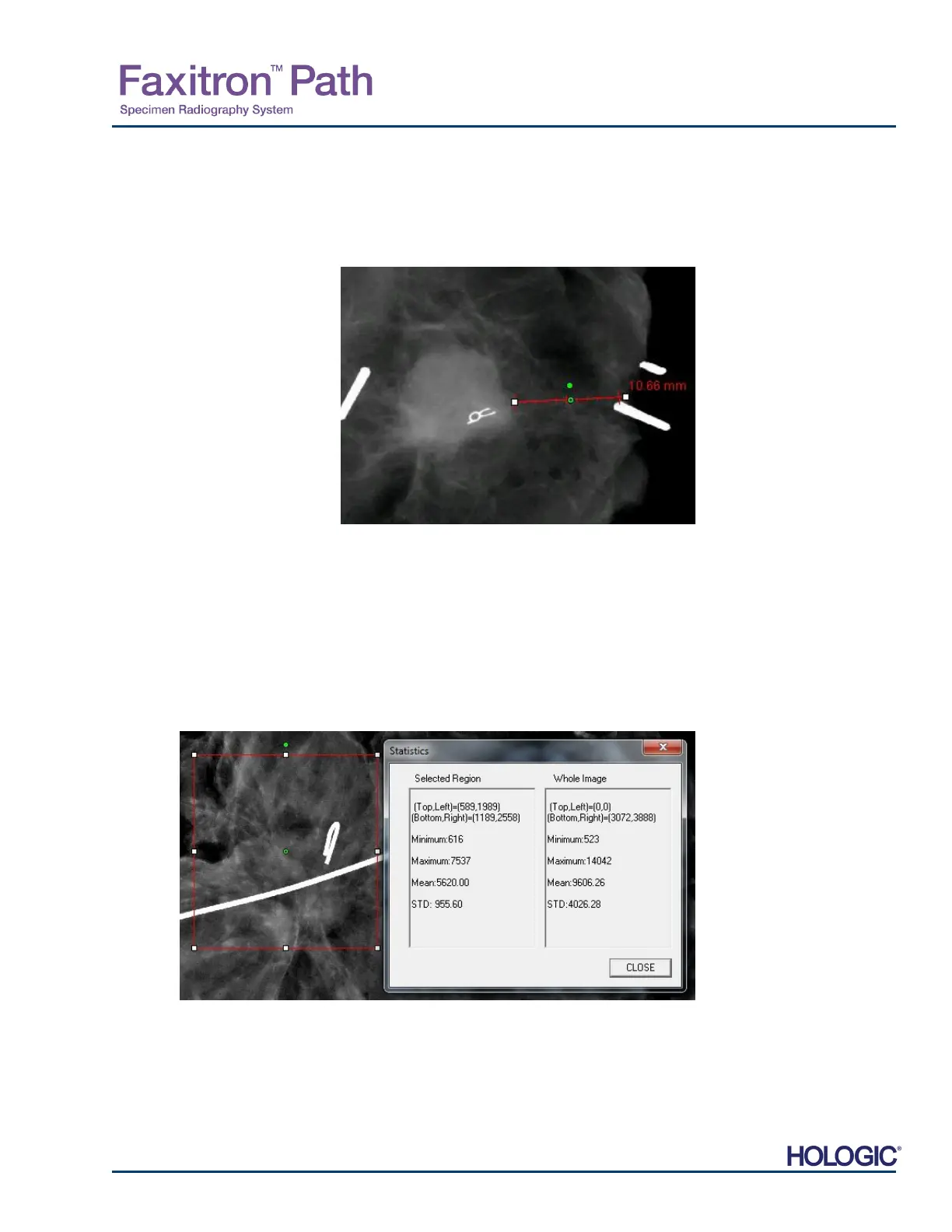
“Ruler” allows the user to measure the distance between two points in the displayed image.
Length measurements are in millimeters (mm). After selecting “Ruler” click and hold the left
mouse button, starting at the beginning point of measurement, drag the mouse and release the
mouse button at the ending point of the measurement. The Ruler is displayed as a red line on
the image.
The measurement (in mm) is
displayed at the end of the ruler.
The Ruler remains active until the
user selects another image tool or
until another action is performed.
See Figure 5.4.24 to the right. Click
“Ruler” again to turn off the feature.
Hint: To get a perfectly straight
line, or a line at a perfect 45 degree
angle, hold down the SHIFT key
(on the keyboard) while holding
down the left-mouse button and
drag.
ROI Statistics
“ROI Statistics” will display a dialog box containing image statistics. Click and hold the left
mouse button over main image’s region-of-interest (ROI), drag cursor to make selection around
area, and then release the mouse button. Statistical information for the selected region will be
displayed on the left side of the dialog box and for the whole image on the right side of the box.
The stats displayed are: the beginning and end points of the ROI, Minimum, Maximum and
Mean intensity values, and Standard Deviation (STD). To close the Statistics information box,
simply click on the Close button. See Figure 5.4.25. Click “ROI Statistics” again to turn off the
feature.
5.4.5 Cont.
Figure 5.4.24
Ruler
Figure 5.4.25
ROI Statistics













 To Next Page