FAXITRON PATH USER MANUAL | HOLOGIC | REVISION 024
ECTION
ISION
oftware
5
5-37
Association
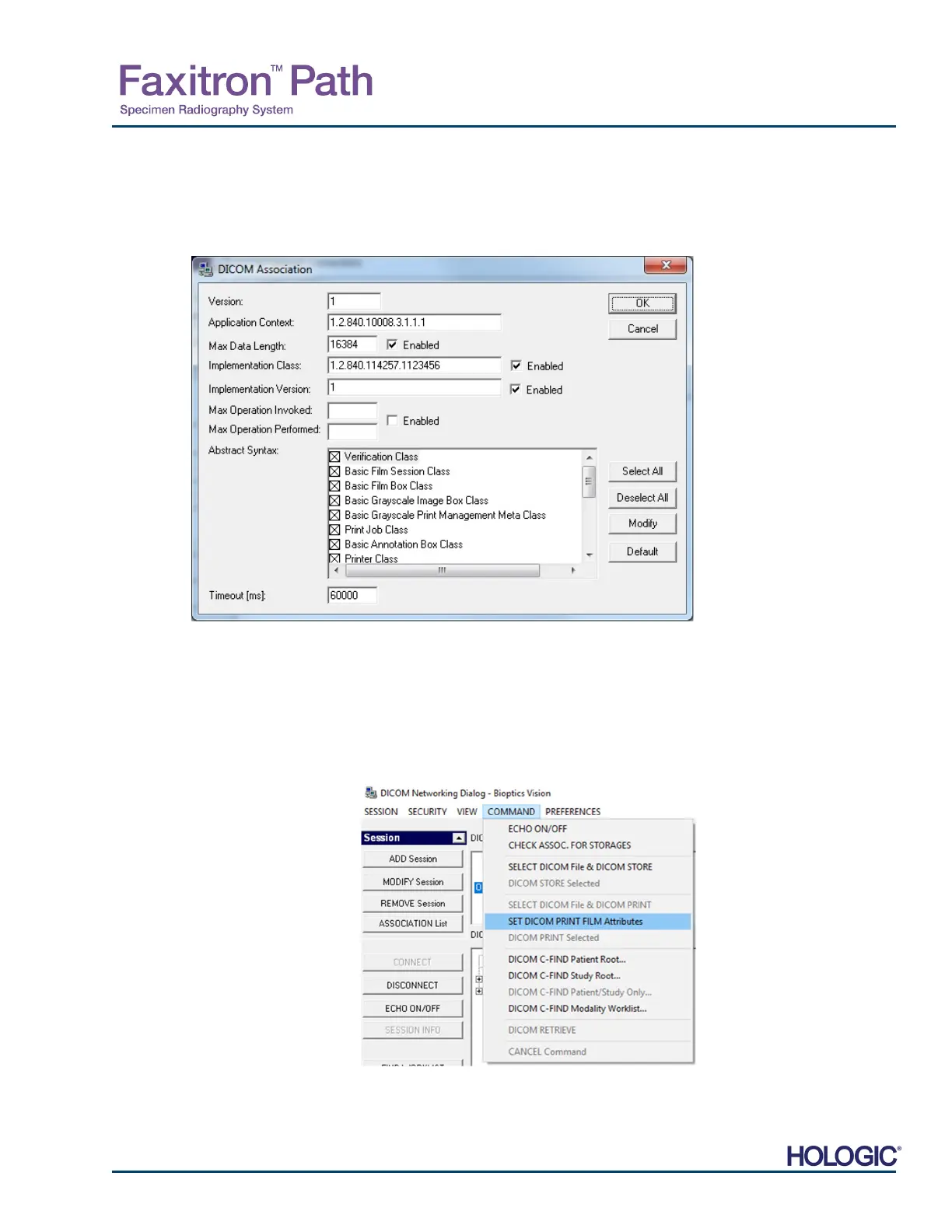
The Association List button opens the Association Dialog box, depicted below, through which
the user can edit the parameters and protocols used by the Vision software when negotiating a
connection with a remote DICOM AE. These options should only be modified by an advanced
user familiar with DICOM association protocols.
Film Attributes
Selecting “Set DICOM Print Film Attributes” under the “Command” menu (Figure 5.7.9) displays
the DICOM Printer Setup Dialog box. See Figure 5.7.10. In this Dialog box, the user may select
various options governing the film and print format. Selecting Default restores all of the default
options. Configurations to the settings are provided through drop down menus. To accept the
modified configuration, select OK. To reject the options and exit the window without making any
changes, select Cancel.
5.7.0 Cont.
Figure 5.7.8
DICOM Assocation Window
Figure 5.7.9
Set DICOM PRINT FILM
ttributes













 To Next Page