18
HOW TO USE THE CURSOR
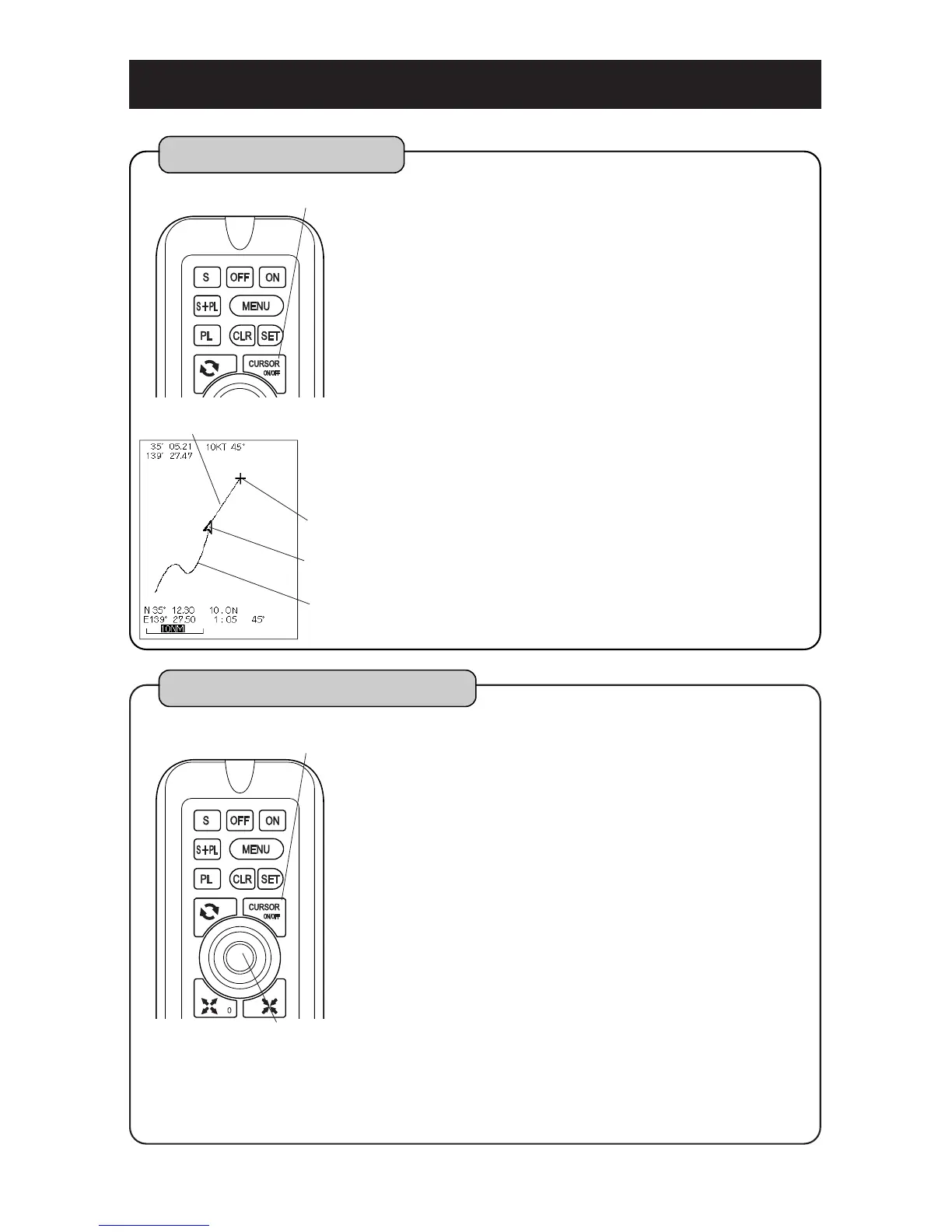
ON/OFF of Cursor
Following operations are available by cursor.
Latitude/longitude at optional position of
display are shown.
Distance, direction and required time from
own boat position to cursor are shown.
Enter/erase of event marks , waypoints,
etc.
By pressing [CURSOR ON/OFF] key, cursor is
shown. By pressing once more while cursor is
shown, it disappears.
[Cursor Line]
Cursor line is line that connects between own
boat and cursor when the cursor is shown.
“Whether cursor is shown or not” is selected on
the menu. (
page 56)
When latitude/longitude of own boat is not
indicated, cursor line, distance, direction and
required time from own boat’s position to
cursor is not shown.
1
CURSOR ON/OFF key
cursor
Cursor line
own boat mark
wake
TO MOVE THE CURSOR
Indicate the cursor by pressing [CURSOR
ON/OFF] key.
Cursor moves up/downward or left/right down by
turning [CENTER] key.
[[CENETR] key]
[CENTER] key operates by pushing [CENTER]
key.
When the cursor is indicated:
Moves map so that cursor’s position moves to
center of screen.
When the cursor is not indicated:
Moves map so that own boat’s position moves
to center of screen.
1
CURSOR ON/OFF key
CENTER key
Note ) [CENTER] key operates as a button for moving the cursor when cursor
is indicated and it operates as a button for moving display when cursor
is not indicated.



 To Next Page