66
TO SET SHIFT (DISPLAY RANGE SHIFT)
[Shift (Shift of display range)]
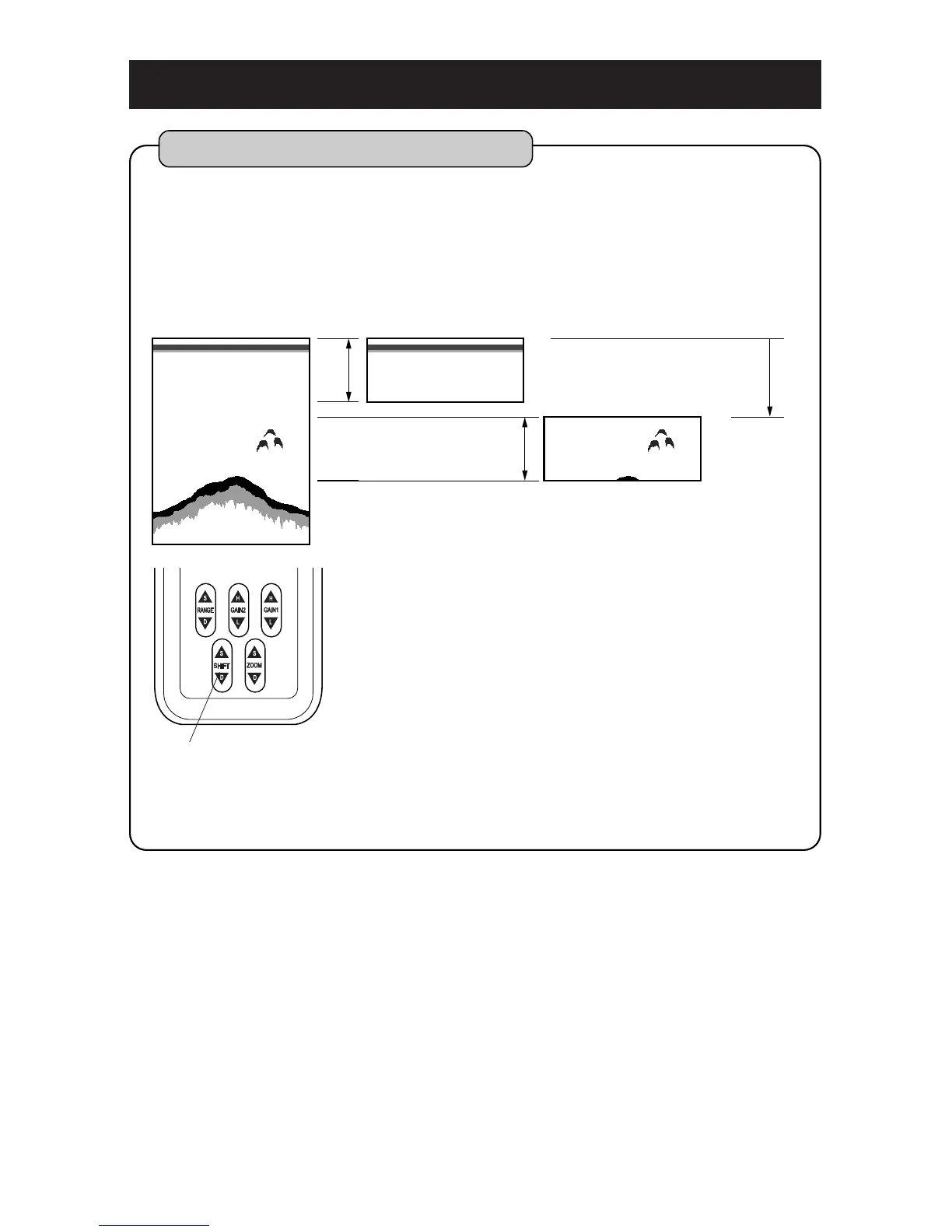
You can shift the initial displaying depth downward.
For example, when you shift 10m downward at 0-
8m depth range, initial display depth becomes to
10m and display range becomes to 10-18m.
Even if image you want to see is small, it is
enlarged by setting the depth (display range) to
shallow range when shift is selected.
[To shift to shallow depth]
Each time when you press SHIFT (S) key,
the display range becomes shallow.
[To shift to deep depth]
Each time when you press SHIFT (D) key,
the display range becomes deep.
1
Shift (Shift of display range)
SHIFT key



 To Next Page