INSTALLATION OF MAIN UNIT AND DISPLAY
85
● Do not install in a simple method.
It causes to accident like human damage.
※Please install correctly according to [INSTALLATION OF MAIN UNIT AND
DISPLAY].
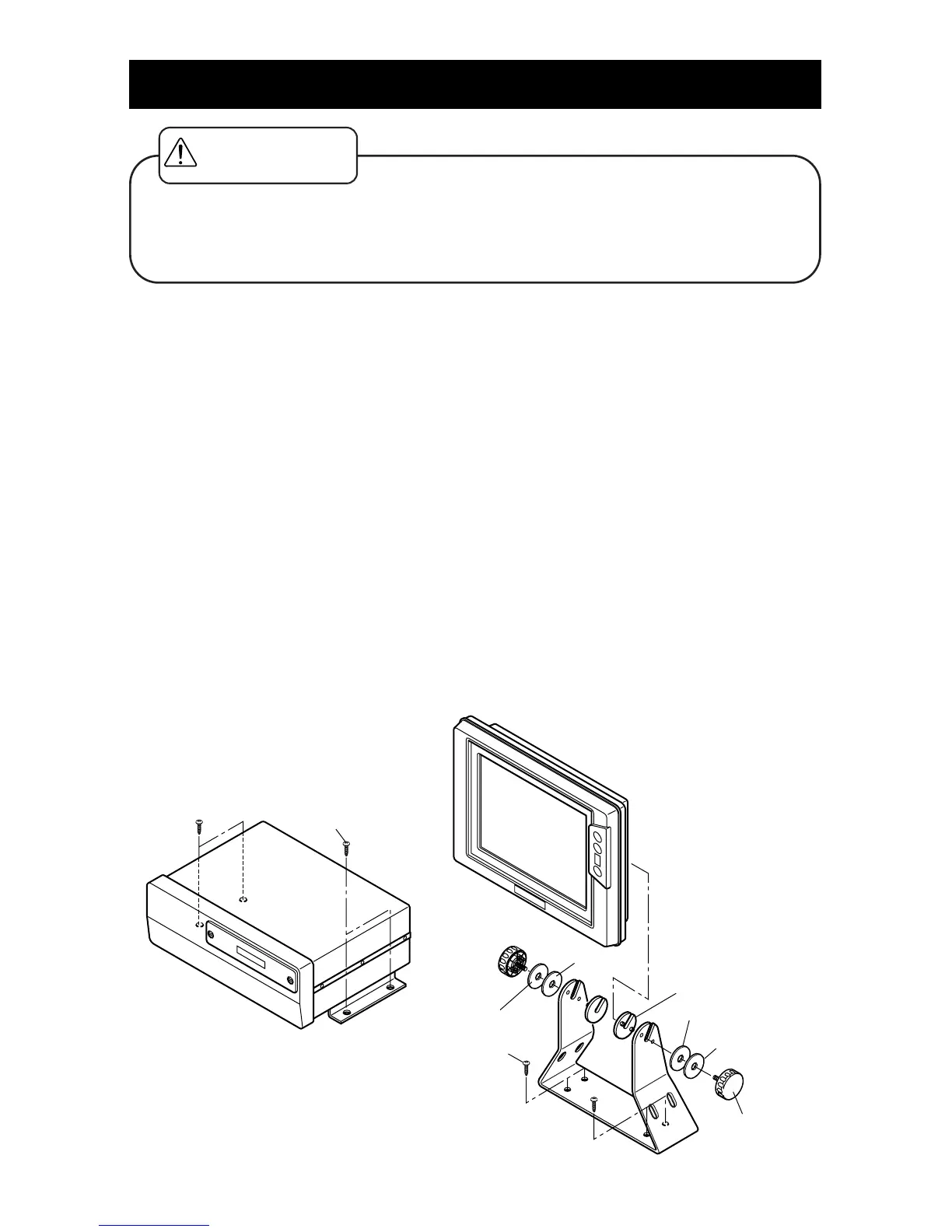
Procedure of installing main unit
1.<Installation of main unit>
Install main unit into four holes of bracket with supplied screws referring to below figure.
Procedure of installing display
When you use portrait display, change direction of bracket to fit portrait.
1.<Decision of place you install>
While the bracket is mounted with display, you decide the place you install and put the
mark.
※Keep enough space behind the display to connect with cables.
2.<Installation of bracket>
Install the bracket with supplied screws into four outside holes.
※Face two open sides of bracket to rear of the display.
3.<Installation of the display>
Install the display referring to the below figure.
Make sure to put rubber rings and washers at positions on below figure (Installation of
display).
〔Installation of Main Unit〕〔Installation of Display〕
WARNING



 To Next Page