TO SET WAYPOINT NAVIGATION
Setting of waypoint navigation
When you set the waypoint navigation, from own
boat’s position to waypoint is connected by line,
and latitude/longitude of waypoint, distance,
bearing and estimated time of arrival from own
boat’s position to waypoint are shown on the upper
left of screen.
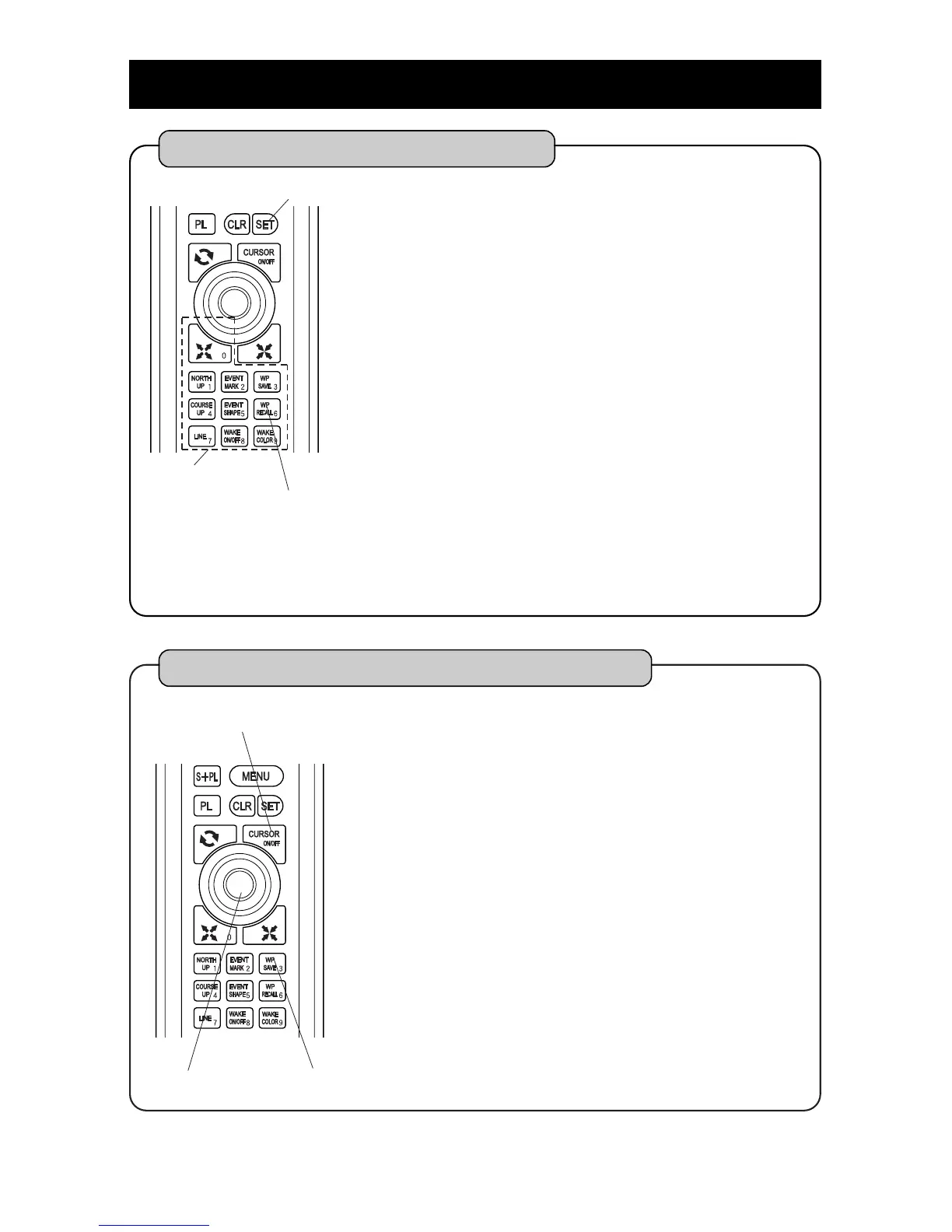
Press [WP RECALL] key.
Enter number of waypoint with [NUMBER] key.
It is also done by stacking cursor on waypoint
mark instead of.
By pressing [SET] key, waypoint navigation is set.
1
2
3
Note ) Following conditions are necessary when you set the waypoint navigation.
Latitude/Longitude of own boat’s position should be shown on the screen.
Waypoint should have been already set.
SET key
WP RECALL key
NUMBER key
37
WP SAVE key
Setting of Simple Waypoint Navigation
By pressing [CURSOR ON/OFF] key, cursor is
indicated.
Move cursor to point to be waypoint with
[CENTER] key.
By pressing [WP SAVE] key for a long time, simple
waypoint is set.
Simple waypoint is temporary waypoint. Data is
not left in unit.
1
2
3
CENTER key
CURSOR ON/OFF key



 To Next Page