35
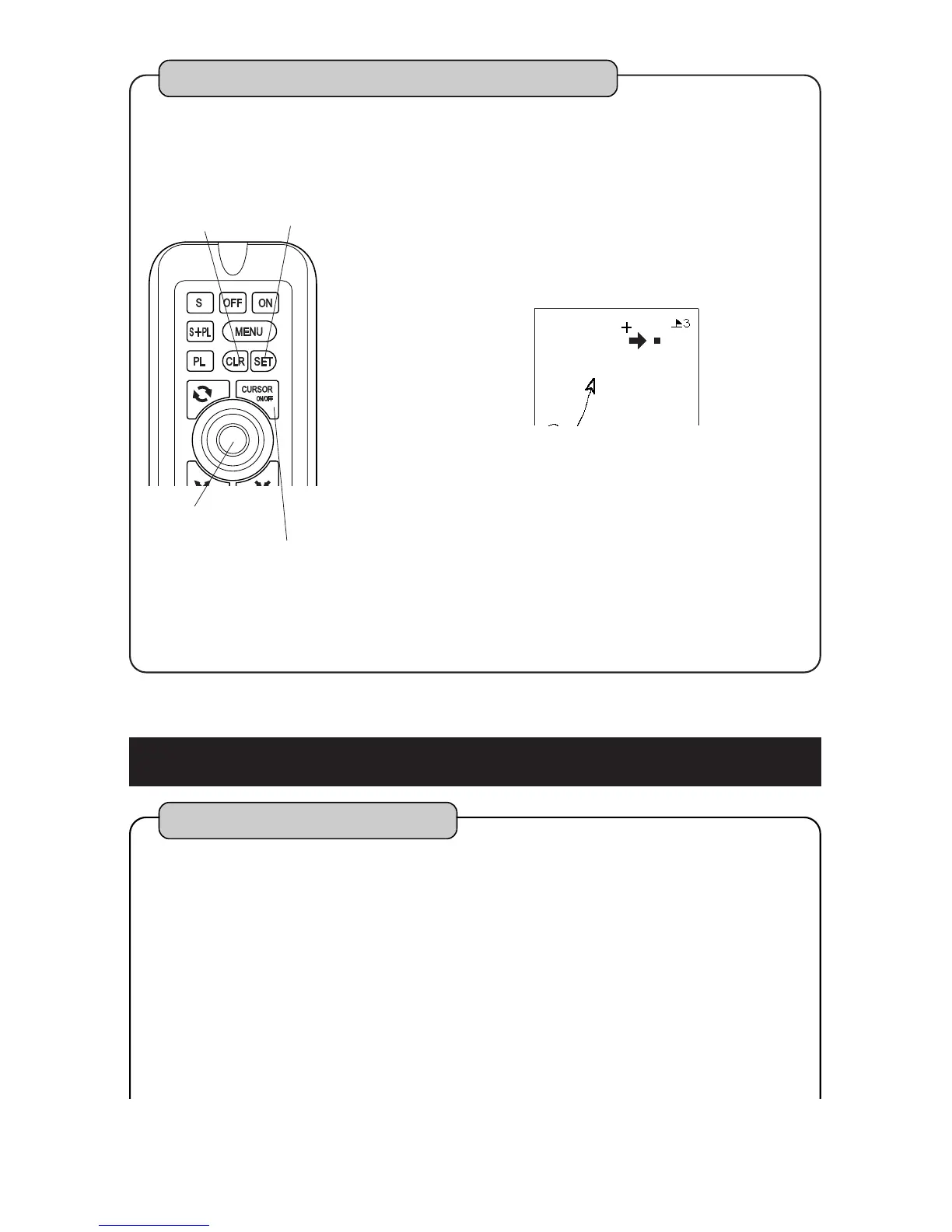
To erase waypoint marks by cursor
By pressing [CURSOR ON/OFF] key, cursor is
indicated.
Stack cursor on center of waypoint mark which
you want to erase with [CENTER] key.
By pressing [CLR] key, display to confirm
erasure is shown.
On the display to confirm,
Waypoint mark is erased by pressing [SET] key.
Erasing is canceled by pressing [CLR] key.
1
2
3
4
CLR key
SET key
CENTER key
CURSOR ON/OFF key
Please refer to [HOW TO OPERATE MENU] ( page12 ) for operation of menu.
Note 1)When unit is delivered from factory, [2.WAYPOINT][3.ERASE ]
[4.ERASE BY CURSOR] is set to OFF. (page 52)
Set [ERASE BY CURSOR] to “ON” to execute this function.
TO EDIT WAYPOINT MARK
To edit waypoint mark
You can edit shape, color, latitude and longitude at every waypoint mark manually.
You can also enter comment (name).
1.Indicated List
Select [2.WAYPOINT] [7.LIST/EDIT]by
pressing [MENU] key.
Move the cursor by pressing [CENTER] key
left/right and execute by [SET] key.
1
2
Note 2)When map range is reduced more than 80NM, [ERASE BY CURSOR]
can not be operated. In this case, event mark is indicated by dot.



 To Next Page