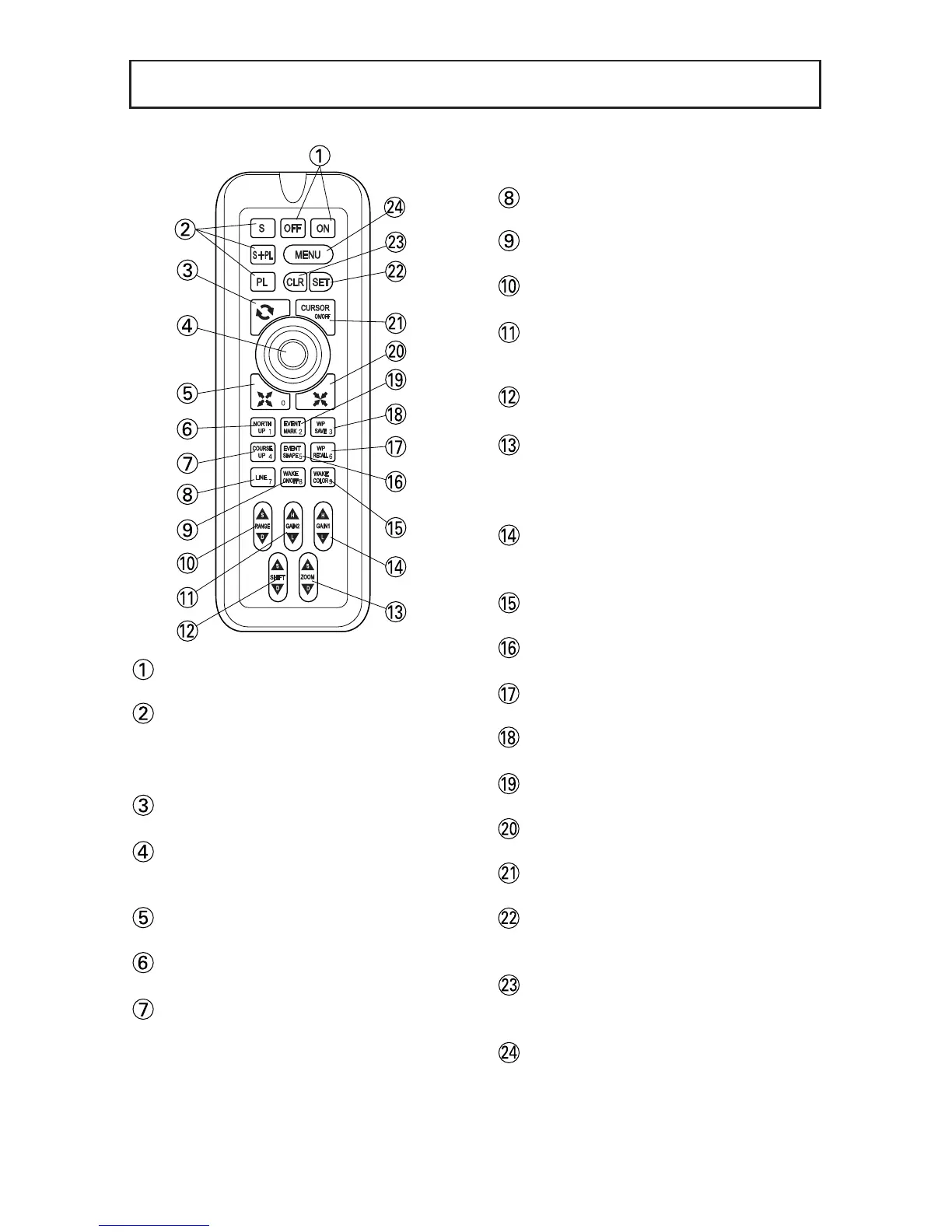
Power (page14)
Power ON/OFF
Mode Selection (page14)
(for only HE-6801,HE-6901)
It switches Fish Finder mode and
Plotter mode.
Quick Range (page21)
Alternately switch range set on menu.
Center key
Move map and cursor.
It is also used for select menu item.
Expansion
Enlarge displayed map (detail).
NORTH UP (page21)
Just upper of display turns north.
COURSE UP (page21)
Just upper of display turns bearing of
own boat.
LINE (page39)
Draw line on map.
WAKE ON/OFF (page30)
Switch display/non display of wake.
RANGE (page 63)
Set displayed depth range.
GAIN 2 (page65)
Adjust sensitivity of left display on dual
freq. mode.
SHIFT (page 66)
Move displayed depth range
ZOOM (page 67,72)
Move expanded area toward sea
surface or sea bottom.
(When manual Exp. is selected).
GAIN 1 (page64,65)
Adjust sensitivity of single freq. mode
and right display on dual freq. mode.
WAKE COLOR (page30)
Select color of displayed wake.
EVENT SHAPE (page26)
Show event mark on the display.
WP RECALL (page37)
Recall waypoint.
WP SAVE (page33)
Store waypoint.
EVENT MARK (page26)
Enter event mark on the display.
Reduction
Reduce the display (Wide area).
CURSOR ON/OFF(page18)
Switch display/non display of cursor.
SET key
It is used when you execute selected
item.
CLR key
It is used when you want to delete or
cancel item.
MENU (page12)
Show Menu mode.



 To Next Page