70
TO SET DEPTH ALARM
Please refer to [HOW TO OPERATE MENU] ( page12 ) for operation of menu.
TO SET CORRECTION OF WATER TEMP.
Select [5.ALARM] [5.DEPTH ALARM]
[1.ALARM SET] on menu.
Establish [1.ALARM SET].
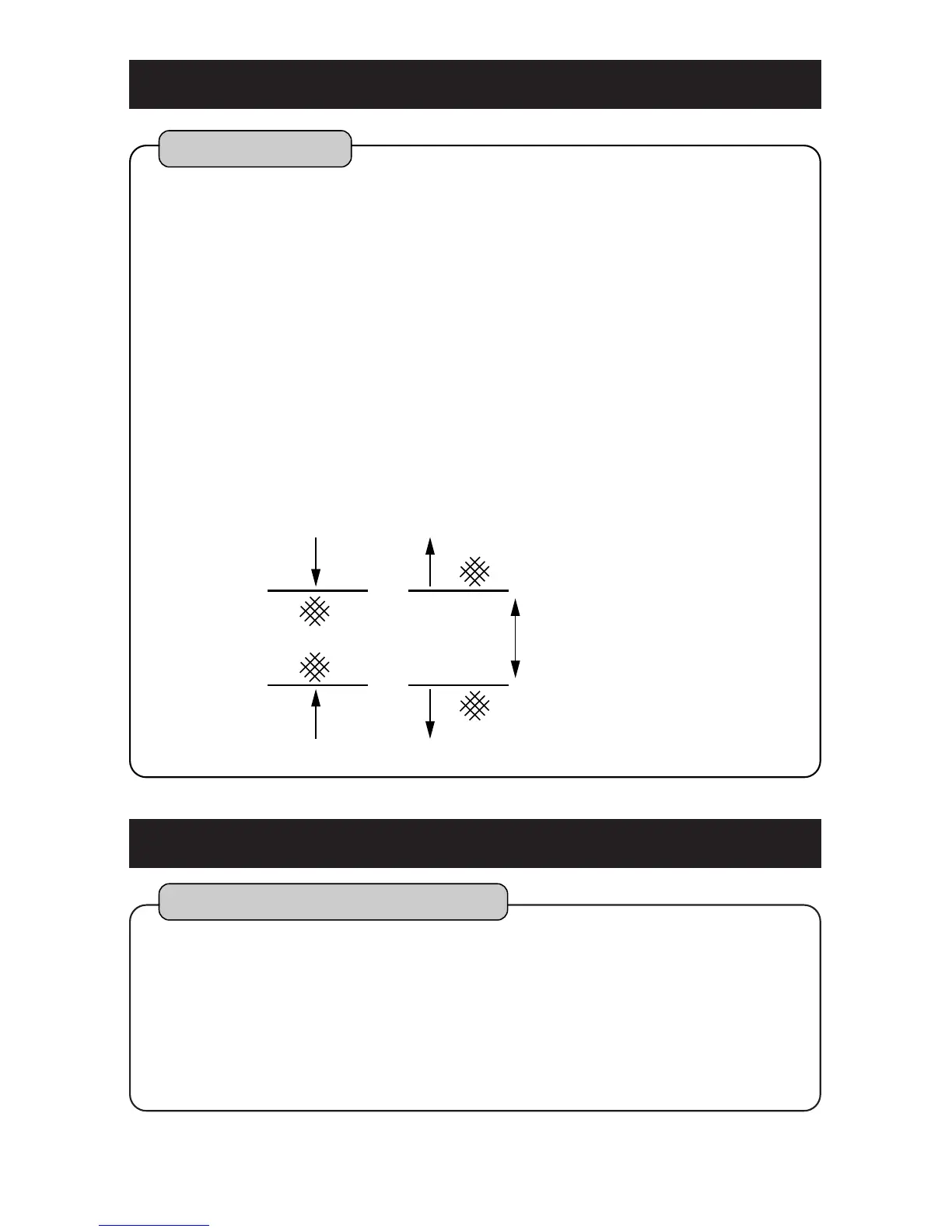
IN RANGE :Alarm goes off when it is within two
depths and depth readout flashes.
OUT RANGE :Alarm goes off when it is out of two
depths and depth readout flashes.
OFF :Depth alarm is canceled.
Select DEPTH SET1 or DEPTH SET2.
Alarm goes off within or out of two depths (DEPTH SET 1, DEPTH SET 2).
1
2
3
Depth Alarm
Select [8.OTHERS][6.CORRECTION][5.
TEMP CORRECT][1.TEMP CORRECT] on
menu.
Establish [1.TEMP CORRECT].
When water temp. readout always differs from actual water temp. at constant value, it
corrects error of water temp.
1
2
Correction of Water Temp.



 To Next Page