26
TO ENTER EVENT MARK
To enter event mark at own boat’s position
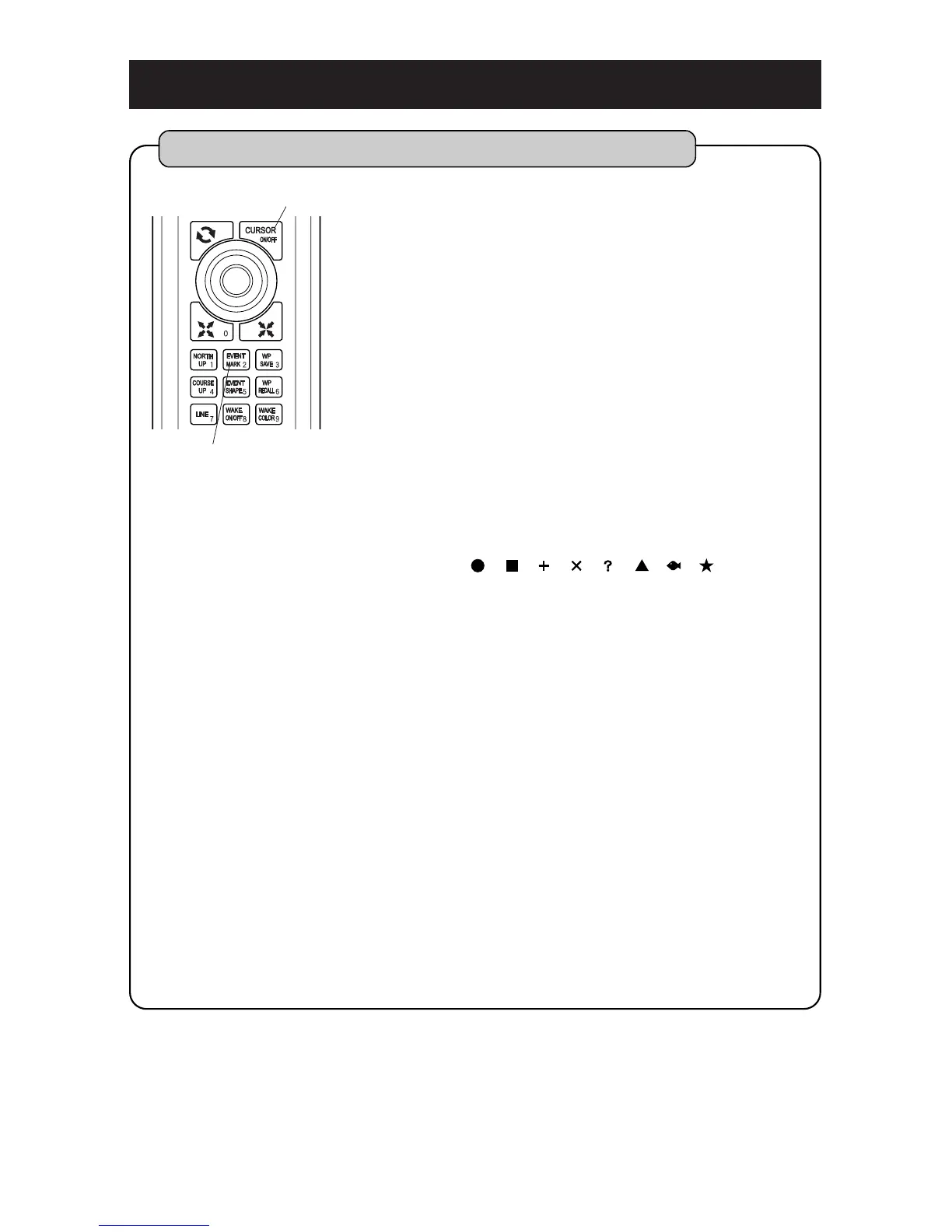
Press [EVENT MARK] key. Event mark is shown at
the position of own boat’s mark.
By pressing [EVENT MARK] key when cursor is
indicated, event mark is shown at the position of
cursor.
You can set any event mark with [EVENT
SHAPE] key of remote after you set [3. EVENT
MARK][4. CHANGE OF SHAPE] on the menu.
(You can select from 8 types.page 53)
[Event Mark]
You can enter event marks with different color and
shape to the position of fish school, shoals or etc.
at any option.
Shape : 8 types (selected on the menu)
()
Color : Selected among red, yellow, green,
magenta, white, cyan, blue and color of wake.
Numbers of point : Up to 24,000 points can be
entered on the display.
(Combination of shape and color is free.)
Event Mark will be shown when the range of
map enlarges less than 50NM. When it’s range
reduce more than 80NM, all event marks will be
shown by “points”.
[Comment (Name) of event mark]
You can add “comment (name)” to each event
mark. (page 28)
Comment (name) will be indicated only when the
range of map enlarges more than 3NM.



 To Next Page