20
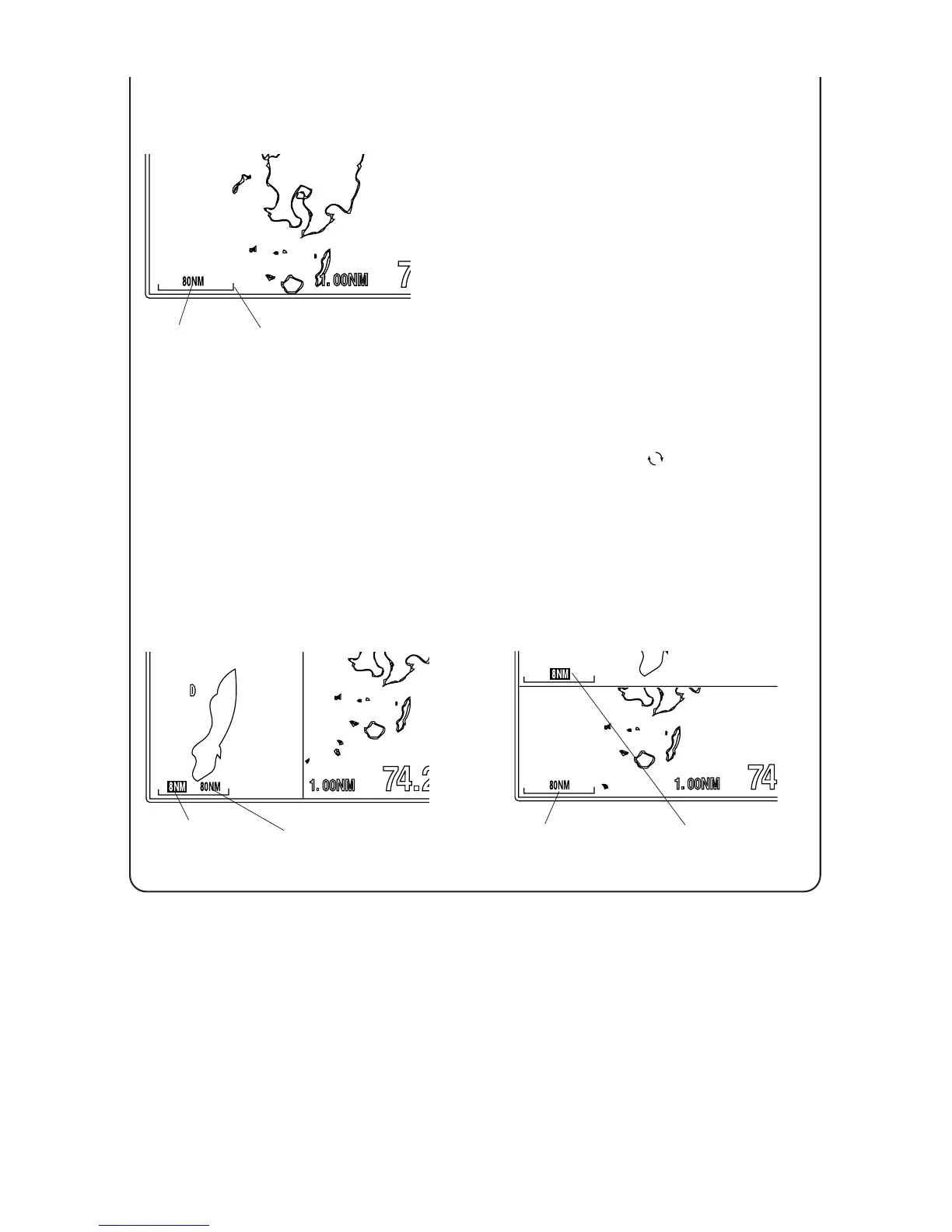
[Scale]
“SCALE” helps you to know the distance on the
screen.
Color of range and scale are same as wake’s.
In case of single map display
Display expands by pressing [EXP] key.
Display reduces by pressing [RED] key.
In case of dual map display
Display expands by pressing [EXP] key.
Display reduces by pressing [RED] key.
Map corresponded to scale range encircled by
rectangle expands or reduces.
Each time when you press [ ] key, map to be
expand/reduced switches.
Range
Scale
Scale Range
for right map
Scale Range
for left map
Scale range when maps are
shown side by side.
Left map can be expanded or
reduced on figure.
Scale range when maps are
shown up and down.
Upper map can be expanded or
reduced on figure.
Scale Range
for upper map
Scale Range
for lower map



 To Next Page