32
Please refer to [HOW TO OPERATE MENU] ( page12 ) for operation of menu.
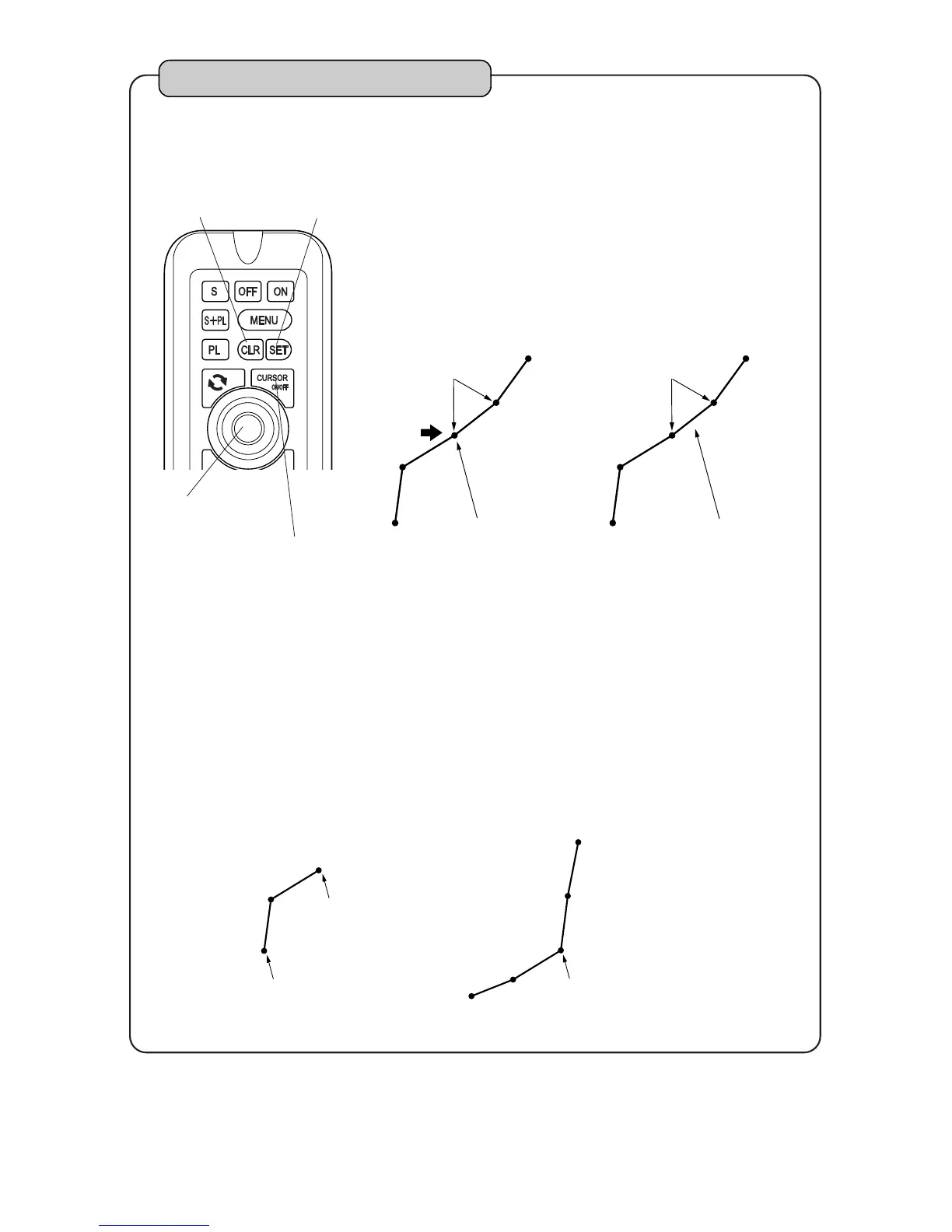
CURSOR ON/OFF key
CLR key SET key
CENTER key
To erase wake by cursor
By pressing [CURSOR ON/OFF] key, cursor is
indicated.
Stack cursor on wake point which you want to
erase with [CENTER] key. Wake point is stored in
each memory interval of wake.
1
2
3
4
Note 2) Point to judge easily is starting point, terminal point and sharp corner
of wake.
Note 1) When unit is delivered from factory, [1. WAKE][4. ERASING WAKES]
[2. ERASE BY CURSOR] is set to OFF. (page 52)
Set [ERASE BY CURSOR] to “ON” to execute this function.
+
Point
Be sure to stack cursor
on point.
Cursor
+
Even if cursor is stacked
on between 2 points, wake
is not erased.
Cursor
Point
By pressing [CLR] key, display to confirm erase is
shown.
On the display to confirm,
Wake is erased by pressing [SET] key.
Erasing is canceled by pressing [CLR] key.



 To Next Page