[MEMO]
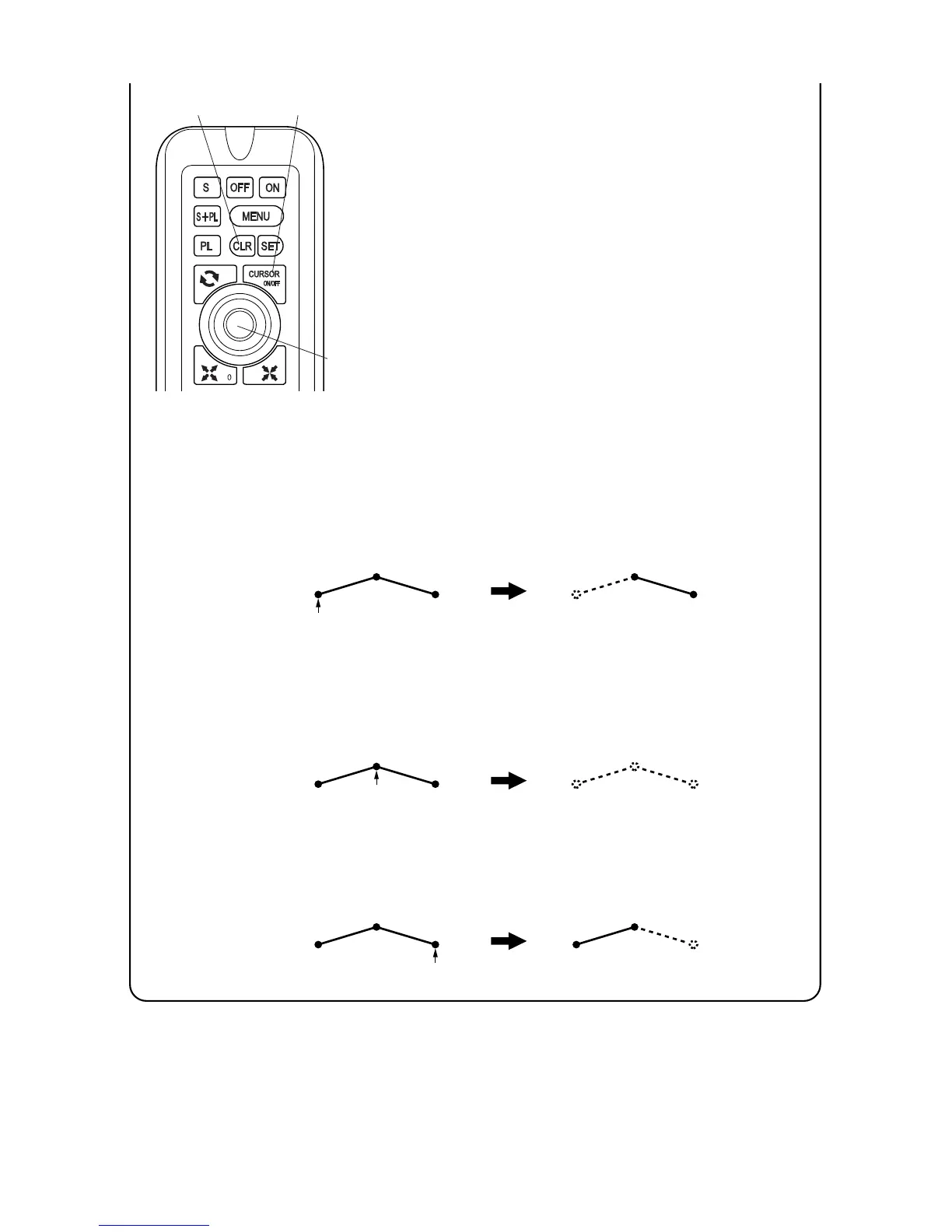
Erased range of line differs upon the position of cursor on line.
When cursor is stacked on starting point: Erase the line to next intermediate point
or terminal point if there is no intermediate point.
When cursor is stacked on intermediate point: Erase the line to previous
intermediate point (or starting point if there is no previous intermediate point) and the
line to next intermediate point (or terminal point if there is no intermediate point).
When cursor is stacked on terminal point: Erase the line to previous intermediate
point or starting point if there is no previous intermediate point.
41
By pressing [CURSOR ON/OFF] key, cursor is
indicated.
Stack cursor on line which you want to erase with
[CENTER] key.
By pressing [CLR] key, line is erased.
3
4
5
CLR key
CENTER key
CURSOR ON/OFF key



 To Next Page