ALARM MONITOR
12–5
12.5 ALARM MONITOR WINDOW, CONTINUED
13 Event Filter
Filters Events based on the Alarm Status assigned to
them. Click a filter to show or hide the associated events.
Right click an event to assign it an Alarm Status.
14 Event List Item
Individual Event in Event List. Double-Clicking on an
event opens the associated video in the Search Alarm
window.
15 Event List
Lists all recorded events matching the Date, Event, and
DVR settings.
16 Event Preview
Displays a preview image of all recorded events
matching the Date, Event, DVR, and Filter settings.
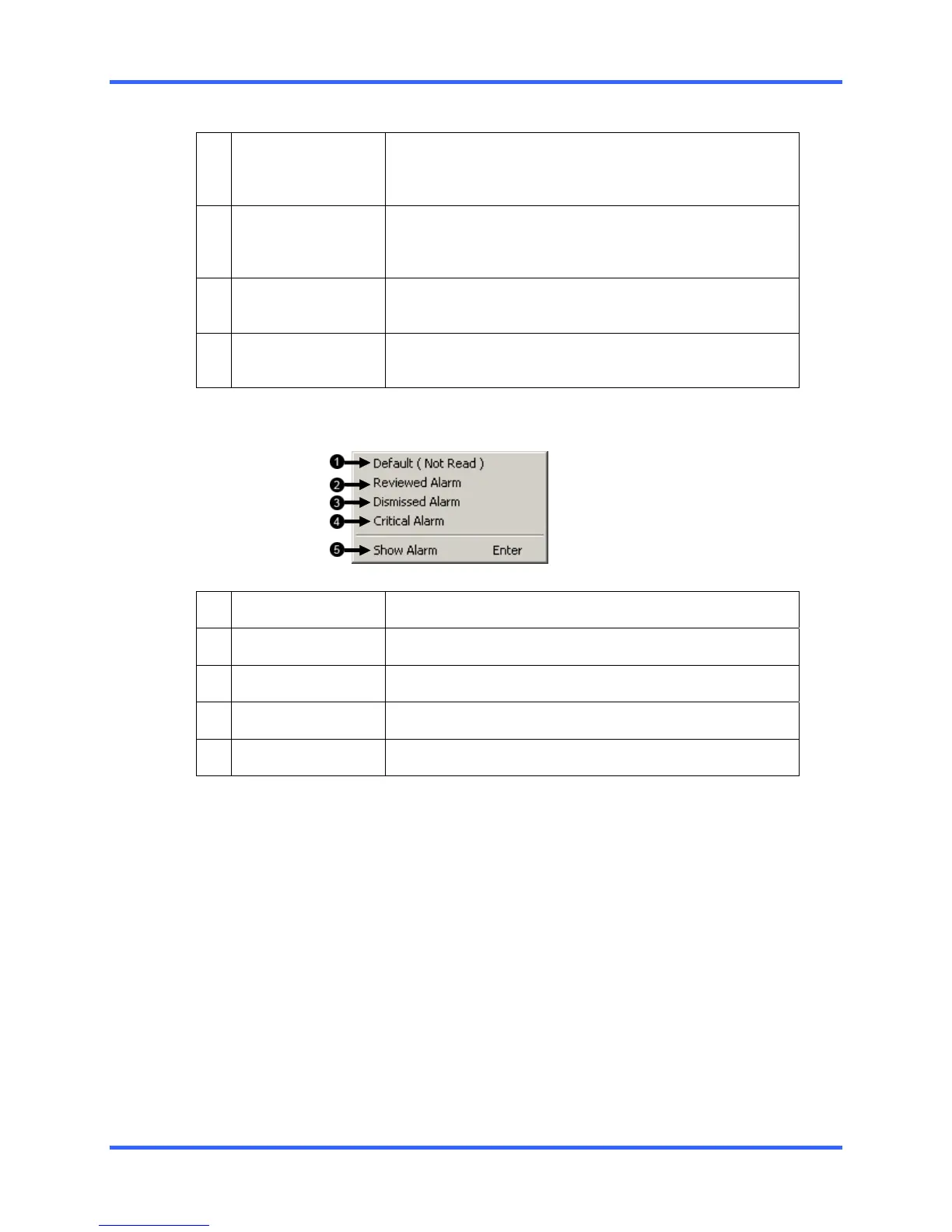
12.5.1 EVENT LIST RIGHT CLICK
1 Default
Sets an alarm event to Default.
2 Reviewed Alarm
Sets an alarm event to Reviewed.
3 Dismissed Alarm
Sets an alarm event to Dismissed.
4 Critical Alarm
Sets an alarm event to Critical.
5 Show Alarm
Opens event in the Search Alarm Window.



 To Next Page
 Loading...