SETUP OPTIONS
5–27
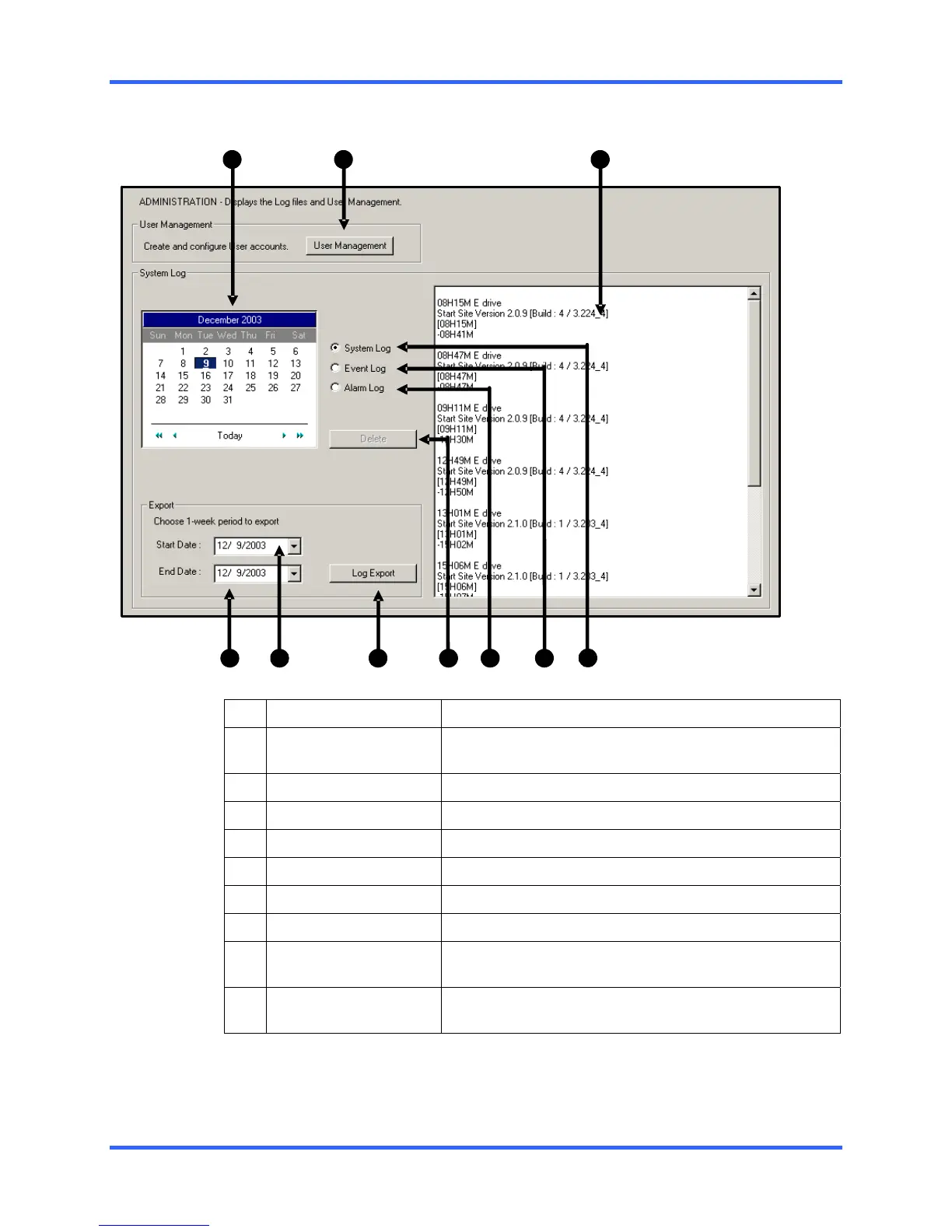
5.9 ADMINISTRATION
1
2
3
4
5
7
10
6 8 9
1 Calendar
Displays the days with Log information in a bold format.
2 User Management
Opens the User Management Window to create, edit,
and delete DVR user accounts.
3 Log Display Window
Displays the Log Files of the selected day.
4 End Date
Specifies a date to end the Log Export function.
5 Start Date
Specifies a date to begin the Log Export function.
6 Log Export
Allows the log file to be exported in weekly increments.
7 Delete
Deletes the selected log files.
8 Alarm Log
Displays information pertaining to Alarm Events.
9 Event Log
Displays information pertaining to User Logins, DVR
reboots and other related information.
10 System Log
Displays the Hardware Log file information which
includes recording successes and failures.



 To Next Page
 Loading...