FUSION DVR Digital Recording and Transmission System
5–24
5.7 SENSOR SETUP
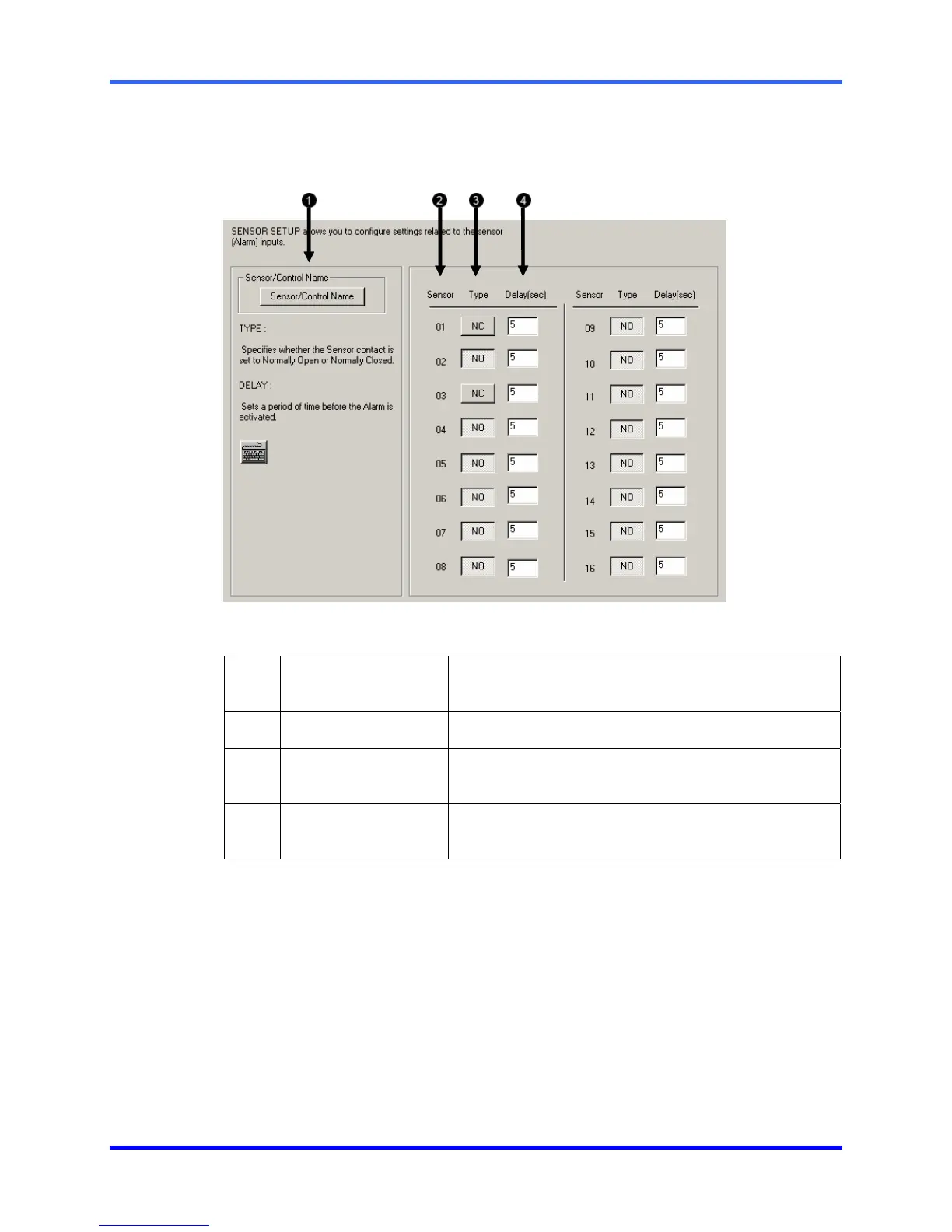
The Sensor Window options enable, disable, and configure Sensors.
1 Sensor/Control
Name
Opens a menu to allow custom naming of controls
and sensors for easy identification.
2 Sensor
Displays the sensor number
3 Type
Selects whether the Sensor will be Normally Open
(NO) or Normally Closed (NC).
4 Delay (sec)
Once the recording duration has expired, the
Delay(sec) will wait to reactivate the alarm.



 To Next Page
 Loading...