3–1
SECTION 3
GETTING STARTED
3.1 IDENTIFYING INCLUDED COMPONENTS
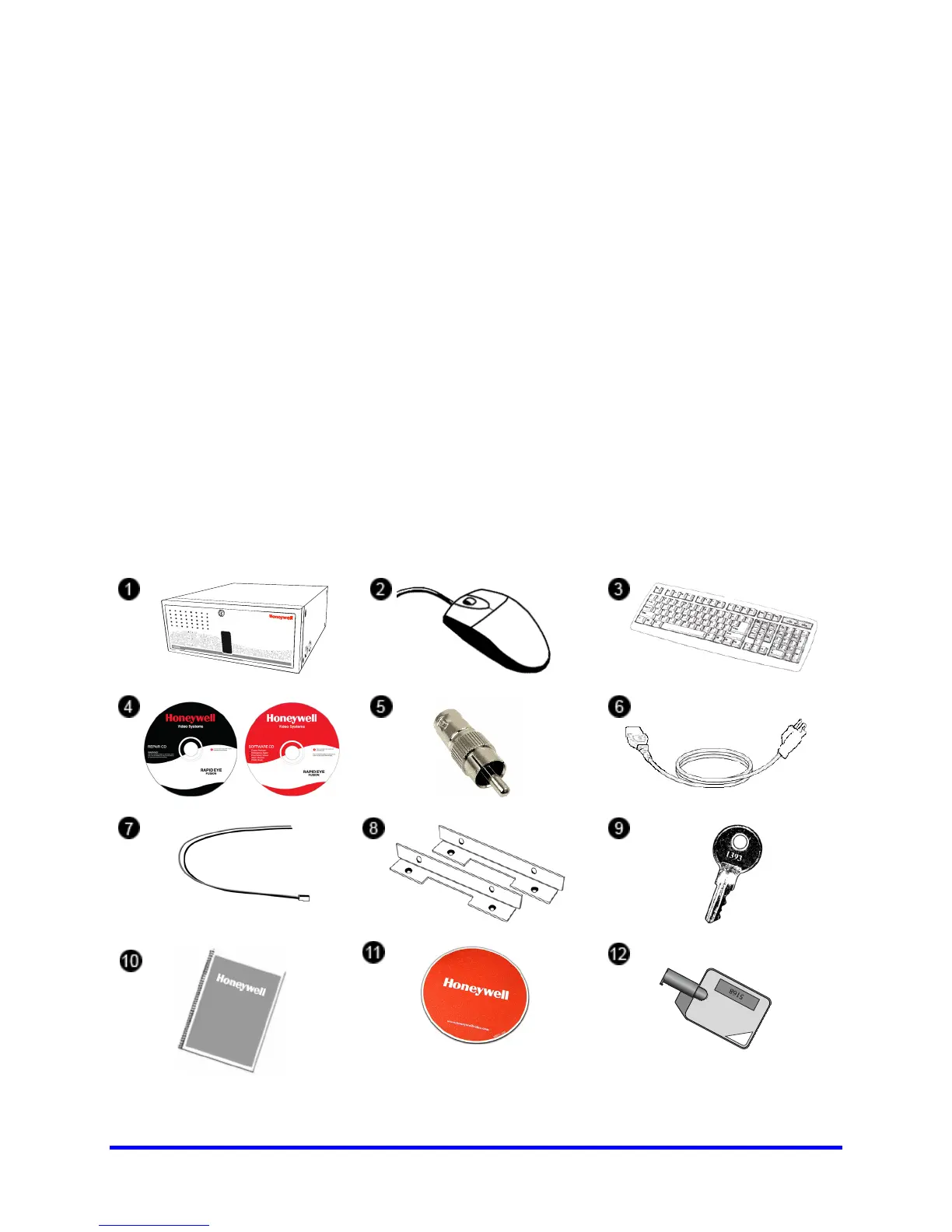
Honeywell’s Fusion DVRs come with a mouse, keyboard and selected software and
cables. Identify the following components to make sure everything has been properly
included with your new DVR unit. If any of the following items are missing, contact your
dealer to arrange a replacement.
1. DVR Unit (image may vary depending on model)
2. Mouse
3. Keyboard
4. DVR Repair and Software Disc
5. RCA Video Adapter (1x in 16 channel, 2x in 32 channel)
6. Power Cord
7. PTZ Adapter
8. Rack mount Attachments with 4 tapered mounting Screws
9. DVR Key
10. DVR Manual
11. Mouse Pad
Included
Component
List
12. Hard Drive Key
1
2
3
6
7
8
9
5
4



 To Next Page
 Loading...