Configuring Camera Settings
29
Configuring Video Settings
Go to Setup Camera Setup Video.
This section describes how to configure video streaming properties (format, resolution, frame
rate, bit rate, I-frame interval, etc.).
Video Stream
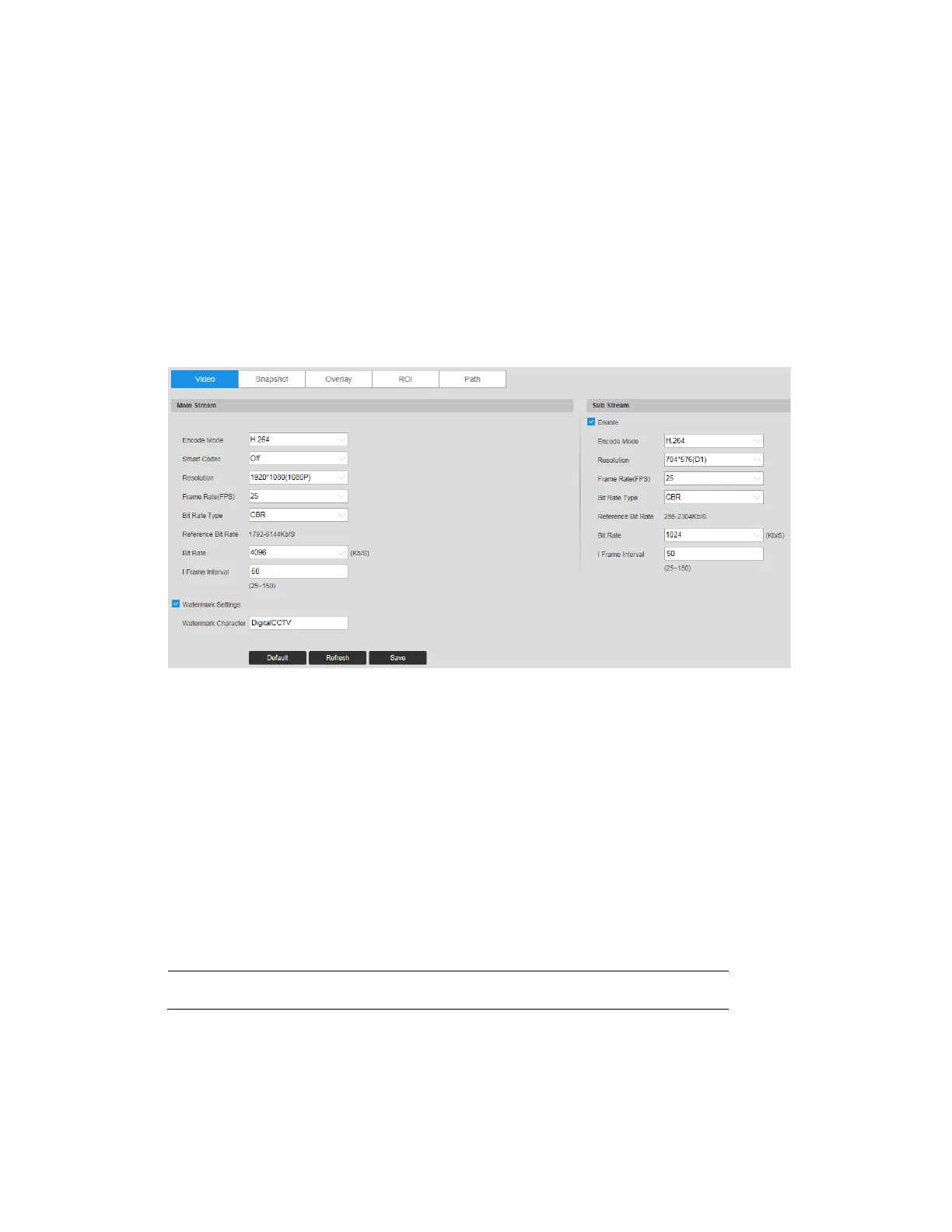
Go to Setup Camera Setup Video Video.
Figure 5-5 Video Stream
Encode Mode
In the Encode Mode box, select H.264B, H.264, H.264H, MJPEG, or H.265.
H.265: High Efficiency Video Coding. Supports 4K resolution. Twice as efficient as H.264.
H.264: Main Profile. Uses less bandwidth than Baseline Profile at the same quality.
H.264B: Baseline Profile. Uses up to 50% less bandwidth than MPEG4 and up to 80% less
than MJPEG. Higher compression and lower quality than H.264.
H.264H: High Profile. Uses less bandwidth than Main Profile at the same quality. Lower
compression and higher quality than H.264.
MJPEG: Uses the most bandwidth but produces excellent image quality with access to every
image in the stream.
Note
The mode may vary according to different camera models.
Smart Codec
Set Smart Codec to ON or OFF.



 To Next Page
 Loading...





