Configuring Video Analytics Settings
65
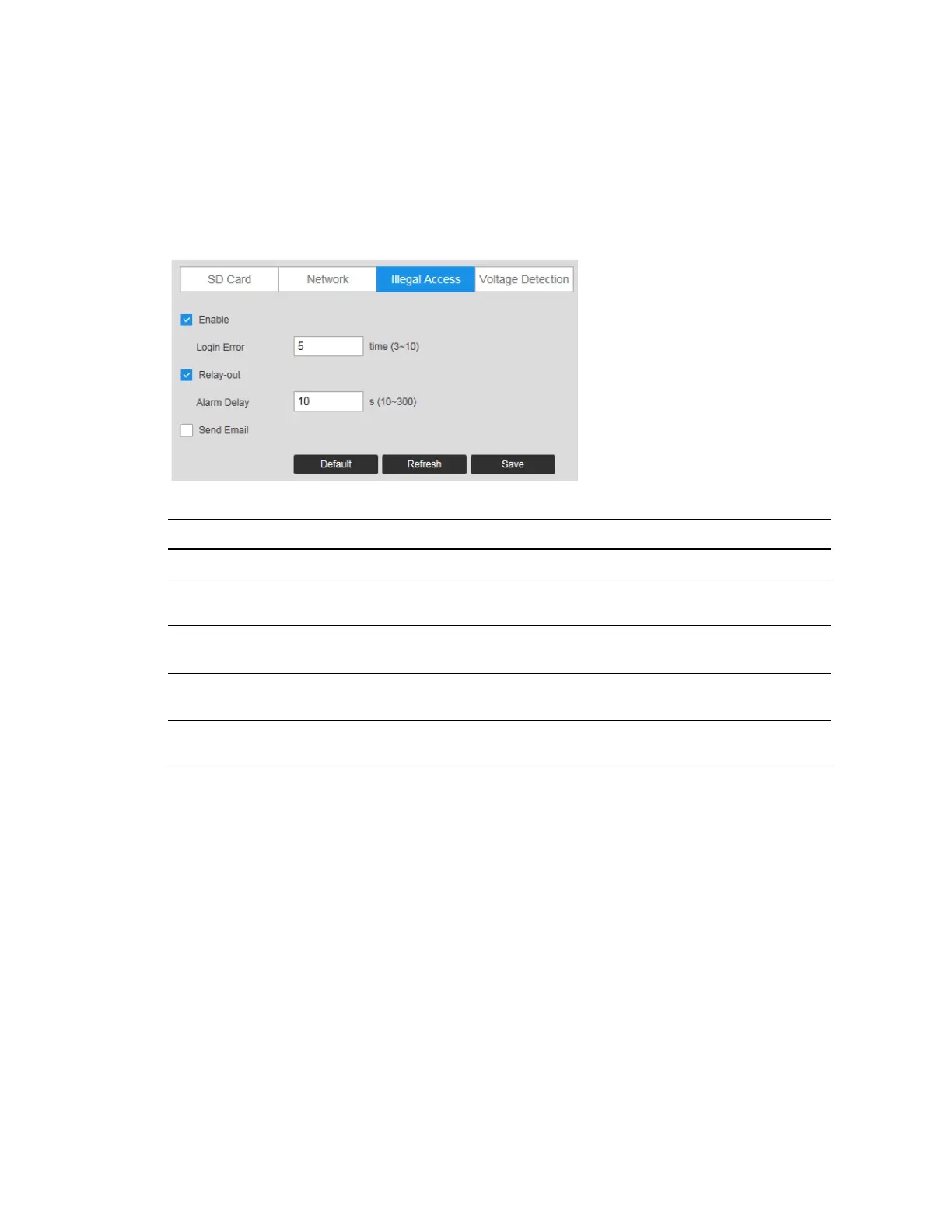
Configuring Illegal Access Event Settings
Go to Setup Video Analytics Abnormality Illegal Access.
You can specify how many unsuccessful login attempts can be made before the system
triggers an illegal access alarm.
Figure 7-14 Illegal Access Configuration
Table 7-9 Illegal Access Configurations
Parameter Function
Enable Check to enable the illegal access event.
Login
Error
Enter the number of times a user can attempt to log in. Select from 3 to 10.
Relay-out
Select the Relay-out check box, and when alarm is triggered, the system
interacts with the linked alarm devices.
Alarm
Delay
The Alarm linkage keeps running for the configured time after alarm is
ended.
Send
Email
Check to send an email to a specified receiver if someone attempts to
illegally access the camera.
Configuring Voltage Detection Settings
When the input voltage is higher than or lower than the rated value of the device, the
system performs alarm linkage.
Go to Setup Video Analytics Abnormality Voltage Detection.



 To Next Page
 Loading...





