Quick responses Create or edit quick responses.
Calls
Set SIP calling accounts, fixed dialing numbers, video calling, CDMA
call settings, etc.
Blocked numbers
Add blocked numbers.
Voicemail Set voicemail notifications, service carrier and voicemail number.
Accessibility Change TTY mode, enable or disable hearing aids.
View build version, open source licenses, privacy policy and terms of
service.
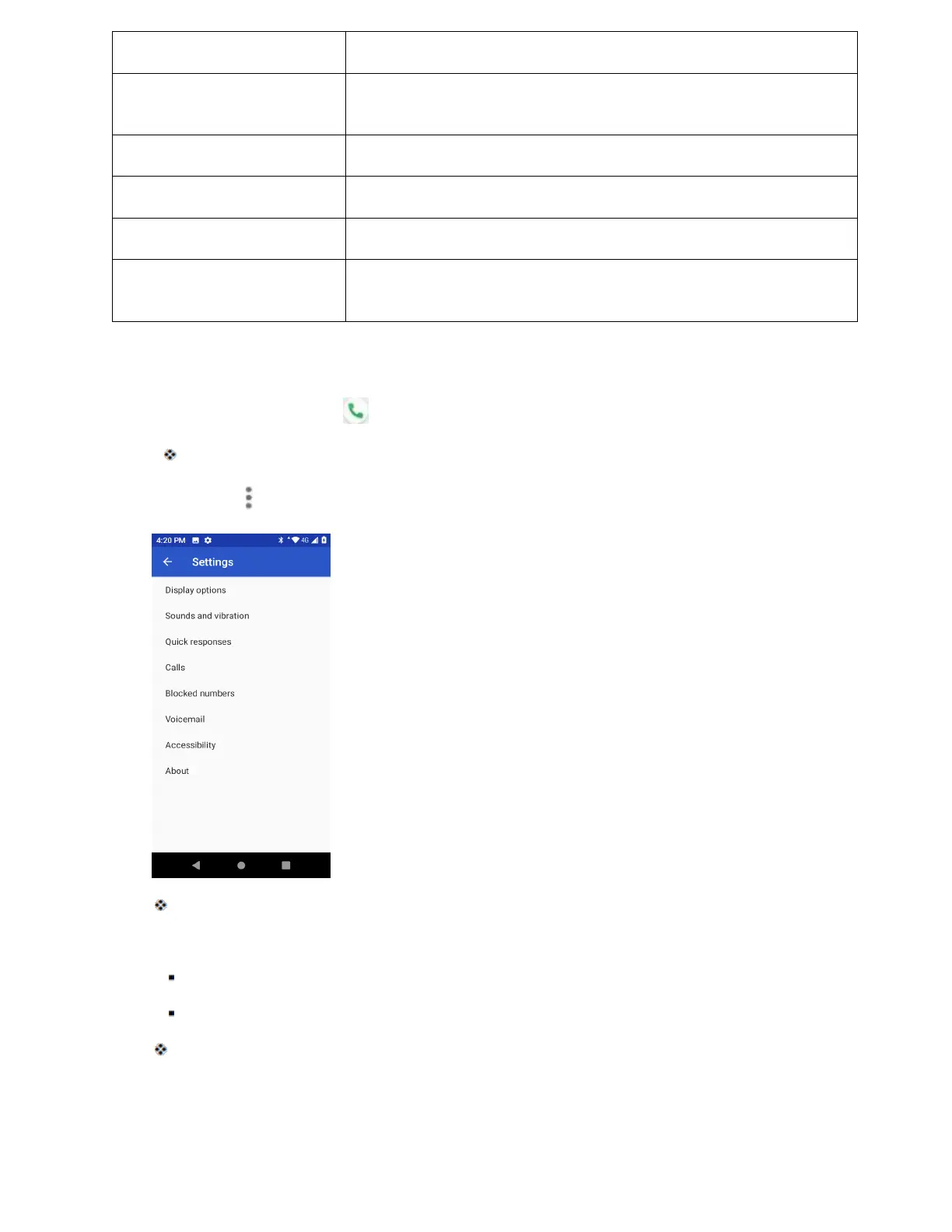
Use the Call Settings Menu
1. From home, tap Phone .
The phone app opens.
2. Tap Menu > Settings.
The call settings menu appears.
3. Configure your options.
Tap a menu item to display its options.
Select your options and follow the prompts to set them.
Your call settings options are set.



 To Next Page