● SIM card messages: View messages stored in the SIM card.
● Phone number: Check your phone number.
Transfer Files between Your Phone and a
Computer
You can use the supplied USB cable to connect your phone directly to your computer and transfer
music, pictures, and other content files.
For example, if you have a music album stored on your computer that you want to listen to on your
phone with any of the music apps, just attach your phone to the computer and copy the files to the
music folder.
File Transfer Tips
● If you want to save data to an SD card on your phone, make sure the SD card is installed
and active. SeeSD Card.
● Avoid removing the battery or SD card while transferring data.
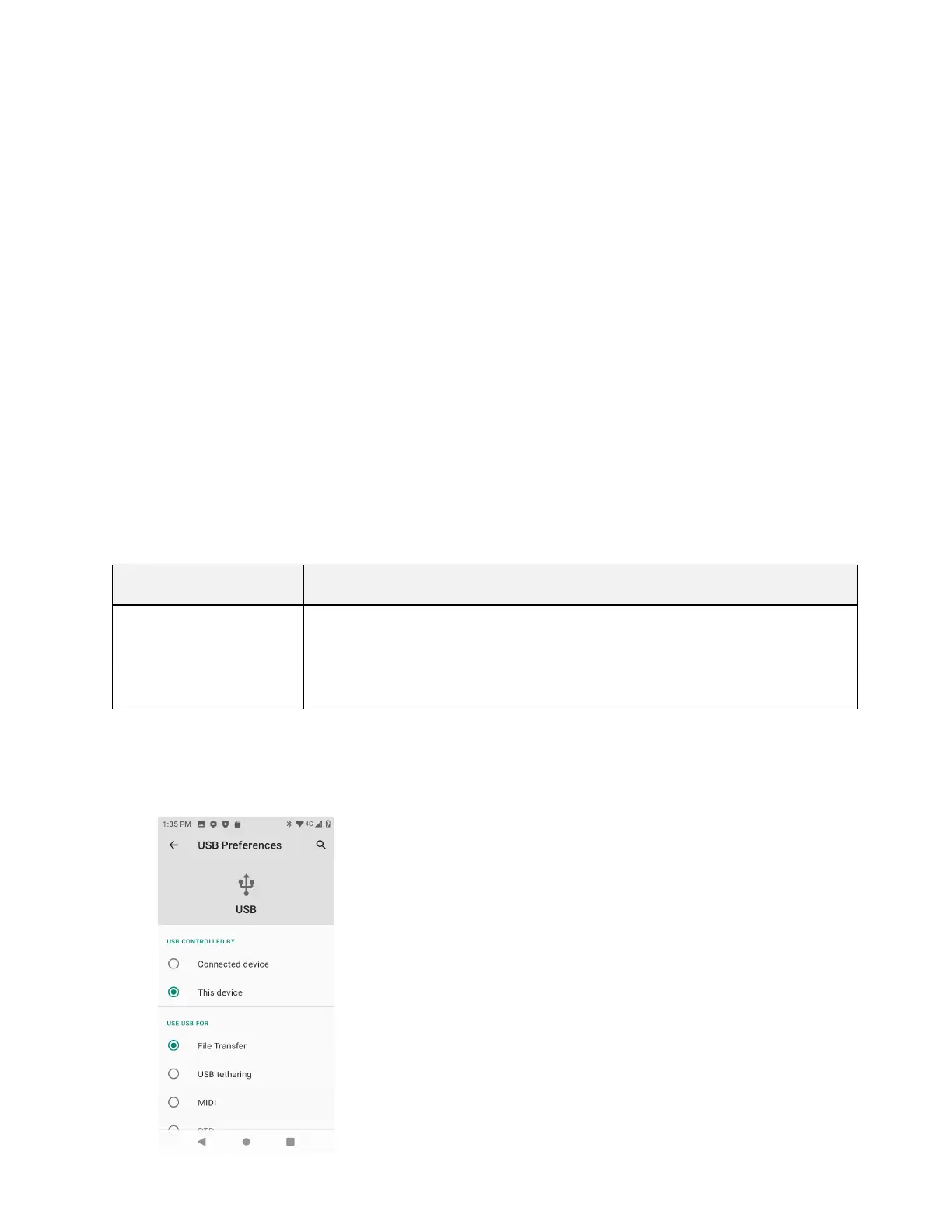
● Data exchange may use the methods outlined in the following table:
Method Description
File Transfer
Transfer files between your phone and PC such as pictures, videos, and
music.
PTP
Transfer picture and video files between your phone and PC.
Transfer Files between the Phone and a Computer
1. Connect your phone to your computer using the supplied USB/charging cable.



 To Next Page