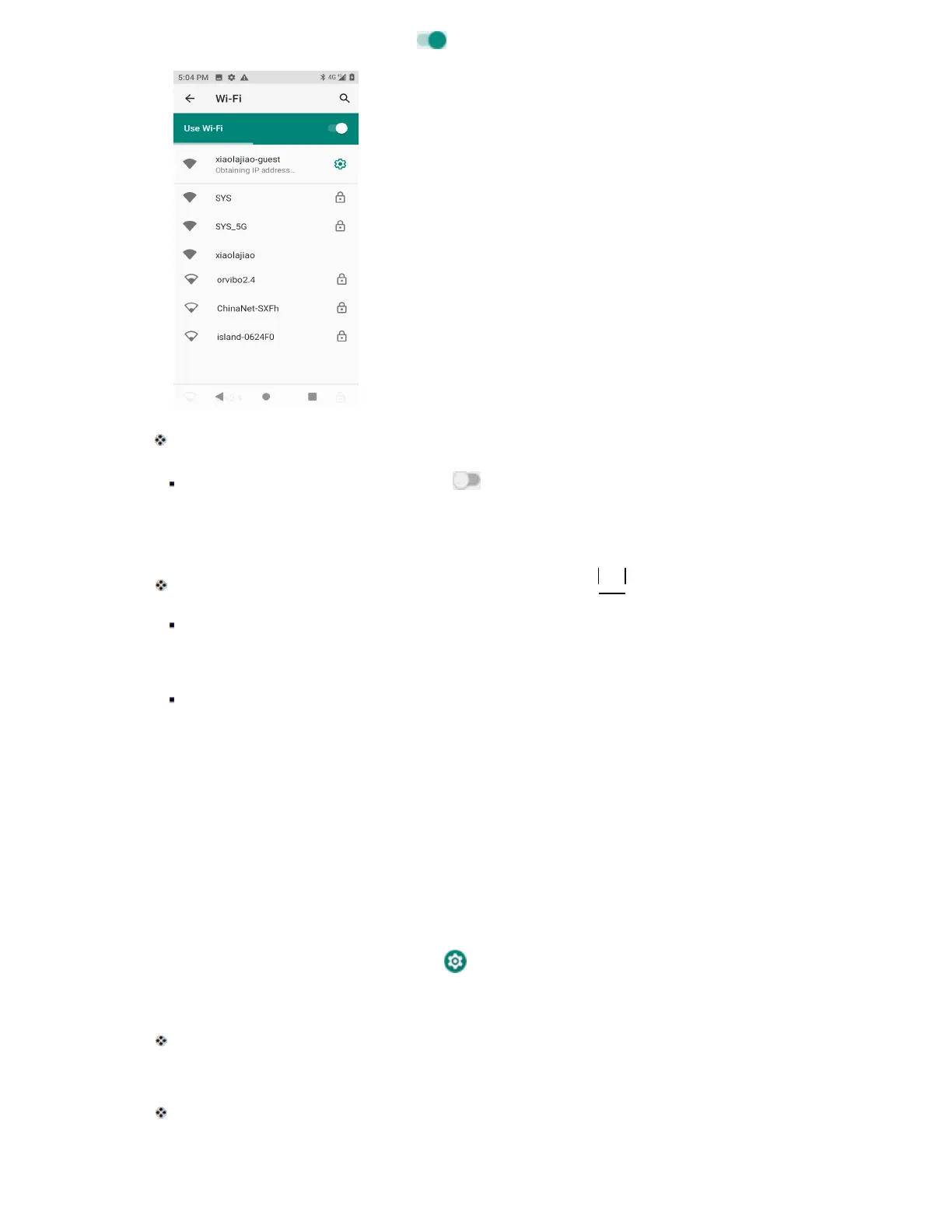
3. Tap the Wi-Fi slider to turn Wi-Fi on .
Wi-Fi is enabled. You will see the names and security settings of in-range Wi-Fi networks.
To disable Wi-Fi, tap the slider again .
4. Tap a Wi-Fi network to connect, enter the password (if it’s not an open network), and then
tap Connect.
Your phone is connected to the Wi-Fi network. You will see ( ) in the status bar.
The password, for a household wireless LAN router, is sometimes found on a sticker on
the router (WEP, WPA, KEY, etc.). Contact the router manufacturer for information. For
password for a public wireless LAN, check with user's service provider.
Entering a password is not required if an access point is not security protected.
Note: The next time your phone connects to a previously accessed secured wireless network, you will
not be prompted to enter the password again, unless you reset your phone to its factory default settings
or you instruct the phone to forget the network.
Note: Wi-Fi networks are self-discoverable, which means no additional steps are required for your
phone to connect to a Wi-Fi network. It may be necessary to provide a user name and password for
certain closed wireless networks.
Disconnect Wi-Fi
You may wish to disconnect from a connected Wi-Fi network without turning Wi-Fi off.
1. From home, swipe up and tap Settings .
2. Tap Network & internet > Wi-Fi.
The Wi-Fi settings menu appears.
3. Tap the name of the connected access point and then tap Forget.
Wi-Fi is disconnected.



 To Next Page