Methods to accept a Bluetooth connection differ depending on the devices used.
Unpairing from a Paired Device
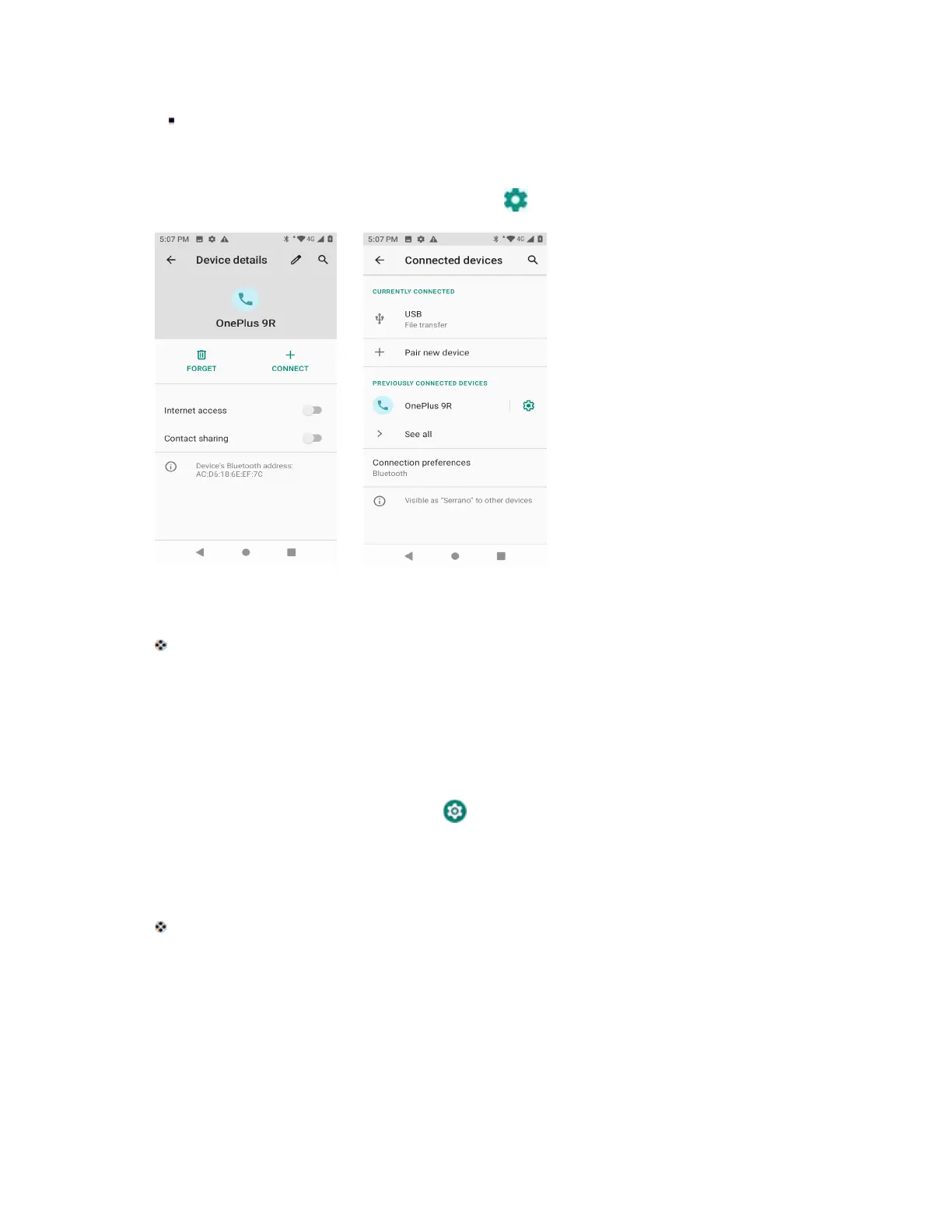
1. From the Bluetooth settings menu, tap Settings next to the paired device you wish to unpair.
2. Tap Forget.
The device is unpaired from your phone. To make another connection with the device, you will
need to pair again.
Connect to a Paired Bluetooth Device
You can listen to music over a Bluetooth stereo headset, or have hands-free conversations using a
compatible Bluetooth headset or car kit. It’s the same procedure to set up stereo audio and hands-free
devices.
1. From home, swipe up and tap Settings .
2. Tap Connected devices > Previously connected devices.
3. Tap a device from the list.
Your phone connects to the paired device.
Depending on the type of device you have connected, you can then start using the headset or car kit to
listen to music or make and receive phone calls.
Note: Due to different specifications and features of other Bluetooth-compatible devices, display and
operations may be different, and functions such as transfer or exchange may not be possible with all
Bluetooth-compatible devices.



 To Next Page