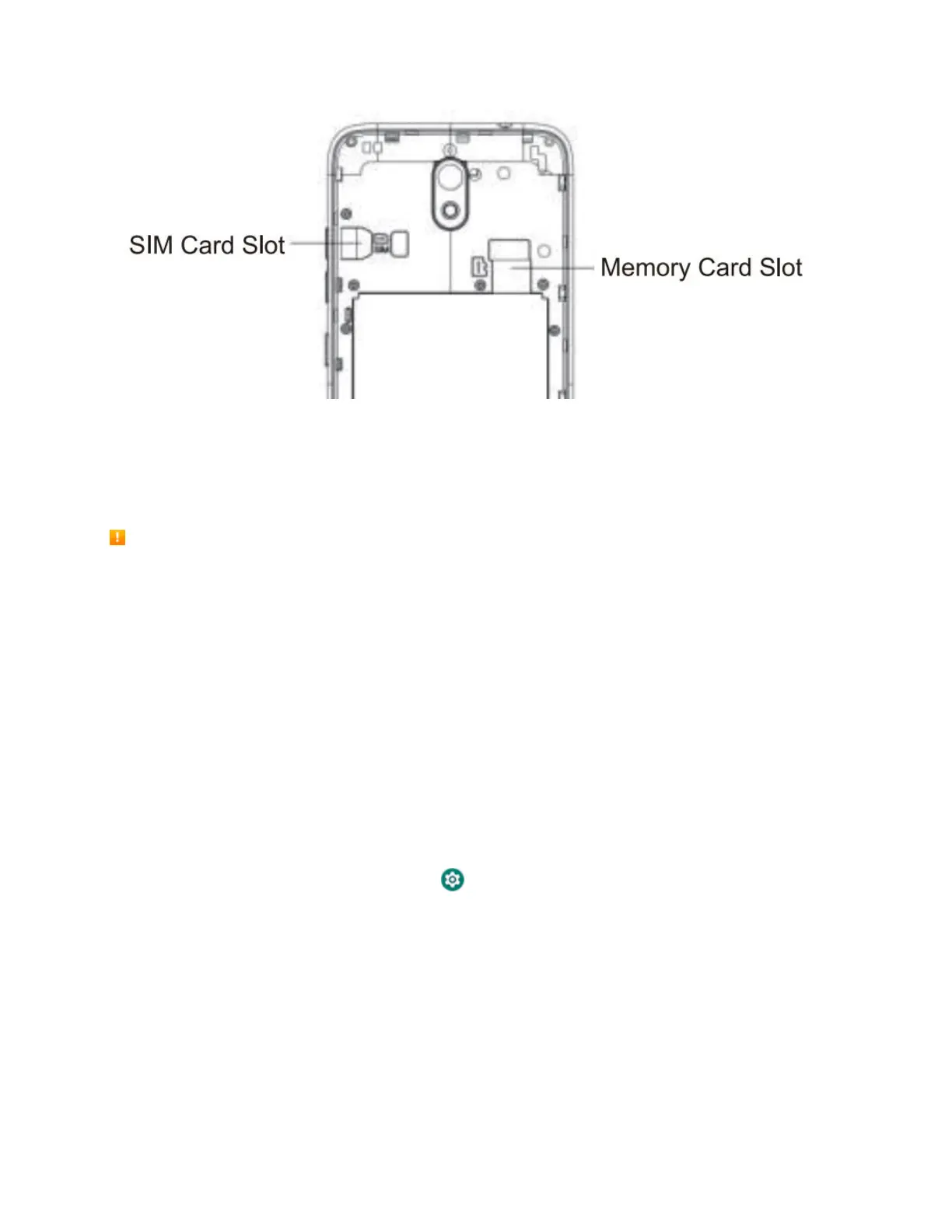
Note: If your phone’s SIM card is preinstalled. These instructions are for reference only.
1.
Open the battery cover ,then insert your NANO SIM card at SIM location.
SD Card
Your phone supports the use of an optional SD card (not included) to expand its storage capacity. Some
cards may not operate properly with your phone.SD card location as above picture.
SD Card Cautions
Data: Information stored on an SD card can become lost or changed accidently or as a result of
damage. It is recommended that you keep a separate copy of important data. Your carrier is not
responsible for damages from data that is lost or changed.
Reading/Writing Data: Never power off while reading or writing data.
Battery Level: A low battery charge may prevent reading/writing to an SD card.
Handling SD Card: Use/store SD cards away from the reach of infants. May cause choking if
swallowed.
Format an SD Card
When you insert an optional SD card for the first time, it is recommended that you format it on your phone.
1. From home, swipe up and tap Settings .
2. Tap Storage > SD Card.



 To Next Page