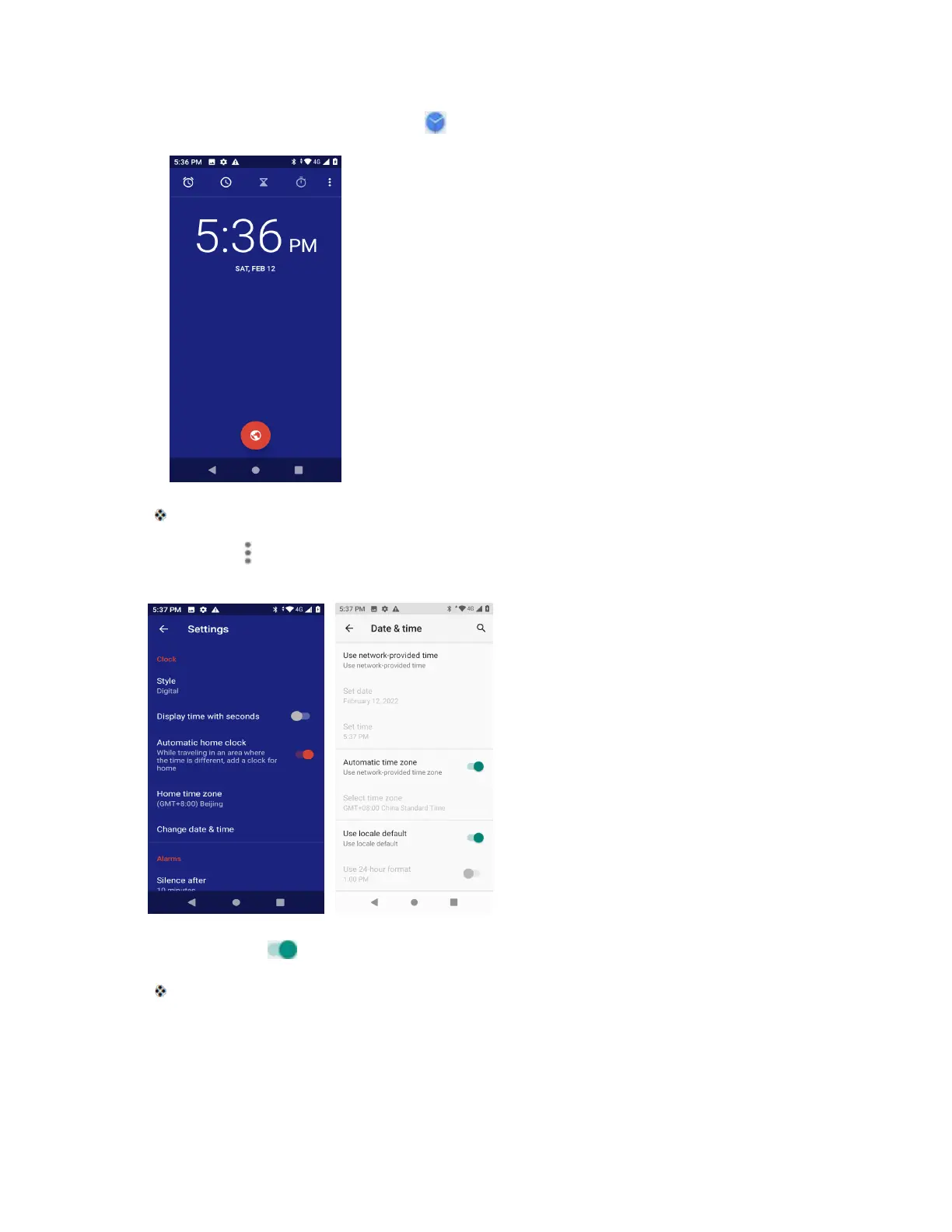
1. From home, swipe up and tap Clock .
The Clock appears.
2. Tap Menu > Settings > Change date & time.
3. Tap the slider next to Automatic date and time, and then set the date and time as desired.
The date and time will reflect your new settings.
Set Alarms
Set multiple alarms using your phone’s Clock app.



 To Next Page