Call from Call Log
The call log list lets you quickly place calls to recent incoming, outgoing, or missed numbers.
1. From home, tap Phone to display the phone app.
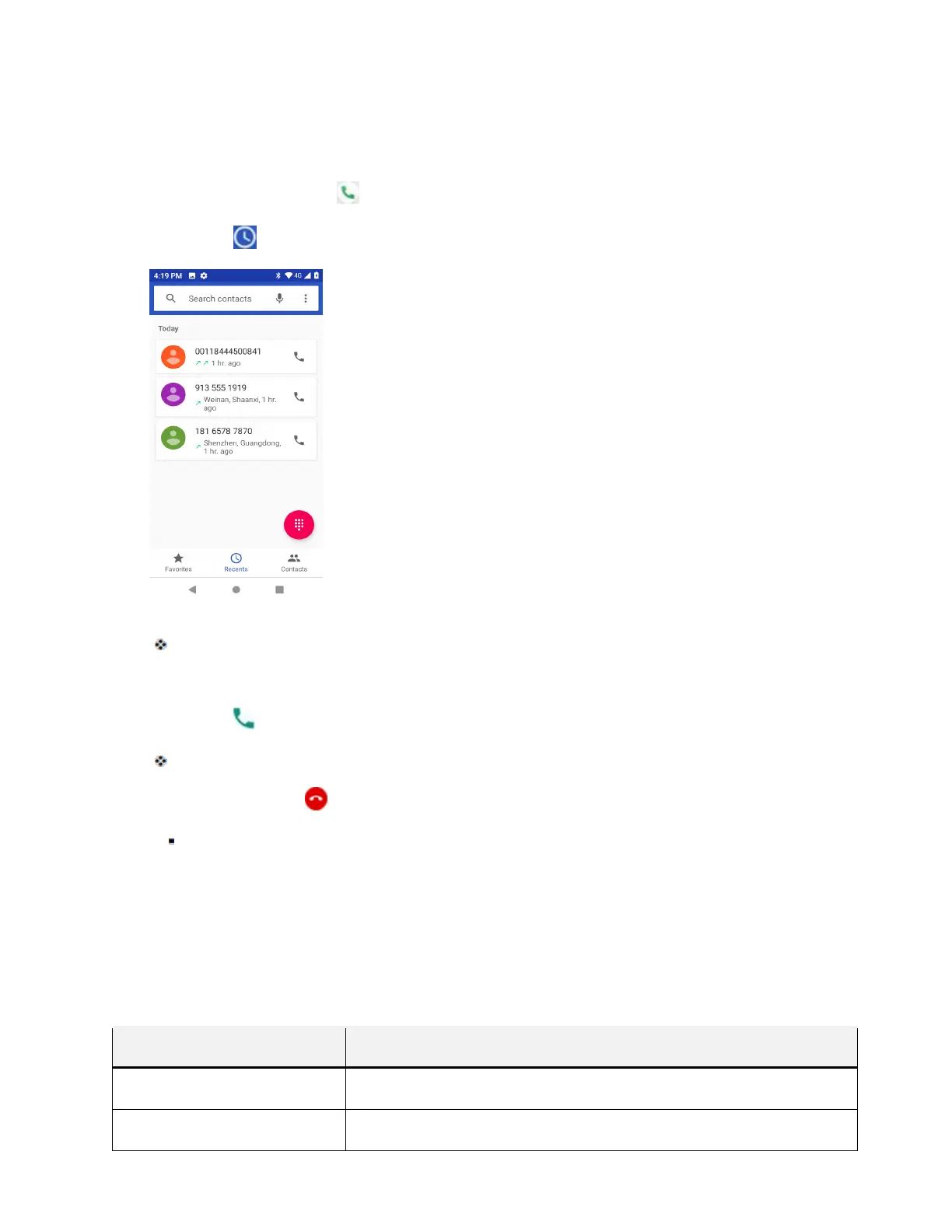
2. Tap Log to display the call log list.
The call log list appears.
3. Tap the contact photo to display the call details.
4. Tap Call to place a call.
The phone dials the number. The call begins when the other party answers.
5. To end the call, tap .
The call ends.
Call Settings
Your phone’s Call Settings menu lets you configure your voicemail options and a number of other settings
for the phone application.
Call Settings Options
Use the Call Settings menu to adjust the following settings:
Setting Description
Display options Change the display order of contacts name and the name format.
Sounds and vibration
Change phone ringtone, vibrate options and keypad tones.



 To Next Page