If prompted, follow the onscreen instructions to accept terms of use.
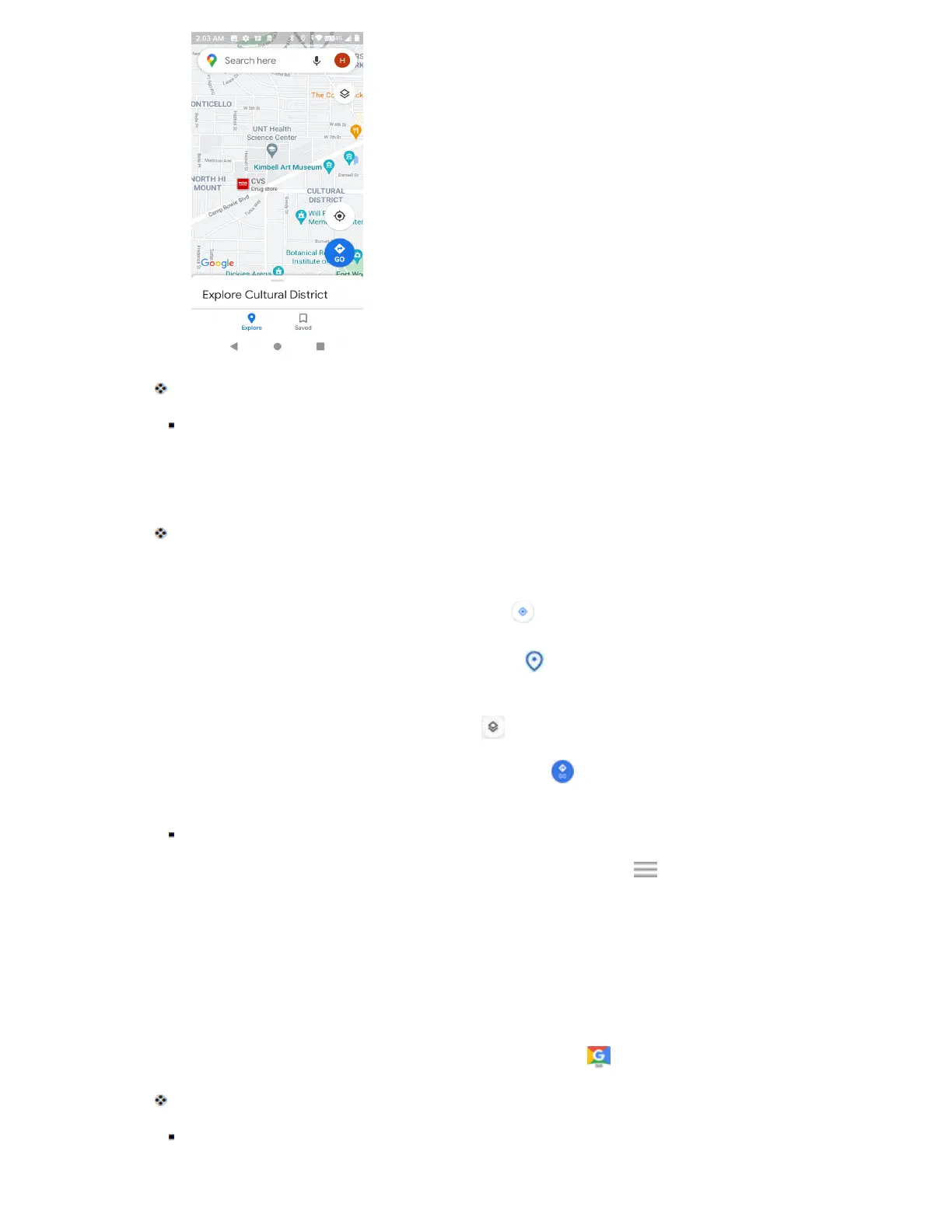
2. Tap Search here.
3. Enter an address, city, facility name, etc., and then tap a candidate in the results list.
A map of the specified location opens.
Google Maps Operations
● View Current Location: From the Maps app, tap .
● Explore Nearby: From the Maps app, tap Explore and then tap a category to view nearby
things.
● Change Map Type: From the Maps app, tap to change map type and map details.
● Check Route to Destination: From the Maps app, tap , enter your current location and your
destination.
Route candidates appear in a list.
● Check Detailed Operation for Maps: From the Maps app, tap Menu > Help.
Google
Search information saved on the phone and in phone applications as well as on the Internet.
Use Google
Type search terms in the Google bar to find information on your phone and around the globe.
1. From home, tap the Google bar or swipe up and tap Google .
The Search window opens.
If confirmation appears, follow onscreen instructions.



 To Next Page