HP 81110/04A Quick Start Introduction 37
Introduction
User Interface Concept
User Interface Concept
The User Interface concept consists of a display and front panel controls
for data entry. The main principle is to progress through the setup
screens from left to right, setting the modes and parameters as required
for your signal. If this signal is a simple clock or pulse signal it is not
necessary to invoke the
|PATTERN| screen.
Images of the front panel are available for the HP 81110A and
HP 81104A on the fold out covers, at the front and rear of this guide,
respectively.
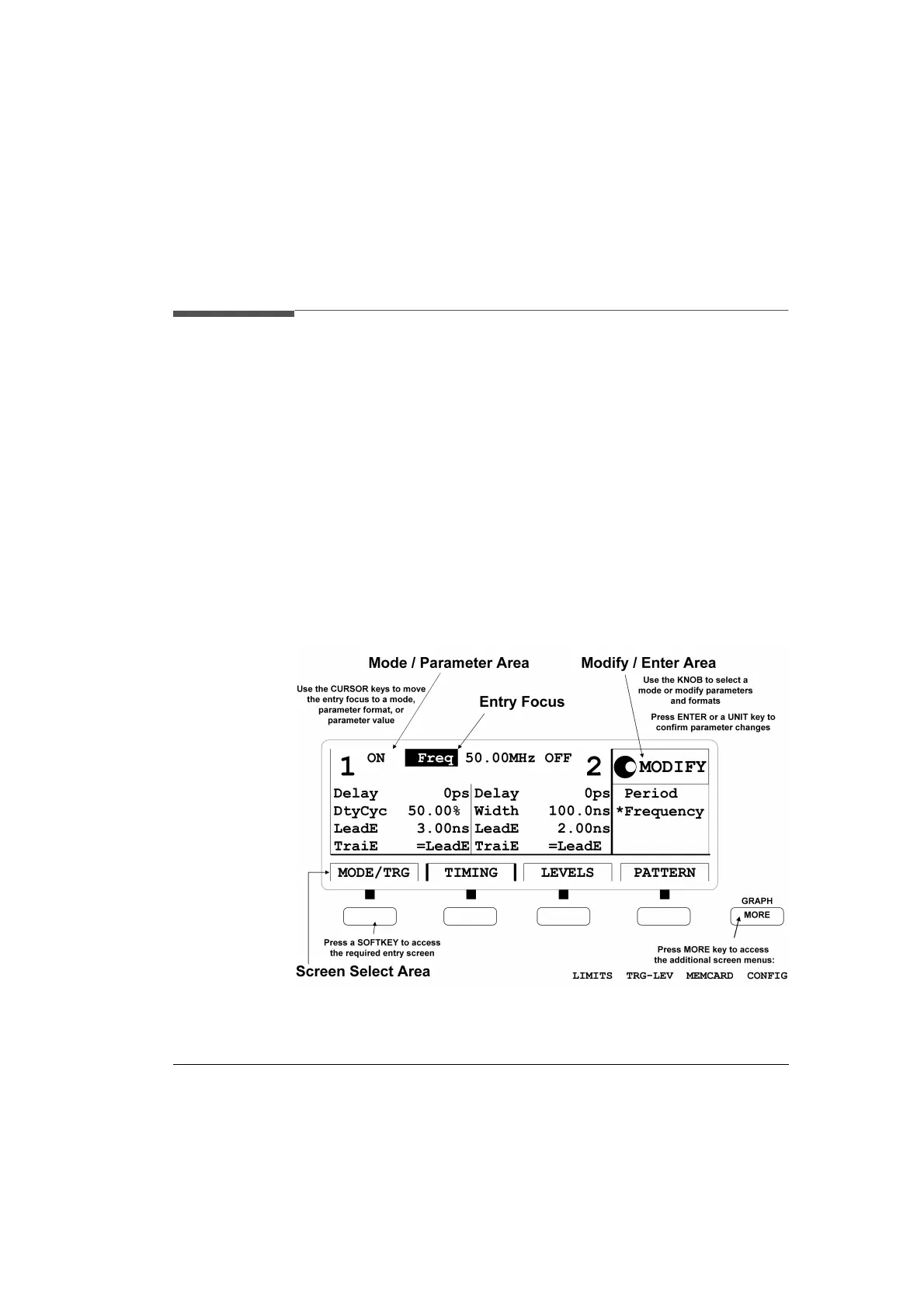
The Display
Figure 7 Display and Softkey Front Panel Section
The display contains three different areas, Mode / Parameter, Modify /
Enter and Screen Selection areas.



 To Next Page