HP 81110/04A Quick Start Getting Started 79
Getting Started
Examples
2. Setting up a Pulse Signal
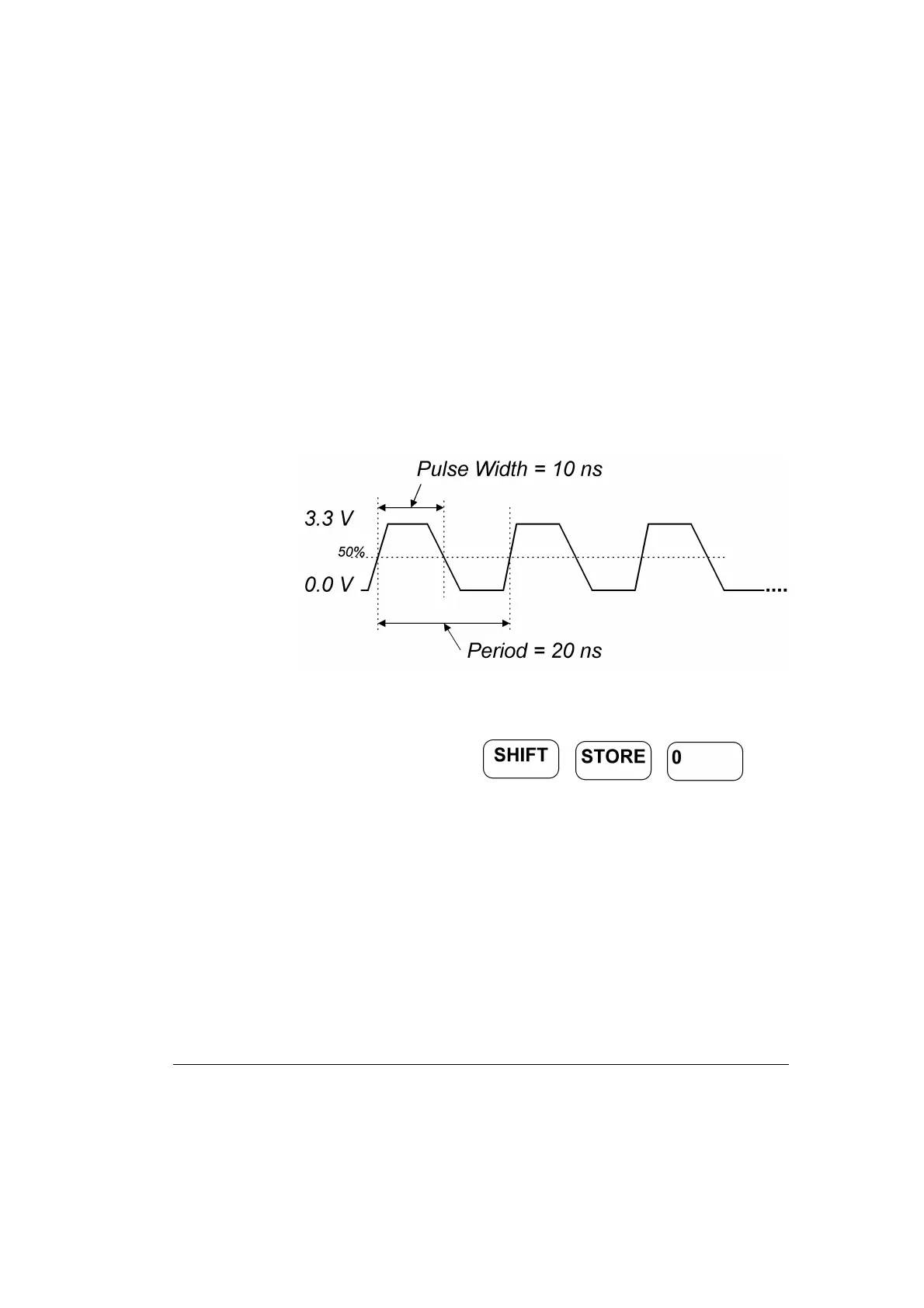
Here a continuous pulse signal with 20 ns period, a pulse width of 10 ns,
a leading edge of 3 ns, a trailing edge of 5 ns, an amplitude of 3.3 V and
an offset of 1.65 V (high level 3.3 V, low level 0.0 V) will be set up.
Figure 31 Pulse Signal Diagram
1 Before setting up the signal it is recommended to reset all parameters
and modes by pressing .



 To Next Page